




ML-2955
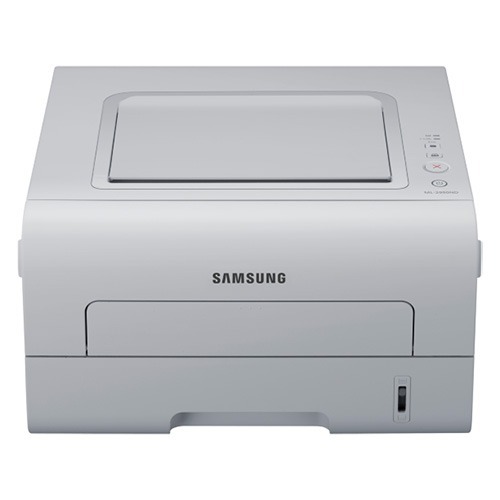
The Samsung ML-2955 is the base model of the 2950/2955 workgroup mono family: a compact single-function laser with automatic duplexing for offices that print double-sided as a matter of policy. Simple, sturdy, and economical to run.
It uses the MLT-D103S standard cartridge, with the MLT-D103L high-yield as the upgrade for heavier months. Compatible and genuine Samsung OEM versions of both are stocked, shipping fast from Clever Supplies.
Toner Cartridges for ML-2955
This printer works with the following toner cartridges:
- Samsung MLT-D103S
- Samsung MLT-D103L
More Samsung Printers
- ML-2950ND
- ML-2950NDR
- ML-2955DW
- ML-2955ND
- SCX-4701ND
- SCX-4705ND
- SCX-4726FD
- SCX-4727FD
- SCX-4728FD
- SCX-4729FD
- SCX-4729FW
- ML-2955DW/XAA
- SCX-4729
- SCX-4726
- SCX-4727
- ML-2950
- ML-2951
- ML-2951NDR
- SCX-4701
- SCX-4705
- SCX-4726FN
- SCX-4728
Frequently Asked Questions
How can I stop the ML-2955 from printing an extra blank page with every job?
Post-jam blank pages on the ML-2955 typically trace back to a leftover torn scrap in the paper path or the MLT-D103S not being reseated fully. Open the printer, look closely for paper bits, and press the cartridge in firmly. Print a test page from the panel to verify the paper path is completely clear.
Should I buy the standard or high-yield cartridge for the ML-2955?
For the ML-2955, the MLT-D103S is the standard-yield cartridge and the MLT-D103L is the high-yield one, and they slot in identically. Base the choice on print volume, not quality, since there is no quality difference between them. The printer detects and reports both automatically, with no settings to change.
Should I suspect the firmware if cartridge warnings appear on the ML-2955 after an update?
When the ML-2955 rejects a fresh MLT-D103S as unrecognized, consider what changed: firmware updates can tighten the chip checks the printer performs. Reseat the cartridge after wiping its chip contacts gently with a dry cloth. If the cartridge worked before the update and reseating changes nothing, talk to the cartridge supplier about a compatible replacement.