




SCX-4623F
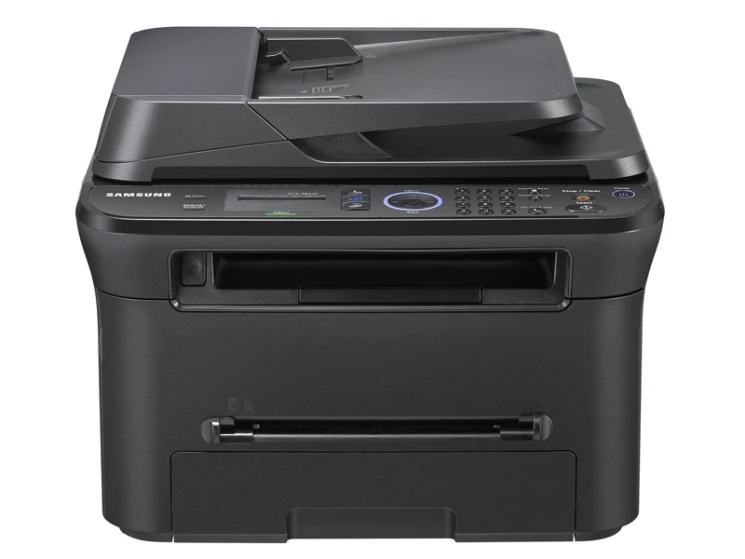
Fax capability joins print, scan and copy in the Samsung SCX-4623F, a workgroup multifunction for offices that still move paper by fax. From one sturdy desktop unit it handles the full document lifecycle: a page can arrive by fax in the morning, be copied at noon and scanned to file by evening. It runs on the MLT-D105S or the higher-yield MLT-D105L; compatible cartridges are the economical pick, genuine OEM cartridges the original pick, and both are stocked here.
Machines like this sit at the center of an office's paper traffic, which makes their supply planning a small logistics exercise. The saving grace is the platform: the D105 cartridge family is shared across a long roster of Samsung printers and multifunctions, so the SCX-4623F never depends on a niche cartridge that only one warehouse remembers.
Toner Cartridges for SCX-4623F
| Cartridge | Color | Page Yield |
|---|---|---|
| MLT-D105L High Yield Toner Cartridge | Black | See product page |
| MLT-D105L High Yield Toner Cartridge 2 Pack | Black | See product page |
| MLT-D105L High Yield Toner Cartridge 3 Pack | Black | See product page |
| MLT-D105L High Yield Toner Cartridge 5 Pack | Black | See product page |
| MLT-D105L Toner Cartridge (SCX-4623F listing) | Black | See product page |
The shelf leads with the high-yield L cartridge that most SCX-4623F offices standardize on; the standard-yield S version fits the same slot.
Which cartridge should you buy?
Choose the yield first. The S cartridge costs less to buy and suits a machine whose fax line has gone quiet; the L cartridge costs less per page and suits the office this machine was built for — pick by how many cartridges you honestly fit in a year. Two or more a year argues for the L in a two- or three-pack; one a year argues for singles of whichever yield you prefer. Compatible versus genuine is the second decision, and for mixed fax, copy and print traffic the compatible builds handle the workload at a friendlier running cost, each backed by a one-year warranty and one-year returns. Yields are stated on the product pages — do the division there against your office's actual page count, and let that arithmetic, not the size of the box, settle the question.
Chip, toner and everyday use
A cartridge change on this machine follows the same liturgy as any Samsung of its generation, and most post-change complaints dissolve when it is followed slowly. The SCX-4623F reads a chip on the cartridge, so begin with clean contacts: power down, draw the old unit out, glance into the slot for stray toner or a torn scrap of packing material, rock the new cartridge gently to level its contents, then slide it home in one motion until it clicks. Toner dust or a missed pull-tab on the contacts is enough to trigger an error on an otherwise perfect cartridge. If a fault persists after one careful reseat, refit the old cartridge as a control test before spending anything on parts or service calls.
Frequently Asked Questions
Prints from my SCX-4623F come out with toner that brushes right off — toner or fuser?
Toner should melt into the paper fibers; when it sits on the surface and smears, heat is failing somewhere. Run the cheap checks first — correct paper type in the driver, plain paper as a control — because heavy or coated stock defeats a healthy fuser. If plain paper still smudges with a fresh cartridge fitted, the fuser roller itself is the likely failure and the machine needs service rather than another cartridge.
The SCX-4623F will not print at all after I changed the toner — what now?
Reseat before you panic: pull the MLT-D105L out, inspect the slot and the chip contacts, and slide it back until it clicks. If the error survives, install the old cartridge as a test — a machine that accepts the old unit is telling you the new one's chip is at fault, and that cartridge goes back under its warranty.
Thin vertical lines keep appearing on my pages — is that low toner?
Almost never. Low toner fades pages evenly; thin lines and repeating marks point at the drum or a dirty roller. Measure the distance between repeated marks and compare it with the drum circumference given in the manual — a match names the guilty part, and knowing which roller is responsible turns a mysterious defect into a single-part repair.
Do received faxes use the same cartridge as printing and copying?
Yes — every page the SCX-4623F puts on paper, whether it began life as a fax, a copy or a print job, is laid down by the one MLT-D105 cartridge in the machine. That is why an empty cartridge silences the whole document lifecycle at once, and why the spare belongs in the same cabinet as the fax paper.
More printers that use the same cartridges
The SCX-4623F's cartridge is shared with all of these models:
ML-2540R, ML-2545, ML-2580, ML-2580N, ML-2581, ML-2850N, SCX-4600, SCX-4623, SCX-4623FN, SCX-4623FW, SF-650, SF-650P, Samsung-MLTD105, ML-1910, ML-1915, ML-2525, ML-2525W, ML-2526, ML-2540