




ProXpress C2620DW
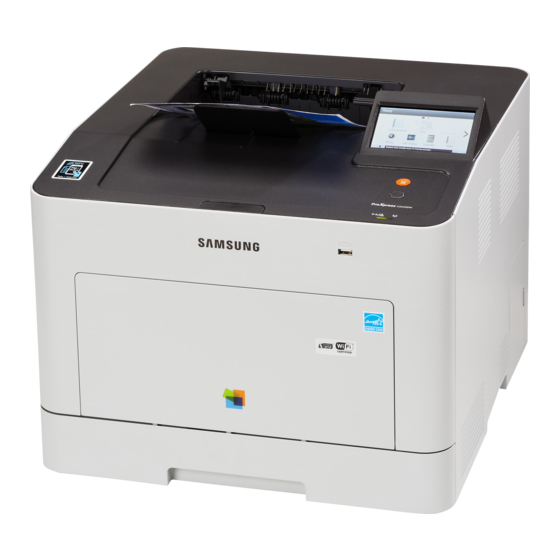
Samsung positioned the ProXpress C2620DW — a business-class color laser printer — for the mid-2010s ProXpress generation. Unlike the plain ProXpress C2620, this one adds automatic duplex printing and wireless networking — which is what the letters mean. Its buyers were mostly business workgroups with heavier color workloads.
Samsung paired this model with CLT-K505 toner — CLT-K505L for black pages and CLT-C505L among the colors. Clever Supplies carries both compatible and genuine OEM CLT-K505 cartridges for it, with fast shipping on every order. Filling out the set, the ProXpress C2620DW also runs a CLT-M505L magenta and a CLT-Y505L yellow cartridge alongside the black and cyan, four cartridges in total.
Toner Cartridges for ProXpress C2620DW
This printer works with the following toner cartridges:
- Samsung CLT-K505L
- Samsung CLT-C505L
- Samsung CLT-M505L
- Samsung CLT-Y505L
More Samsung Printers
Frequently Asked Questions
Quick question: what should I look for in a compatible CLT-K505L for the ProXpress C2620DW?
For the ProXpress C2620DW, the practical difference is consistency: genuine is the reference, good compatibles match it, poor ones do not. Pass on the lowest-priced unknown-brand CLT-K505L cartridges; quality control is where bad compatibles fail the ProXpress C2620DW. Whichever route you take, the ProXpress C2620DW deserves a cartridge that fits perfectly and reads correctly.
Office question: what is the best room in the house to store ProXpress C2620DW toner?
Store CLT-K505L cartridges upright as they would sit in the ProXpress C2620DW; it keeps the toner distributed evenly. The original box protects against light and knocks; never store a CLT-K505L loose and unwrapped. Toner storage is simple: cool, dry, dark, and sealed.
Straightforward question: my ProXpress C2620DW eats toner — how do I make cartridges last longer?
Consolidating small print jobs into batches helps the ProXpress C2620DW use toner more efficiently across warm-up cycles. Store spare CLT-K505L cartridges properly so none of your investment goes stale on the shelf. Your ProXpress C2620DW is capable of economical printing; the defaults just are not tuned for it.