




Xpress C2620DW
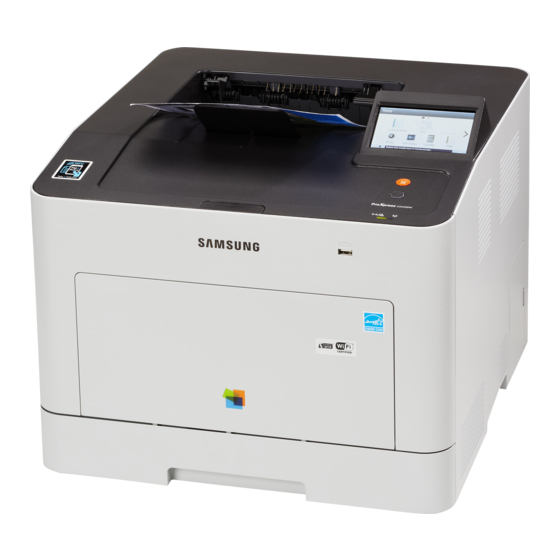
Samsung built the Xpress C2620DW as a color laser printer for the mid-2010s, part of its ProXpress family. The letters in its model name mean it adds automatic duplex printing and wireless networking, setting it apart from the base Xpress C2620. It earned its keep in business workgroups with heavier color workloads.
Its cartridge family is CLT-K505 — think CLT-K505L for black and CLT-C505L for cyan. Compatible CLT-K505 toner and genuine Samsung OEM cartridges are both in stock, with fast Clever Supplies shipping. Magenta comes from the CLT-M505L and yellow from the CLT-Y505L, so any single color can be swapped on its own when it runs low.
Toner Cartridges for Xpress C2620DW
This printer works with the following toner cartridges:
- Samsung CLT-K505L
- Samsung CLT-C505L
- Samsung CLT-M505L
- Samsung CLT-Y505L
More Samsung Printers
Frequently Asked Questions
My computer cannot find the Xpress C2620DW - how do I install the driver?
Download the Samsung print driver from the official Samsung or HP support site and run the installer with the Xpress C2620DW powered on and connected. Choose USB or network to match your actual connection, then print a test page to confirm. Detection failures are a software matter, so the CLT-K505L cartridge can wait until printing works.
Can a firmware update trigger cartridge warnings on the Xpress C2620DW?
When the Xpress C2620DW reports low toner but pages still look good, you can usually keep printing - the warning is an estimate, and gently shaking the CLT-K505L often buys more pages. Start planning the replacement now rather than waiting for output to fade mid-job. Order by the CLT-K505L code so the spare matches.
Why would the Xpress C2620DW print blank pages right after a paper jam?
Blank pages right after clearing a jam on the Xpress C2620DW usually mean a torn scrap is still blocking the paper path or the CLT-K505L was not reseated properly. Open the printer, look for leftover paper bits, and reinstall the cartridge firmly. A test page from the panel confirms the path is clear.