




Color LaserJet CP1528NW
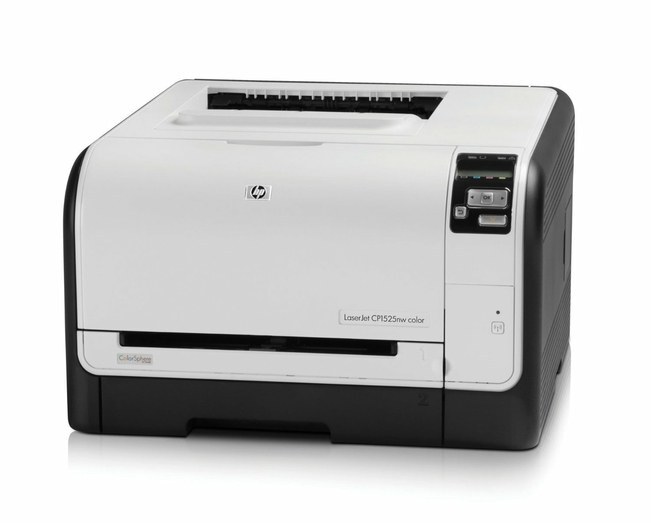
Placement flexibility is the CP1528NW's quiet advantage. With network and wireless built in, this early-2010s color laser goes wherever the office layout demands — the supply room, the hallway, the far end of an open plan — and still serves every user on the network.
It drinks HP 128A toner: CE320A black plus CE321A, CE322A, CE323A color. Compatible and genuine OEM cartridges are both on the shelf for the CP1528NW, shipping fast.
Toner Cartridges for Color LaserJet CP1528NW
This printer works with the following toner cartridges:
- HP CE320A
- HP CE321A
- HP CE322A
- HP CE323A
More HP Printers
- Color CM1415
- Color CM1415 MFP
- Color CM1415FN
- Color CM1415FNW
- Color CM1415FNW MFP
- Color CP1520
- Color CP1521N
- Color CP1522N
- Color CP1523N
- Color CP1525
- Color CP1525N
- Color CP1525NW
- Color CP1526NW
- Color CP1527NW
- Color CP1528NW
- Color LaserJet CM1415
- Color LaserJet CM1415 MFP
- Color LaserJet CM1415FN
- Color LaserJet CM1415FNW
- Color LaserJet CM1415FNW MFP
- Color LaserJet CP1520
- Color LaserJet CP1521N
- Color LaserJet CP1522N
- Color LaserJet CP1523N
- Color LaserJet CP1525
- Color LaserJet CP1525N
- Color LaserJet CP1525NW
- Color LaserJet CP1526NW
- Color LaserJet CP1527NW
- Color LaserJet Pro CM1410
- Color LaserJet Pro CM1415
- Color LaserJet Pro CM1415FN
- Color LaserJet Pro CM1415FNW
- Color LaserJet Pro CP1525
- Color LaserJet Pro CP1525N
- Color LaserJet Pro CP1525NW
- Color PRO CM1410
- Color PRO CM1415
- Color PRO CM1415FN
- Color PRO CM1415FNW
- Color PRO CP1525
- Color PRO CP1525N
- Color PRO CP1525NW
Frequently Asked Questions
Is there any downside to using compatible toner in the Color LaserJet CP1528NW?
No built-in downside: the Color LaserJet CP1528NW runs quality-compatible HP 128A cartridges (CE320A, CE321A, CE322A, CE323A) the same as OEM. The printer may show a non-HP notice on a compatible cartridge — acknowledge it and print as usual.
How do I clear a paper jam in the Color LaserJet CP1528NW safely?
With the Color LaserJet CP1528NW turned off, open the trays and rear access door, and pull jammed paper straight out in the direction of the paper path — never yank sideways. Check for torn scraps, then reload with paper that isn't curled or overfilled.
Is it hard to change the toner in the Color LaserJet CP1528NW?
Changing toner on the Color LaserJet CP1528NW is quick: with the printer on, open the toner access door, remove the spent cartridge, unwrap the new one, and seat it firmly. Print a test page to confirm everything is crisp.