




Color LaserJet CM1415FN
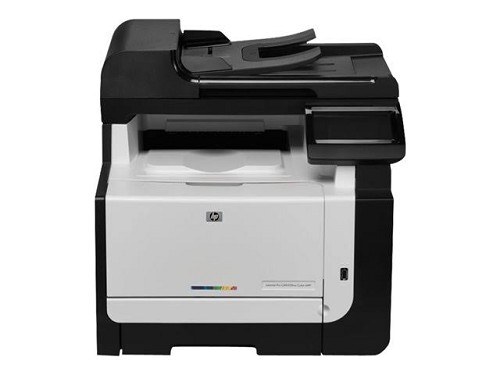
Fax plus wired networking, minus the wireless: the Color LaserJet CM1415FN is the middle child of the CM1415 MFP line — connected and fax-capable for offices with Ethernet on every desk.
HP 128A toner feeds it: CE320A black, CE321A–CE323A color, compatible or genuine OEM. The FN's cartridge story is identical to the rest of the CM1415 family.
Toner Cartridges for Color LaserJet CM1415FN
This printer works with the following toner cartridges:
- HP CE320A
- HP CE321A
- HP CE322A
- HP CE323A
More HP Printers
- Color CM1415
- Color CM1415 MFP
- Color CM1415FN
- Color CM1415FNW
- Color CM1415FNW MFP
- Color CP1520
- Color CP1521N
- Color CP1522N
- Color CP1523N
- Color CP1525
- Color CP1525N
- Color CP1525NW
- Color CP1526NW
- Color CP1527NW
- Color CP1528NW
- Color LaserJet CM1415
- Color LaserJet CM1415 MFP
- Color LaserJet CM1415FNW
- Color LaserJet CM1415FNW MFP
- Color LaserJet CP1520
- Color LaserJet CP1521N
- Color LaserJet CP1522N
- Color LaserJet CP1523N
- Color LaserJet CP1525
- Color LaserJet CP1525N
- Color LaserJet CP1525NW
- Color LaserJet CP1526NW
- Color LaserJet CP1527NW
- Color LaserJet CP1528NW
- Color LaserJet Pro CM1410
- Color LaserJet Pro CM1415
- Color LaserJet Pro CM1415FN
- Color LaserJet Pro CM1415FNW
- Color LaserJet Pro CP1525
- Color LaserJet Pro CP1525N
- Color LaserJet Pro CP1525NW
- Color PRO CM1410
- Color PRO CM1415
- Color PRO CM1415FN
- Color PRO CM1415FNW
- Color PRO CP1525
- Color PRO CP1525N
- Color PRO CP1525NW
Frequently Asked Questions
Which toner cartridges are compatible with the Color LaserJet CM1415FN?
The Color LaserJet CM1415FN takes HP 128A cartridges (CE320A, CE321A, CE322A, CE323A), and both genuine HP and quality-compatible versions fit the same way. Match the number printed on your current cartridge to CE320A, CE321A, CE322A, CE323A before ordering.
My Color LaserJet CM1415FN won't connect over Ethernet — what should I check?
If the Color LaserJet CM1415FN won't connect over Ethernet, check that the link light is on at the cable port and try a different cable or port. Reinstalling the driver on the computer often resolves discovery issues with the Color LaserJet CM1415FN.
Is it hard to change the toner in the Color LaserJet CM1415FN?
To install a new cartridge in the Color LaserJet CM1415FN, open the front door, take out the old cartridge, remove all packing material from the replacement, and push it in until it seats. Close the door and the Color LaserJet CM1415FN finishes the rest automatically.