




Color CP1525
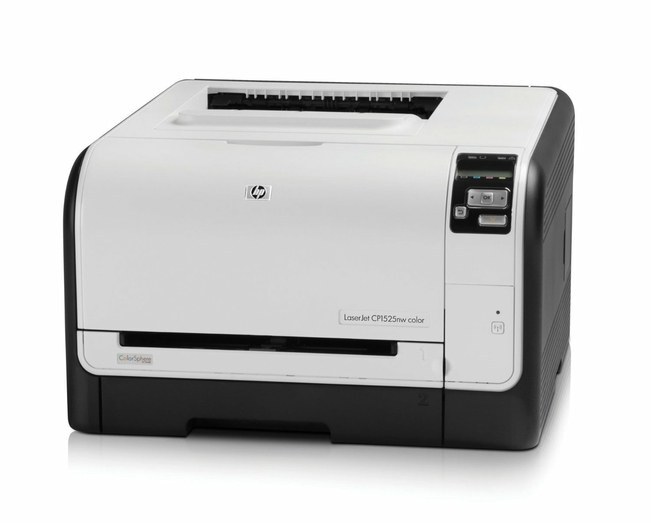
A dependable color printer, plain and simple: the Color CP1525 is the base configuration of the 1525 line — single-function color for everyday business documents. It feeds on the HP 128A set: CE320A black with CE321A, CE322A, CE323A color.
Compatible and genuine OEM 128A cartridges for the CP1525 are stocked here. Four cartridges, two quality tiers, one reorder decision at a time; Clever Supplies ships quickly.
Toner Cartridges for Color CP1525
This printer works with the following toner cartridges:
- HP CE320A
- HP CE321A
- HP CE322A
- HP CE323A
More HP Printers
- Color CM1415
- Color CM1415 MFP
- Color CM1415FN
- Color CM1415FNW
- Color CM1415FNW MFP
- Color CP1520
- Color CP1521N
- Color CP1522N
- Color CP1523N
- Color CP1525N
- Color CP1525NW
- Color CP1526NW
- Color CP1527NW
- Color CP1528NW
- Color LaserJet CM1415
- Color LaserJet CM1415 MFP
- Color LaserJet CM1415FN
- Color LaserJet CM1415FNW
- Color LaserJet CM1415FNW MFP
- Color LaserJet CP1520
- Color LaserJet CP1521N
- Color LaserJet CP1522N
- Color LaserJet CP1523N
- Color LaserJet CP1525
- Color LaserJet CP1525N
- Color LaserJet CP1525NW
- Color LaserJet CP1526NW
- Color LaserJet CP1527NW
- Color LaserJet CP1528NW
- Color LaserJet Pro CM1410
- Color LaserJet Pro CM1415
- Color LaserJet Pro CM1415FN
- Color LaserJet Pro CM1415FNW
- Color LaserJet Pro CP1525
- Color LaserJet Pro CP1525N
- Color LaserJet Pro CP1525NW
- Color PRO CM1410
- Color PRO CM1415
- Color PRO CM1415FN
- Color PRO CM1415FNW
- Color PRO CP1525
- Color PRO CP1525N
- Color PRO CP1525NW
Frequently Asked Questions
Will any HP toner cartridge work in the Color CP1525, or does it need a specific family?
The Color CP1525 takes HP 128A cartridges (CE320A, CE321A, CE322A, CE323A), and both genuine HP and quality-compatible versions fit the same way. Match the number printed on your current cartridge to CE320A, CE321A, CE322A, CE323A before ordering.
Why does the Color CP1525 jam more often when printing heavier paper?
Heavier stock jams more easily, so on the Color CP1525 load thick paper one tray setting at a time and select the matching media type. Keeping the paper dry and flat matters more than anything for the Color CP1525.
How do I set up the Color CP1525 on a new computer?
Setting up the Color CP1525 on a new computer means grabbing the full driver package from HP support and running the installer. Avoid generic drivers if you want full access to the Color CP1525's features.