




Color PRO CP1525
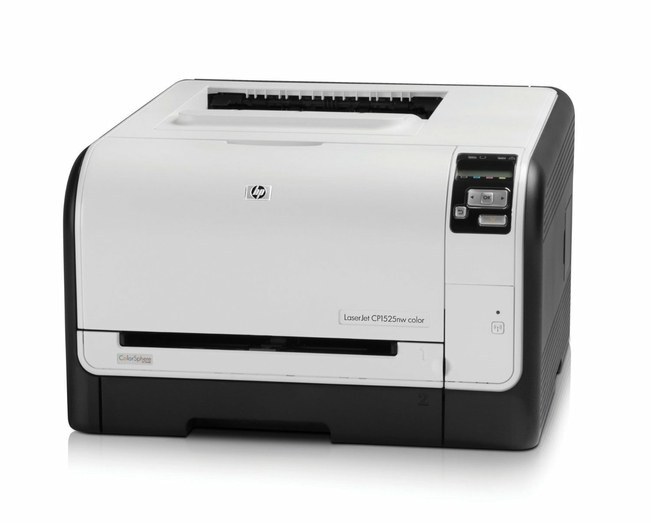
Base Pro color, no extras: the Color Pro CP1525 is the standard-configuration color printer of the Pro 1525 line — everyday business color without the suffixes. It takes the HP 128A four-cartridge set: CE320A black, CE321A/CE322A/CE323A color.
We stock genuine OEM and compatible 128A cartridges for the Pro CP1525. The 128A family spans the whole 1520s range, so supply is never a hunt; Clever Supplies ships fast.
Toner Cartridges for Color PRO CP1525
This printer works with the following toner cartridges:
- HP CE320A
- HP CE321A
- HP CE322A
- HP CE323A
More HP Printers
- Color CM1415
- Color CM1415 MFP
- Color CM1415FN
- Color CM1415FNW
- Color CM1415FNW MFP
- Color CP1520
- Color CP1521N
- Color CP1522N
- Color CP1523N
- Color CP1525
- Color CP1525N
- Color CP1525NW
- Color CP1526NW
- Color CP1527NW
- Color CP1528NW
- Color LaserJet CM1415
- Color LaserJet CM1415 MFP
- Color LaserJet CM1415FN
- Color LaserJet CM1415FNW
- Color LaserJet CM1415FNW MFP
- Color LaserJet CP1520
- Color LaserJet CP1521N
- Color LaserJet CP1522N
- Color LaserJet CP1523N
- Color LaserJet CP1525
- Color LaserJet CP1525N
- Color LaserJet CP1525NW
- Color LaserJet CP1526NW
- Color LaserJet CP1527NW
- Color LaserJet CP1528NW
- Color LaserJet Pro CM1410
- Color LaserJet Pro CM1415
- Color LaserJet Pro CM1415FN
- Color LaserJet Pro CM1415FNW
- Color LaserJet Pro CP1525
- Color LaserJet Pro CP1525N
- Color LaserJet Pro CP1525NW
- Color PRO CM1410
- Color PRO CM1415
- Color PRO CM1415FN
- Color PRO CM1415FNW
- Color PRO CP1525N
- Color PRO CP1525NW
Frequently Asked Questions
Which cartridges fit the Color PRO CP1525?
Match the HP 128A family numbers — CE320A, CE321A, CE322A, and CE323A — when buying for the Color PRO CP1525. Both genuine HP and quality-compatible cartridges with those codes install identically in the Color PRO CP1525.
What is the most economical way to buy toner for the Color PRO CP1525?
To stretch a HP 128A set in the Color PRO CP1525, print internal documents in grayscale, use the draft or toner-save mode for throwaway pages, and keep cartridges sealed until the Color PRO CP1525 actually needs them.
How do I fix streaks and banding on the Color PRO CP1525?
Faded or streaky output on the Color PRO CP1525 usually means a cartridge is running low or toner has settled unevenly. Remove the affected cartridge, rock it gently to redistribute the toner, then reinstall and print a cleaning page from the printer's menu.