




Color CP1525N
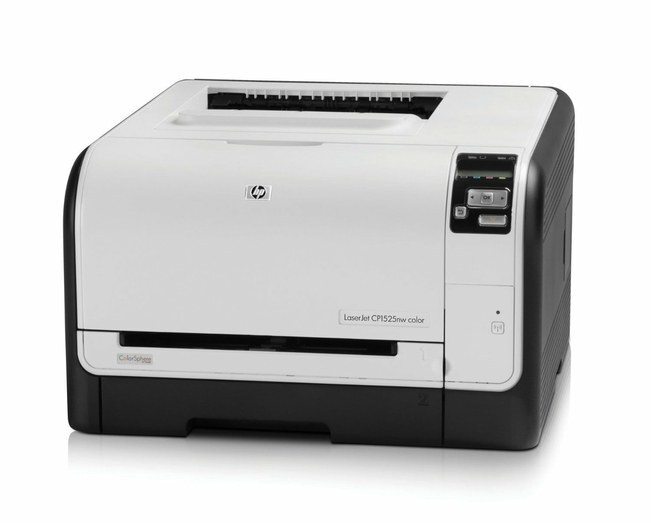
The Color CP1525n puts the 1525’s color output on office Ethernet: the networked configuration of the line, made for small teams sharing one machine. It runs on the HP 128A (CE320A) black cartridge with CE321A cyan, CE322A yellow and CE323A magenta completing the set. Everything listed here is a compatible 128A cartridge or set, with a 1-year warranty and 1-year returns.
Sharing changes the toner math. A networked printer in the corner serves everyone’s documents, so its black cartridge works far harder than the one in a personal printer, and its levels can drop between one person’s big report and the next person’s mail merge. Teams that keep a spare black beside a shared CP1525n rarely think about toner at all; teams that do not, meet the empty warning at the worst possible moment. The colors, used by fewer jobs, fade on a slower schedule.
Toner Cartridges for Color CP1525N
| Cartridge | Color | Page Yield |
|---|---|---|
| CE320A | Black | See product page |
| CE321A | Cyan | See product page |
| CE322A | Yellow | See product page |
| CE323A | Magenta | See product page |
Owners of the Color CP1525N can restock the whole 128A set in one order: the 128A four-color set (CE320A, CE321A, CE322A, CE323A) covers black plus all three colors, the 128A three-color set (CE321A, CE322A, CE323A) skips the black for a colors-only refresh, and the 128A five-color set (2 x CE320A plus the three colors) doubles up on CE320A black for heavier document printing on the CP1525N.
Single cartridges and black multipacks: 128A (CE321A) Toner Cyan; 128A (CE321A) Toner Cyan; 128A (CE321A) Toner Cyan; 128A (CE321A) Toner Cyan; CP1525N (CE321A) Toner Cyan; CP1525N (CE321A) Toner Cyan; 128A (CE320A) Toner; 128A (CE320A) Toner; 128A (CE320A) Toner Black; CM2320 (CE320A) Toner 2 Black; CE320A Toner Black/ HP 128A Toner.
The shelf also carries these further 128A listings — the same family of cartridges under generic and model-specific listing names. Multi-packs and sets: Pro CP1525N Toner 4 Color Set; 128A (CE320A CE321A CE322A CE323A) Toner 4 Color Set; 128A (CE320A CE321A CE322A CE323A) Toner 4 Color Set; 128A (CE320A CE321A CE322A CE323A) Toner 4 Color Set; 128A (CE320A CE321A CE322A CE323A) Toner 4 Color Set; 128A (CE320A CE321A CE322A CE323A) Toner 4 Color Set; 128A (CE320A CE321A CE322A CE323A) Toner 4 Color Set; 128A (CE320A CE321A CE322A CE323A) Toner 4 Color Set; 128A (CE320A CE321A CE322A CE323A) Toner 4 Color Set; 128A (CE320A CE321A CE322A CE323A) Toner 4 Color Set; 128A (CE320A CE321A CE322A CE323A) Toner 4 Color Set; 128A (CE320A CE321A CE322A CE323A) Toner 4 Color Set; 128A (CE320A CE321A CE322A CE323A) Toner 4 Color Set; 128A (CE320A CE321A CE322A CE323A) Toner 5 Color Set; 128A (CE320A CE321A CE322A CE323A) Toner 4 Color Set; 128A (CE320A CE321A CE322A CE323A) Toner 4 Color Set; 128A (CE320A CE321A CE322A CE323A) Toner 4 Color Set; 128A (CE320A CE321A CE322A CE323A) Toner 4 Color Set; 128A (CE320A CE321A CE322A CE323A) Toner 4 Color Set; CP1525n Toner 4 Color Set; 128A Premium Quality Toner 4 Color Set (CE320A/ CE321A/ CE323A/ CE322A).
Which cartridge should you buy?
One standard tier covers the whole 128A family on this page, so plan around pack shapes rather than yield tiers. For a shared machine, the black multipacks are the workhorse purchase: black is the cartridge a team actually empties. Singles handle the colors one at a time as each level falls, and the four-color set is the tidy choice when a general refresh is due. The five-color set, with its second black, suits an office that would rather stock deep once than reorder often. Match the buy to the slot that is actually low; the rest of the machine is fine as it is.
Chip, toner and everyday use
Each cartridge reports through its chip, and the printer shows the shared machine’s levels to whoever checks. When a compatible cartridge goes in, rock it gently first to loosen the toner, pull the seal cleanly away, and seat it with a firm push. A cartridge that is not quite home can read as absent, so reseating is the first fix to try. Yields are estimates based on 5% page coverage; shared printers printing dense handouts will move faster than the estimate. Keep the team spare sealed and upright near the machine, not on top of it where heat rises.
Frequently Asked Questions
What toner cartridges does the Color CP1525n use?
The same HP 128A set as the rest of the line: CE320A black, CE321A cyan, CE322A yellow and CE323A magenta. Networking changes how the printer connects, not what it eats — the cartridges are identical across the 1525 configurations.
Why does a shared printer empty its black so fast?
Because everybody’s everyday documents are black-only work. Multiply one desk’s worth of letters and reports by a whole team and the black level falls quickly, while the colors wait for the occasional presentation. A spare black on site ends the scramble.
Can different people’s jobs need different cartridges?
No — every job draws from the same four cartridges. A color job spends the colors, a text job spends black, and the levels simply reflect the mix of work the team sends.
Do I replace all four when one runs out?
Only the empty one. The four slots are independent, and swapping a single cartridge takes a minute. The other three stay put until their own levels run down.
More printers that use the same cartridges
Because the whole family shares one supply, a spare bought for this printer fits its relatives too — the models below all take the same 128A set:
Color CM1415, Color CM1415 MFP, Color CM1415FN, Color CM1415FNW, Color CM1415FNW MFP, Color CP1520, Color CP1521N, Color CP1522N, Color CP1523N, Color CP1525, Color CP1525NW, Color CP1526NW, Color CP1527NW, Color CP1528NW, Color PRO CM1410, Color PRO CM1415, Color PRO CM1415FN, Color PRO CM1415FNW, Color PRO CP1525, Color PRO CP1525N, Color PRO CP1525NW.
SELECT YOUR PRINTER FAMILY TO SHOP Color CP1525N PRODUCTS
There are no products listed under this category.