




Color CP1522N
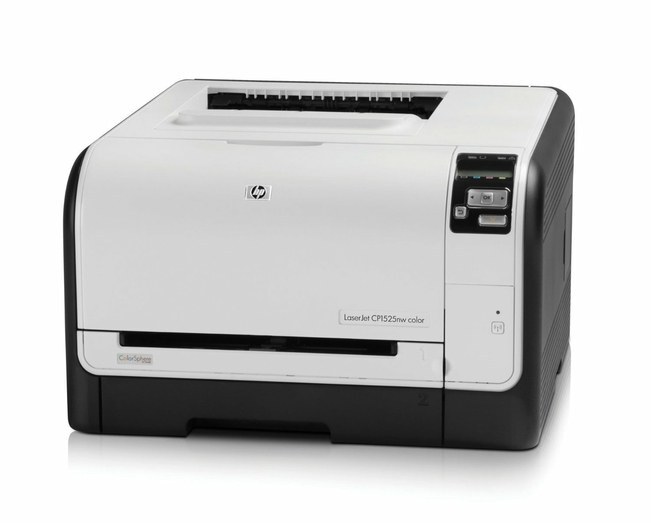
Shared color, 1522 generation: the Color CP1522n puts networked color printing on the small-office Ethernet. It feeds on the HP 128A four-cartridge set: CE320A black with CE321A, CE322A, CE323A color.
Compatible and genuine OEM 128A cartridges for the CP1522n sit side by side on our shelves. The 128A family is shared across the whole 1520s line, so supply stays simple; Clever Supplies ships fast.
Toner Cartridges for Color CP1522N
This printer works with the following toner cartridges:
- HP CE320A
- HP CE321A
- HP CE322A
- HP CE323A
More HP Printers
- Color CM1415
- Color CM1415 MFP
- Color CM1415FN
- Color CM1415FNW
- Color CM1415FNW MFP
- Color CP1520
- Color CP1521N
- Color CP1523N
- Color CP1525
- Color CP1525N
- Color CP1525NW
- Color CP1526NW
- Color CP1527NW
- Color CP1528NW
- Color LaserJet CM1415
- Color LaserJet CM1415 MFP
- Color LaserJet CM1415FN
- Color LaserJet CM1415FNW
- Color LaserJet CM1415FNW MFP
- Color LaserJet CP1520
- Color LaserJet CP1521N
- Color LaserJet CP1522N
- Color LaserJet CP1523N
- Color LaserJet CP1525
- Color LaserJet CP1525N
- Color LaserJet CP1525NW
- Color LaserJet CP1526NW
- Color LaserJet CP1527NW
- Color LaserJet CP1528NW
- Color LaserJet Pro CM1410
- Color LaserJet Pro CM1415
- Color LaserJet Pro CM1415FN
- Color LaserJet Pro CM1415FNW
- Color LaserJet Pro CP1525
- Color LaserJet Pro CP1525N
- Color LaserJet Pro CP1525NW
- Color PRO CM1410
- Color PRO CM1415
- Color PRO CM1415FN
- Color PRO CM1415FNW
- Color PRO CP1525
- Color PRO CP1525N
- Color PRO CP1525NW
Frequently Asked Questions
Does the Color CP1522N accept only genuine HP cartridges, or do compatibles work too?
The Color CP1522N takes HP 128A cartridges (CE320A, CE321A, CE322A, CE323A), and both genuine HP and quality-compatible versions fit the same way. Match the number printed on your current cartridge to CE320A, CE321A, CE322A, CE323A before ordering.
Should I replace the cartridge as soon as the Color CP1522N warns about low toner?
A toner-low message on the Color CP1522N is an early warning, not a hard stop — you can typically keep printing while a replacement is on the way. When output starts looking faded, remove the cartridge, rock it gently side to side, and reinstall it to squeeze out extra pages.
What causes light or uneven printing on the Color CP1522N?
Streaks on the Color CP1522N are most often a low or dirty cartridge, not a printer failure. Try shaking the low cartridge side to side, and if the banding stays, replace that single HP 128A cartridge rather than the whole set.