




Color PRO CM1415
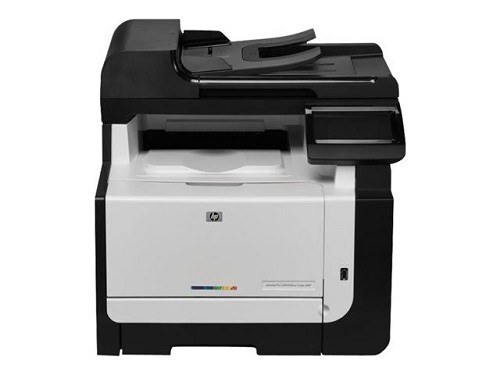
The Pro CM1415 in its base form: the Color Pro CM1415 is the straightforward color printer of the Pro family — print-only color for desks with simple needs. It runs on the HP 128A set: CE320A black with CE321A, CE322A, CE323A color.
Compatible and genuine OEM 128A cartridges for the Pro CM1415 are stocked here. Base configuration, proven cartridge family, fast shipping from Clever Supplies — reordering stays simple.
Toner Cartridges for Color PRO CM1415
This printer works with the following toner cartridges:
- HP CE320A
- HP CE321A
- HP CE322A
- HP CE323A
More HP Printers
- Color CM1415
- Color CM1415 MFP
- Color CM1415FN
- Color CM1415FNW
- Color CM1415FNW MFP
- Color CP1520
- Color CP1521N
- Color CP1522N
- Color CP1523N
- Color CP1525
- Color CP1525N
- Color CP1525NW
- Color CP1526NW
- Color CP1527NW
- Color CP1528NW
- Color LaserJet CM1415
- Color LaserJet CM1415 MFP
- Color LaserJet CM1415FN
- Color LaserJet CM1415FNW
- Color LaserJet CM1415FNW MFP
- Color LaserJet CP1520
- Color LaserJet CP1521N
- Color LaserJet CP1522N
- Color LaserJet CP1523N
- Color LaserJet CP1525
- Color LaserJet CP1525N
- Color LaserJet CP1525NW
- Color LaserJet CP1526NW
- Color LaserJet CP1527NW
- Color LaserJet CP1528NW
- Color LaserJet Pro CM1410
- Color LaserJet Pro CM1415
- Color LaserJet Pro CM1415FN
- Color LaserJet Pro CM1415FNW
- Color LaserJet Pro CP1525
- Color LaserJet Pro CP1525N
- Color LaserJet Pro CP1525NW
- Color PRO CM1410
- Color PRO CM1415FN
- Color PRO CM1415FNW
- Color PRO CP1525
- Color PRO CP1525N
- Color PRO CP1525NW
Frequently Asked Questions
Which toner cartridges are compatible with the Color PRO CM1415?
The Color PRO CM1415 takes the HP 128A set — black CE320A plus the colors CE321A, CE322A, and CE323A. Genuine HP and compatible versions of those exact codes both seat properly; cartridges from other HP families will not fit the Color PRO CM1415.
How do I clear a paper jam in the Color PRO CM1415 safely?
Heavier stock jams more easily, so on the Color PRO CM1415 load thick paper one tray setting at a time and select the matching media type. Keeping the paper dry and flat matters more than anything for the Color PRO CM1415.
Is it hard to change the toner in the Color PRO CM1415?
Open the front cover of the Color PRO CM1415, pull the empty cartridge out by its handle, slide the new one in until it clicks, and close the cover. The Color PRO CM1415 usually calibrates itself right after.