




Color LaserJet CM1415 MFP
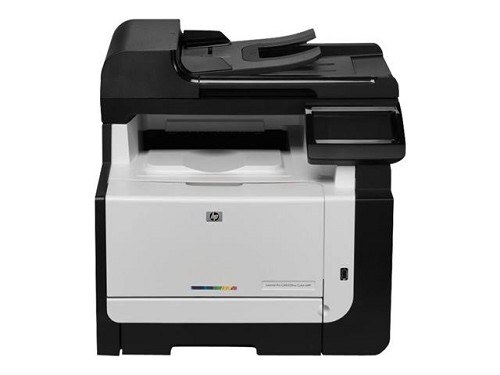
When one machine has to print, scan and copy, the CM1415 MFP earns its corner. This early-2010s color multifunction packs the full office trio into a single chassis — no separate scanner, no trips to the copier down the hall.
HP 128A toner, CE320A through CE323A, powers the CM1415 MFP. Both genuine OEM and compatible cartridges fit, so choose factory-original output or budget-friendly value and keep this MFP running.
Toner Cartridges for Color LaserJet CM1415 MFP
This printer works with the following toner cartridges:
- HP CE320A
- HP CE321A
- HP CE322A
- HP CE323A
More HP Printers
- Color CM1415
- Color CM1415 MFP
- Color CM1415FN
- Color CM1415FNW
- Color CM1415FNW MFP
- Color CP1520
- Color CP1521N
- Color CP1522N
- Color CP1523N
- Color CP1525
- Color CP1525N
- Color CP1525NW
- Color CP1526NW
- Color CP1527NW
- Color CP1528NW
- Color LaserJet CM1415
- Color LaserJet CM1415FN
- Color LaserJet CM1415FNW
- Color LaserJet CM1415FNW MFP
- Color LaserJet CP1520
- Color LaserJet CP1521N
- Color LaserJet CP1522N
- Color LaserJet CP1523N
- Color LaserJet CP1525
- Color LaserJet CP1525N
- Color LaserJet CP1525NW
- Color LaserJet CP1526NW
- Color LaserJet CP1527NW
- Color LaserJet CP1528NW
- Color LaserJet Pro CM1410
- Color LaserJet Pro CM1415
- Color LaserJet Pro CM1415FN
- Color LaserJet Pro CM1415FNW
- Color LaserJet Pro CP1525
- Color LaserJet Pro CP1525N
- Color LaserJet Pro CP1525NW
- Color PRO CM1410
- Color PRO CM1415
- Color PRO CM1415FN
- Color PRO CM1415FNW
- Color PRO CP1525
- Color PRO CP1525N
- Color PRO CP1525NW
Frequently Asked Questions
Can I use compatible (non-OEM) toner cartridges in my Color LaserJet CM1415 MFP?
The correct cartridges for the Color LaserJet CM1415 MFP are CE320A, CE321A, CE322A, CE323A (HP 128A). Whether you buy OEM or compatible, that number is what matters — anything outside HP 128A will not seat properly in the Color LaserJet CM1415 MFP.
My computer doesn't recognize the Color LaserJet CM1415 MFP — where do I start?
Setting up the Color LaserJet CM1415 MFP on a new computer means grabbing the full driver package from HP support and running the installer. Avoid generic drivers if you want full access to the Color LaserJet CM1415 MFP's features.
Why do documents from the Color LaserJet CM1415 MFP look faded even with new toner?
Streaks on the Color LaserJet CM1415 MFP are most often a low or dirty cartridge, not a printer failure. Try shaking the low cartridge side to side, and if the banding stays, replace that single HP 128A cartridge rather than the whole set.
SELECT YOUR PRINTER FAMILY TO SHOP Color LaserJet CM1415 MFP PRODUCTS
There are no products listed under this category.