




Color LaserJet CM1415FNW MFP
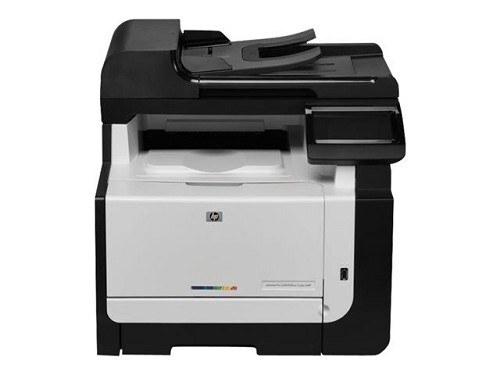
The CM1415FNW MFP is the does-everything config: print, scan, copy, fax — wired and wireless. HP's early-2010s flagship small-office MFP, built for the team that handles documents end to end.
It runs on HP 128A cartridges (CE320A, CE321A, CE322A, CE323A). Compatible and genuine OEM toner are both stocked for this MFP; either keeps the print engine at full quality.
Toner Cartridges for Color LaserJet CM1415FNW MFP
This printer works with the following toner cartridges:
- HP CE320A
- HP CE321A
- HP CE322A
- HP CE323A
More HP Printers
- Color CM1415
- Color CM1415 MFP
- Color CM1415FN
- Color CM1415FNW
- Color CM1415FNW MFP
- Color CP1520
- Color CP1521N
- Color CP1522N
- Color CP1523N
- Color CP1525
- Color CP1525N
- Color CP1525NW
- Color CP1526NW
- Color CP1527NW
- Color CP1528NW
- Color LaserJet CM1415
- Color LaserJet CM1415 MFP
- Color LaserJet CM1415FN
- Color LaserJet CM1415FNW
- Color LaserJet CP1520
- Color LaserJet CP1521N
- Color LaserJet CP1522N
- Color LaserJet CP1523N
- Color LaserJet CP1525
- Color LaserJet CP1525N
- Color LaserJet CP1525NW
- Color LaserJet CP1526NW
- Color LaserJet CP1527NW
- Color LaserJet CP1528NW
- Color LaserJet Pro CM1410
- Color LaserJet Pro CM1415
- Color LaserJet Pro CM1415FN
- Color LaserJet Pro CM1415FNW
- Color LaserJet Pro CP1525
- Color LaserJet Pro CP1525N
- Color LaserJet Pro CP1525NW
- Color PRO CM1410
- Color PRO CM1415
- Color PRO CM1415FN
- Color PRO CM1415FNW
- Color PRO CP1525
- Color PRO CP1525N
- Color PRO CP1525NW
Frequently Asked Questions
Does the Color LaserJet CM1415FNW MFP accept only genuine HP cartridges, or do compatibles work too?
Yes — the Color LaserJet CM1415FNW MFP works with compatible HP 128A cartridges (CE320A, CE321A, CE322A, CE323A) as well as genuine HP. Just confirm the cartridge code matches, since cartridges for other HP printers will not fit the Color LaserJet CM1415FNW MFP.
How do I install a new CE320A cartridge in the Color LaserJet CM1415FNW MFP?
Changing toner on the Color LaserJet CM1415FNW MFP is quick: with the printer on, open the toner access door, remove the spent cartridge, unwrap the new one, and seat it firmly. Print a test page to confirm everything is crisp.
Is there a way to reduce paper jams in the Color LaserJet CM1415FNW MFP?
With the Color LaserJet CM1415FNW MFP turned off, open the trays and rear access door, and pull jammed paper straight out in the direction of the paper path — never yank sideways. Check for torn scraps, then reload with paper that isn't curled or overfilled.