




Color LaserJet Pro CM1415
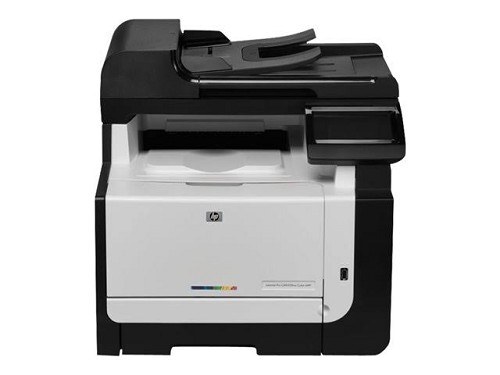
A single-function color laser for the early-2010s office, the Color LaserJet Pro CM1415 keeps the formula simple: quality color pages, one job at a time. It's the printer for desks where scanning and faxing live elsewhere.
The CM1415 drinks HP 128A toner — CE320A black plus CE321A, CE322A, CE323A color. We stock genuine OEM and compatible cartridges for it, shipping quickly from Clever Supplies.
Toner Cartridges for Color LaserJet Pro CM1415
This printer works with the following toner cartridges:
- HP CE320A
- HP CE321A
- HP CE322A
- HP CE323A
More HP Printers
- Color CM1415
- Color CM1415 MFP
- Color CM1415FN
- Color CM1415FNW
- Color CM1415FNW MFP
- Color CP1520
- Color CP1521N
- Color CP1522N
- Color CP1523N
- Color CP1525
- Color CP1525N
- Color CP1525NW
- Color CP1526NW
- Color CP1527NW
- Color CP1528NW
- Color LaserJet CM1415
- Color LaserJet CM1415 MFP
- Color LaserJet CM1415FN
- Color LaserJet CM1415FNW
- Color LaserJet CM1415FNW MFP
- Color LaserJet CP1520
- Color LaserJet CP1521N
- Color LaserJet CP1522N
- Color LaserJet CP1523N
- Color LaserJet CP1525
- Color LaserJet CP1525N
- Color LaserJet CP1525NW
- Color LaserJet CP1526NW
- Color LaserJet CP1527NW
- Color LaserJet CP1528NW
- Color LaserJet Pro CM1410
- Color LaserJet Pro CM1415FN
- Color LaserJet Pro CM1415FNW
- Color LaserJet Pro CP1525
- Color LaserJet Pro CP1525N
- Color LaserJet Pro CP1525NW
- Color PRO CM1410
- Color PRO CM1415
- Color PRO CM1415FN
- Color PRO CM1415FNW
- Color PRO CP1525
- Color PRO CP1525N
- Color PRO CP1525NW
Frequently Asked Questions
Which cartridges fit the Color LaserJet Pro CM1415?
The Color LaserJet Pro CM1415 runs the HP 128A family: CE320A black, with CE321A, CE322A and CE323A for color. Both genuine HP and compatible versions seat the same way — confirm the code printed on your current cartridge before ordering.
Why does the Color LaserJet Pro CM1415 jam more often when printing heavier paper?
With the Color LaserJet Pro CM1415 turned off, open the trays and rear access door, and pull jammed paper straight out in the direction of the paper path — never yank sideways. Check for torn scraps, then reload with paper that isn't curled or overfilled.
One color looks off on my Color LaserJet Pro CM1415 — what should I check first?
Run a cleaning or calibration page from the Color LaserJet Pro CM1415's menu, then check the supplies gauge to find the low cartridge. Off colors on the Color LaserJet Pro CM1415 usually trace to one nearly empty HP 128A cartridge — replace just that one.
SELECT YOUR PRINTER FAMILY TO SHOP Color LaserJet Pro CM1415 PRODUCTS
There are no products listed under this category.