




Color LaserJet Pro CP1525N
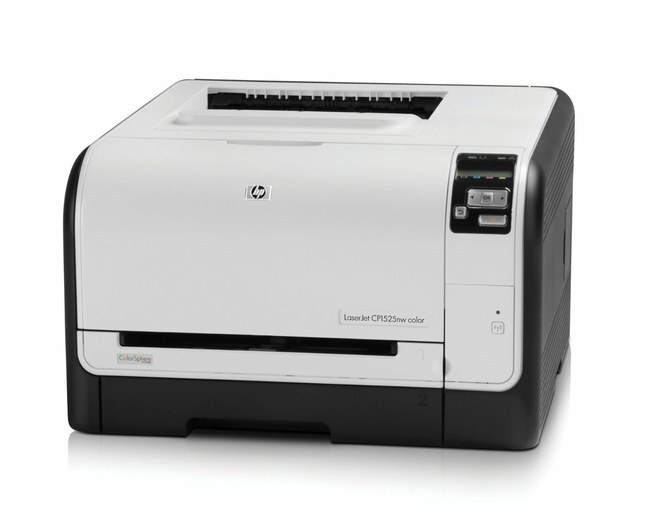
Wired, shared, and dependable: the Color LaserJet Pro CP1525N is a single-function color laser that joins the office Ethernet line and serves every desk on it. No wireless setup, no queue management — just color printing for the team.
The CP1525N takes HP 128A toner (CE320A, CE321A, CE322A, CE323A). Keep a spare set from Clever Supplies on the shelf and this printer never keeps the office waiting.
Toner Cartridges for Color LaserJet Pro CP1525N
This printer works with the following toner cartridges:
- HP CE320A
- HP CE321A
- HP CE322A
- HP CE323A
More HP Printers
- Color CM1415
- Color CM1415 MFP
- Color CM1415FN
- Color CM1415FNW
- Color CM1415FNW MFP
- Color CP1520
- Color CP1521N
- Color CP1522N
- Color CP1523N
- Color CP1525
- Color CP1525N
- Color CP1525NW
- Color CP1526NW
- Color CP1527NW
- Color CP1528NW
- Color LaserJet CM1415
- Color LaserJet CM1415 MFP
- Color LaserJet CM1415FN
- Color LaserJet CM1415FNW
- Color LaserJet CM1415FNW MFP
- Color LaserJet CP1520
- Color LaserJet CP1521N
- Color LaserJet CP1522N
- Color LaserJet CP1523N
- Color LaserJet CP1525
- Color LaserJet CP1525N
- Color LaserJet CP1525NW
- Color LaserJet CP1526NW
- Color LaserJet CP1527NW
- Color LaserJet CP1528NW
- Color LaserJet Pro CM1410
- Color LaserJet Pro CM1415
- Color LaserJet Pro CM1415FN
- Color LaserJet Pro CM1415FNW
- Color LaserJet Pro CP1525
- Color LaserJet Pro CP1525NW
- Color PRO CM1410
- Color PRO CM1415
- Color PRO CM1415FN
- Color PRO CM1415FNW
- Color PRO CP1525
- Color PRO CP1525N
- Color PRO CP1525NW
Frequently Asked Questions
What are the correct toner cartridge numbers for the Color LaserJet Pro CP1525N?
The numbers to match are CE320A, CE321A, CE322A and CE323A — the full HP 128A set for the Color LaserJet Pro CP1525N. Read the code on your current cartridge and order that exact number, since anything outside HP 128A will not seat in the Color LaserJet Pro CP1525N.
The Color LaserJet Pro CP1525N displays 'toner low' but the page still looks fine — what's going on?
The Color LaserJet Pro CP1525N estimates toner from page counts, so the warning comes early by design. You can keep printing past it; replace the cartridge when the Color LaserJet Pro CP1525N reports it empty or the print quality drops.
Why do documents from the Color LaserJet Pro CP1525N look faded even with new toner?
Faded or streaky output on the Color LaserJet Pro CP1525N usually means a cartridge is running low or toner has settled unevenly. Remove the affected cartridge, rock it gently to redistribute the toner, then reinstall and print a cleaning page from the printer's menu.