




Color LaserJet CP1521N
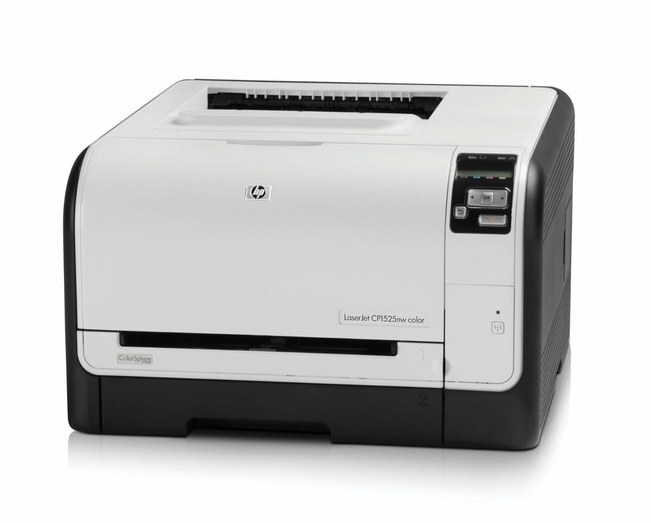
A shared printer doesn't need bells and whistles — it needs to be reachable. The Color LaserJet CP1521N connects over the office Ethernet line and serves color pages to every workstation in the department: a single-function color laser built for the early-2010s office.
Replacement toner for the CP1521N comes from the HP 128A line — CE320A black plus the CE321A, CE322A and CE323A color cartridges. Genuine OEM for factory-spec output or compatible for a lower cost per page; both fit this machine and both ship fast from Clever Supplies.
Toner Cartridges for Color LaserJet CP1521N
This printer works with the following toner cartridges:
- HP CE320A
- HP CE321A
- HP CE322A
- HP CE323A
More HP Printers
- Color CM1415
- Color CM1415 MFP
- Color CM1415FN
- Color CM1415FNW
- Color CM1415FNW MFP
- Color CP1520
- Color CP1521N
- Color CP1522N
- Color CP1523N
- Color CP1525
- Color CP1525N
- Color CP1525NW
- Color CP1526NW
- Color CP1527NW
- Color CP1528NW
- Color LaserJet CM1415
- Color LaserJet CM1415 MFP
- Color LaserJet CM1415FN
- Color LaserJet CM1415FNW
- Color LaserJet CM1415FNW MFP
- Color LaserJet CP1520
- Color LaserJet CP1522N
- Color LaserJet CP1523N
- Color LaserJet CP1525
- Color LaserJet CP1525N
- Color LaserJet CP1525NW
- Color LaserJet CP1526NW
- Color LaserJet CP1527NW
- Color LaserJet CP1528NW
- Color LaserJet Pro CM1410
- Color LaserJet Pro CM1415
- Color LaserJet Pro CM1415FN
- Color LaserJet Pro CM1415FNW
- Color LaserJet Pro CP1525
- Color LaserJet Pro CP1525N
- Color LaserJet Pro CP1525NW
- Color PRO CM1410
- Color PRO CM1415
- Color PRO CM1415FN
- Color PRO CM1415FNW
- Color PRO CP1525
- Color PRO CP1525N
- Color PRO CP1525NW
Frequently Asked Questions
What are the correct toner cartridge numbers for the Color LaserJet CP1521N?
Use CE320A, CE321A, CE322A, CE323A in the Color LaserJet CP1521N — that is the full HP 128A set. Compatible replacements work fine as long as they are made for HP 128A; the Color LaserJet CP1521N will not accept cartridges from other HP families.
How do I set up the Color LaserJet CP1521N on a new computer?
If your computer doesn't see the Color LaserJet CP1521N, start by reinstalling the driver from HP's support page and checking the USB or network connection. A fresh driver install fixes most recognition problems on the Color LaserJet CP1521N.
When one cartridge runs out on the Color LaserJet CP1521N, is it better to change all of them?
Just replace the empty one — each cartridge in the Color LaserJet CP1521N runs its own level, so the color cartridges can stay put while you swap the black.