




Color LaserJet Pro CM1410
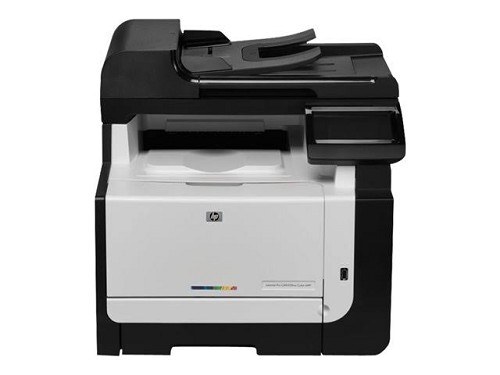
One desk, one printer, zero network setup — the Color LaserJet Pro CM1410 is a single-function color laser for the workstation that does its own printing. Early-2010s offices kept it beside the desk that printed the most.
The CM1410 uses HP 128A cartridges, CE320A through CE323A. Genuine OEM gives you HP's own build; compatible cartridges deliver the same pages at a lower cost. Both are stocked here for the CM1410.
Toner Cartridges for Color LaserJet Pro CM1410
This printer works with the following toner cartridges:
- HP CE320A
- HP CE321A
- HP CE322A
- HP CE323A
More HP Printers
- Color CM1415
- Color CM1415 MFP
- Color CM1415FN
- Color CM1415FNW
- Color CM1415FNW MFP
- Color CP1520
- Color CP1521N
- Color CP1522N
- Color CP1523N
- Color CP1525
- Color CP1525N
- Color CP1525NW
- Color CP1526NW
- Color CP1527NW
- Color CP1528NW
- Color LaserJet CM1415
- Color LaserJet CM1415 MFP
- Color LaserJet CM1415FN
- Color LaserJet CM1415FNW
- Color LaserJet CM1415FNW MFP
- Color LaserJet CP1520
- Color LaserJet CP1521N
- Color LaserJet CP1522N
- Color LaserJet CP1523N
- Color LaserJet CP1525
- Color LaserJet CP1525N
- Color LaserJet CP1525NW
- Color LaserJet CP1526NW
- Color LaserJet CP1527NW
- Color LaserJet CP1528NW
- Color LaserJet Pro CM1415
- Color LaserJet Pro CM1415FN
- Color LaserJet Pro CM1415FNW
- Color LaserJet Pro CP1525
- Color LaserJet Pro CP1525N
- Color LaserJet Pro CP1525NW
- Color PRO CM1410
- Color PRO CM1415
- Color PRO CM1415FN
- Color PRO CM1415FNW
- Color PRO CP1525
- Color PRO CP1525N
- Color PRO CP1525NW
Frequently Asked Questions
Are third-party toner cartridges safe to use in the Color LaserJet Pro CM1410?
Yes — the Color LaserJet Pro CM1410 works with compatible HP 128A cartridges (CE320A, CE321A, CE322A, CE323A) as well as genuine HP. Just confirm the cartridge code matches, since cartridges for other HP printers will not fit the Color LaserJet Pro CM1410.
Which software do I need to get the Color LaserJet Pro CM1410 working?
Setting up the Color LaserJet Pro CM1410 on a new computer means grabbing the full driver package from HP support and running the installer. Avoid generic drivers if you want full access to the Color LaserJet Pro CM1410's features.
Should I replace the cartridge as soon as the Color LaserJet Pro CM1410 warns about low toner?
Order a replacement when the Color LaserJet Pro CM1410 first warns you, but don't toss the old cartridge — it often prints many more pages. If quality fades, redistribute the toner with a gentle shake and keep going until the Color LaserJet Pro CM1410 actually stops.