




Color LaserJet Pro CP1525NW
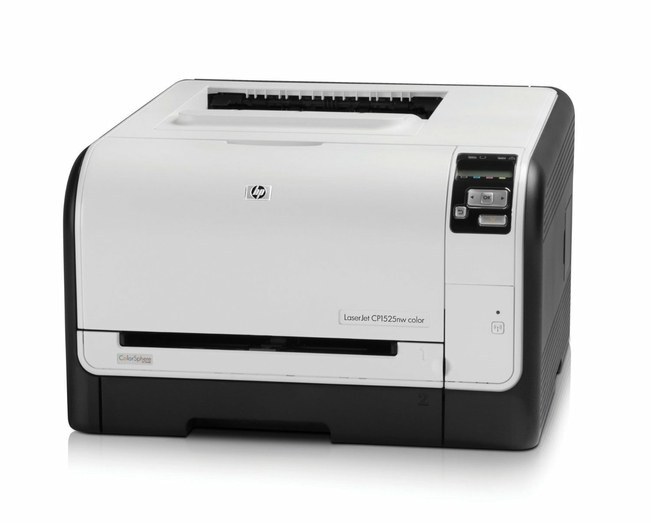
The CP1525NW is the wireless twin of the network-only CP1525 family — same early-2010s color laser, plus Wi-Fi. Offices with a mix of wired desktops and roaming laptops put this printer anywhere the wireless signal reaches and let everyone share it.
Toner is HP 128A: CE320A black and the three colors CE321A/CE322A/CE323A. We carry genuine OEM cartridges and compatible alternatives for the CP1525NW.
Toner Cartridges for Color LaserJet Pro CP1525NW
This printer works with the following toner cartridges:
- HP CE320A
- HP CE321A
- HP CE322A
- HP CE323A
More HP Printers
- Color CM1415
- Color CM1415 MFP
- Color CM1415FN
- Color CM1415FNW
- Color CM1415FNW MFP
- Color CP1520
- Color CP1521N
- Color CP1522N
- Color CP1523N
- Color CP1525
- Color CP1525N
- Color CP1525NW
- Color CP1526NW
- Color CP1527NW
- Color CP1528NW
- Color LaserJet CM1415
- Color LaserJet CM1415 MFP
- Color LaserJet CM1415FN
- Color LaserJet CM1415FNW
- Color LaserJet CM1415FNW MFP
- Color LaserJet CP1520
- Color LaserJet CP1521N
- Color LaserJet CP1522N
- Color LaserJet CP1523N
- Color LaserJet CP1525
- Color LaserJet CP1525N
- Color LaserJet CP1525NW
- Color LaserJet CP1526NW
- Color LaserJet CP1527NW
- Color LaserJet CP1528NW
- Color LaserJet Pro CM1410
- Color LaserJet Pro CM1415
- Color LaserJet Pro CM1415FN
- Color LaserJet Pro CM1415FNW
- Color LaserJet Pro CP1525
- Color LaserJet Pro CP1525N
- Color PRO CM1410
- Color PRO CM1415
- Color PRO CM1415FN
- Color PRO CM1415FNW
- Color PRO CP1525
- Color PRO CP1525N
- Color PRO CP1525NW
Frequently Asked Questions
What toner does the Color LaserJet Pro CP1525NW use?
The correct cartridges for the Color LaserJet Pro CP1525NW are CE320A, CE321A, CE322A, CE323A (HP 128A). Whether you buy OEM or compatible, that number is what matters — anything outside HP 128A will not seat properly in the Color LaserJet Pro CP1525NW.
How do I set up the Color LaserJet Pro CP1525NW on a new computer?
With the Color LaserJet Pro CP1525NW on your network, grab the HP driver package for your exact operating system from HP's support site and run the installer. Skip generic OS drivers if you want full access to the Color LaserJet Pro CP1525NW's features, and print a test page to finish.
The Color LaserJet Pro CP1525NW dropped off my network — what should I try?
On the Color LaserJet Pro CP1525NW's control panel, open the wireless setup menu and follow the prompts to join your Wi-Fi network. Once connected, install the HP driver on your computers and the Color LaserJet Pro CP1525NW should appear automatically.