




Color LaserJet CP1522N
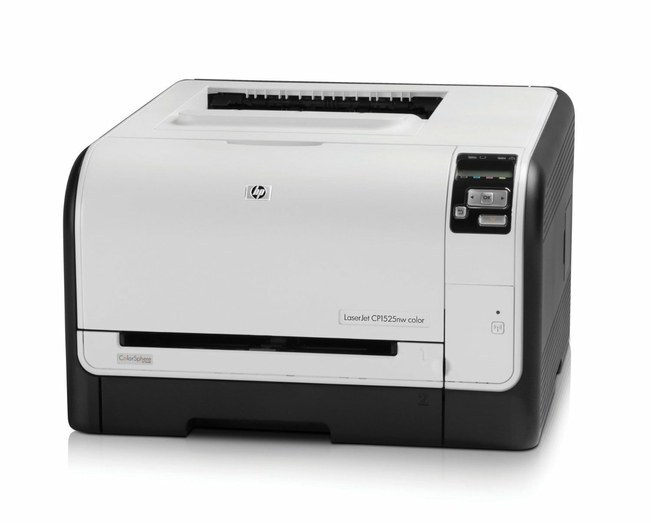
Straightforward color for a busy corner of the office — that was the CP1522N's job, and it's still doing it. This early-2010s color laser joins the wired network so any PC on the line can send jobs without swapping USB cables around.
The CP1522N takes HP 128A toner: CE320A, CE321A, CE322A, CE323A. Pick genuine OEM cartridges for HP-spec output or compatible replacements to bring the cost per page down; both are on the shelf here.
Toner Cartridges for Color LaserJet CP1522N
This printer works with the following toner cartridges:
- HP CE320A
- HP CE321A
- HP CE322A
- HP CE323A
More HP Printers
- Color CM1415
- Color CM1415 MFP
- Color CM1415FN
- Color CM1415FNW
- Color CM1415FNW MFP
- Color CP1520
- Color CP1521N
- Color CP1522N
- Color CP1523N
- Color CP1525
- Color CP1525N
- Color CP1525NW
- Color CP1526NW
- Color CP1527NW
- Color CP1528NW
- Color LaserJet CM1415
- Color LaserJet CM1415 MFP
- Color LaserJet CM1415FN
- Color LaserJet CM1415FNW
- Color LaserJet CM1415FNW MFP
- Color LaserJet CP1520
- Color LaserJet CP1521N
- Color LaserJet CP1523N
- Color LaserJet CP1525
- Color LaserJet CP1525N
- Color LaserJet CP1525NW
- Color LaserJet CP1526NW
- Color LaserJet CP1527NW
- Color LaserJet CP1528NW
- Color LaserJet Pro CM1410
- Color LaserJet Pro CM1415
- Color LaserJet Pro CM1415FN
- Color LaserJet Pro CM1415FNW
- Color LaserJet Pro CP1525
- Color LaserJet Pro CP1525N
- Color LaserJet Pro CP1525NW
- Color PRO CM1410
- Color PRO CM1415
- Color PRO CM1415FN
- Color PRO CM1415FNW
- Color PRO CP1525
- Color PRO CP1525N
- Color PRO CP1525NW
Frequently Asked Questions
How many cartridges does the Color LaserJet CP1522N use, and what are their codes?
Four: the Color LaserJet CP1522N takes CE320A (black), CE321A (cyan), CE322A (yellow) and CE323A (magenta) — the HP 128A family. Both genuine HP and compatible versions fit the same way, so confirm the code on each old cartridge before ordering.
Does printing in black-and-white save toner on the Color LaserJet CP1522N?
For the Color LaserJet CP1522N, compatible HP 128A cartridges cost less than OEM with the same fit, and printing drafts in grayscale stretches the color cartridges. Keep a spare set so you never pay rush prices.
One color looks off on my Color LaserJet CP1522N — what should I check first?
Print a calibration or cleaning page from the Color LaserJet CP1522N's menu first, then check the supplies gauge to see which CE320A, CE321A, CE322A or CE323A cartridge is running low. A nearly empty color cartridge is the usual culprit behind off colors on the Color LaserJet CP1522N.
SELECT YOUR PRINTER FAMILY TO SHOP Color LaserJet CP1522N PRODUCTS
There are no products listed under this category.