




Color LaserJet Pro CM1415FNW
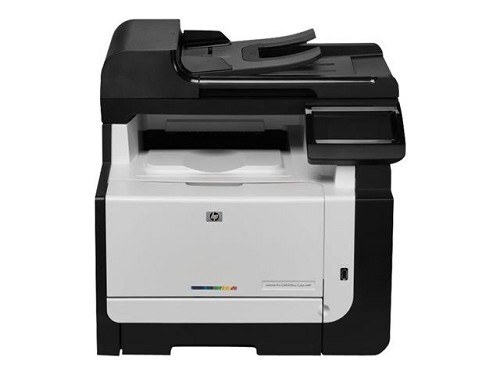
Fax, print, and wireless in one early-2010s box. The Color LaserJet Pro CM1415FNW adds Wi-Fi to the fax-and-network combo, so it prints from wired PCs and wireless laptops alike while the fax line handles paper documents the old way.
It feeds on the HP 128A family, CE320A through CE323A. Compatible and genuine OEM toner are both available for the CM1415FNW — pick the one that fits your budget and keep this machine fed.
Toner Cartridges for Color LaserJet Pro CM1415FNW
This printer works with the following toner cartridges:
- HP CE320A
- HP CE321A
- HP CE322A
- HP CE323A
More HP Printers
- Color CM1415
- Color CM1415 MFP
- Color CM1415FN
- Color CM1415FNW
- Color CM1415FNW MFP
- Color CP1520
- Color CP1521N
- Color CP1522N
- Color CP1523N
- Color CP1525
- Color CP1525N
- Color CP1525NW
- Color CP1526NW
- Color CP1527NW
- Color CP1528NW
- Color LaserJet CM1415
- Color LaserJet CM1415 MFP
- Color LaserJet CM1415FN
- Color LaserJet CM1415FNW
- Color LaserJet CM1415FNW MFP
- Color LaserJet CP1520
- Color LaserJet CP1521N
- Color LaserJet CP1522N
- Color LaserJet CP1523N
- Color LaserJet CP1525
- Color LaserJet CP1525N
- Color LaserJet CP1525NW
- Color LaserJet CP1526NW
- Color LaserJet CP1527NW
- Color LaserJet CP1528NW
- Color LaserJet Pro CM1410
- Color LaserJet Pro CM1415
- Color LaserJet Pro CM1415FN
- Color LaserJet Pro CP1525
- Color LaserJet Pro CP1525N
- Color LaserJet Pro CP1525NW
- Color PRO CM1410
- Color PRO CM1415
- Color PRO CM1415FN
- Color PRO CM1415FNW
- Color PRO CP1525
- Color PRO CP1525N
- Color PRO CP1525NW
Frequently Asked Questions
Can I use compatible (non-OEM) toner cartridges in my Color LaserJet Pro CM1415FNW?
Yes — the Color LaserJet Pro CM1415FNW prints fine with compatible HP 128A cartridges (CE320A, CE321A, CE322A, CE323A) as well as genuine HP. The key is the code, not the brand: cartridges from other HP families will not seat properly in the Color LaserJet Pro CM1415FNW.
What should I check if paper keeps jamming in the Color LaserJet Pro CM1415FNW?
Look at the paper first: fan the stack, straighten the tray guides, and don't overfill on the Color LaserJet Pro CM1415FNW. Damp or curled paper causes most repeat jams on the Color LaserJet Pro CM1415FNW — swap in fresh, dry sheets and clear every torn scrap from the paper path.
Why do documents from the Color LaserJet Pro CM1415FNW look faded even with new toner?
Faded or streaky output on the Color LaserJet Pro CM1415FNW usually means a cartridge is running low or toner has settled unevenly. Remove the affected cartridge, rock it gently to redistribute the toner, then reinstall and print a cleaning page from the printer's menu.