




ImageClass MF634Cdw
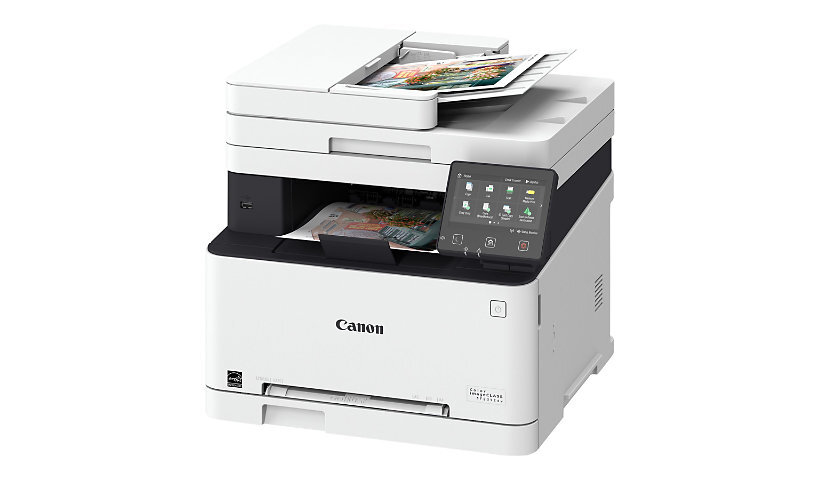
The imageCLASS MF634Cdw tops its cartridge family: Super G3 fax joins the formula, and a 50-sheet single-pass duplexing document feeder scans both sides of every page in one pass. Color output runs at 19 pages per minute single-sided and 11 per minute two-sided. Every slot takes the Canon 045H high-yield line, black rated at 2,800 pages and the 045HC cyan, 045HM magenta and 045HY yellow cartridges at 2,200 pages each, so one cartridge family covers everything this machine does, from fax printing to color presentations.
The feeder is the feature owners feel every day. Stacks of two-sided contracts, forms and invoices go through once, face down or up, and come out digitized without the flip-and-rescan routine of a reversing feeder. Add the fax line and the MF634Cdw becomes the communications hub of a small office: documents arrive, get scanned, get filed, get printed. It is the most complete version of its platform, aimed at teams that still move paper for a living but want that paper converted to files as quickly as possible.
Toner Cartridges for ImageClass MF634Cdw
Only the high-yield line is stocked for this model, in singles, black packs and color sets.
Which cartridge should you buy?
There is no tier decision on this page: the high-yield line is the shelf, so the question is how you stock it. Fax traffic and everyday printing draw almost entirely on the black cartridge, which makes the black 2-pack, 3-pack and 5-pack the practical buys for a machine that receives documents all day; each cartridge in them carries the same 2,800-page rating as the single. Colors empty more slowly and independently, so buy them as singles when a slot warns, unless several are low together, in which case a set settles the whole machine in one order. A spare black within arm's reach is cheap insurance for a printer that other people depend on for incoming work.
Chip, toner and everyday use
Before a long scanning session, glance at the toner levels: scanning itself uses no toner, but the copies and fax printouts that follow a digitizing project do, and they draw on the same four cartridges. The chips in each unit report estimated levels to the panel; treat a low warning as a prompt to order, not an emergency, since output quality, not the counter, has the final word. Rocking a fading cartridge gently from side to side redistributes the toner and evens out the next batch of pages. When you do swap, do one slot at a time and let the machine recognize the new cartridge before starting the next job. Keep boxed spares in a cool, dry cabinet, away from the heat the printer itself gives off.
Frequently Asked Questions
What does single-pass duplex scanning actually change?
The 50-sheet feeder reads both sides of a page in a single pass instead of scanning one side, flipping the sheet and scanning again. Two-sided originals digitize roughly twice as fast, with less paper handling and fewer chances for pages to skew or jam mid-stack.
Which toner does the MF634Cdw use, and how long does it last?
It uses the high-yield Canon 045H family in four slots. The black cartridge is rated at 2,800 pages and each color at 2,200 pages under standard 5% coverage, so a fax-and-print office can expect the black slot to need attention first.
Does the MF634Cdw share cartridges with the MF632Cdw?
Yes. The ImageClass MF632Cdw runs the same high-yield cartridge family, so an office with both models stocks one shelf of toner and can move a spare from one machine to the other in a pinch.
Which black pack suits a fax-heavy office?
Start with the 3-pack if the machine receives faxes daily, or the 5-pack where print volume is also heavy. Each cartridge carries the full 2,800-page rating, and buying black in a pack costs less per cartridge than singles while keeping a spare on hand at all times.
More printers that use the same cartridges
The same high-yield shelf serves these models as well: ImageClass MF632Cdw, ImageClass LBP612Cdw.