




ProXpress C2670FW
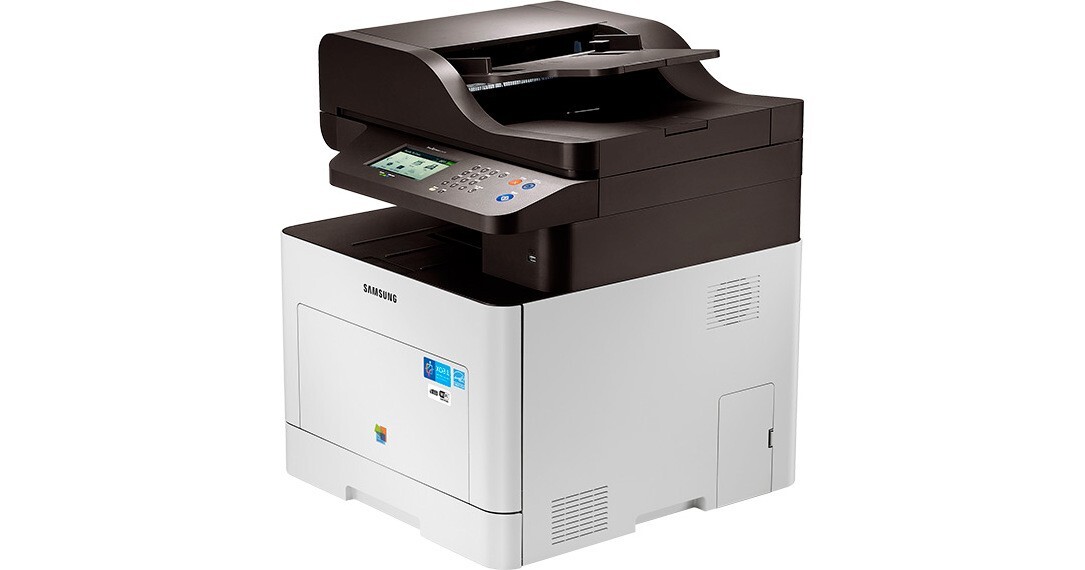
A business-class color laser multifunction printer from Samsung's mid-2010s ProXpress range, the ProXpress C2670FW brought color laser output to smaller budgets, adding fax and wireless networking over the standard C2670 for workgroups with heavier color workloads. It takes the CLT-505L cartridges — black CLT-K505L, cyan CLT-C505L, magenta CLT-M505L and yellow CLT-Y505L — stocked below in singles, multi-packs and sets.
The multifunction twist is that this printer spends toner on work its owner never sent to the print queue. Copies made at the glass and faxes received overnight come out of the same four cartridges as the reports and letters, so levels fall even in a week when the group swears it printed nothing. On a budget machine that quiet drain matters more, not less: the whole point of the C2670FW is low running cost, and that is won by replacing each cartridge on its own schedule instead of treating the four as a single purchase.
Toner Cartridges for ProXpress C2670FW
- ProXpress C2670FW 4 Color Set (CLT-K505L, CLT-C505L, CLT-M505L, CLT-Y505L) — the complete four-color refresh under this model name
- ProXpress C2670FW Black (CLT-K505L) — model-named black single
- ProXpress C2670FW Cyan (CLT-C505L) — model-named cyan single
- ProXpress C2670FW Magenta (CLT-M505L) — model-named magenta single
- ProXpress C2670FW Yellow (CLT-Y505L) — model-named yellow single
- CLT-K505L Black — code-named black single
- CLT-C505L Cyan — code-named cyan single
- CLT-M505L Magenta — code-named magenta single
- CLT-Y505L Yellow — code-named yellow single
- CLT-K505L 2 Black — two black cartridges
- CLT-K505L 3 Black — three black cartridges
- CLT-K505L 5 Black — five black cartridges
- CLT-505L 4 Color Set — one of each color, code-named
- CLT-505L 8 Color Set — eight-cartridge set
- CLT-505L 5 Color Set — five-cartridge set on the black, cyan and magenta codes
- CLT-505L 6 Color Set — six-cartridge set on the cyan, magenta and yellow codes
- CLT-505L 3 Color Set — cyan, magenta and yellow
Which cartridge should you buy?
Buy the color that is actually low — the printer reports the four levels separately, and each cartridge swaps independently of the others. Black usually leads the consumption on a fax-and-documents workload, which makes its two-, three- and five-packs the natural standing stock; colors follow at their own pace and are cheapest bought one at a time. Keep one spare black cartridge in the cupboard as insurance: the only real risk low toner poses on a shared multifunction is downtime while a fax or a deadline waits. A four-color set is the right call when the machine is newly installed or when a heavy stretch has pulled every level down together.
Chip, toner and everyday use
Learn to read this printer's warnings calmly. A low-toner message is an estimate, not a verdict: the machine typically keeps printing well after it first appears, and pale pages are the honest signal that the end is near. If a warning persists immediately after a fresh cartridge goes in, take that cartridge out and reseat it so its chip makes clean contact. A gentle shake redistributes the last of the toner for a few more good pages. Compatible cartridges on this page come with a 1-year warranty and 1-year returns.
Frequently Asked Questions
Can the C2670FW use the high-yield CLT-K505L instead of a standard cartridge?
Yes — nothing about the printer changes when you move between yield versions of the same code. The cartridge is the same size and shape and drops into the same slot; the difference is how much toner it carries. The listings on this page are the L line, and both genuine and compatible versions come in the same fit.
Why does my C2670FW say toner is low but still prints fine?
Because the warning threshold is set conservatively, well before the cartridge is truly spent. You are in the final stretch once pages actually start printing pale. Keep a spare on hand and the warning becomes a reminder to order, not a reason to stop work.
The box says CLT-K505L — is that definitely the toner this printer needs?
It is the code Samsung engineered this model to run on, and it is printed on the cartridge inside the machine as well. If you manage several Samsung printers, keep each model's code listed separately — toner for a different series may look similar but carries a different chip and shape, and the C2670FW will reject it.
More printers that use the same cartridges
The same cartridges serve the rest of this family: Samsung-CLT505L, Xpress C2620DW, Xpress C2670FW, ProXpress C2620DW.