




LaserJet Pro 200 color Printer M276
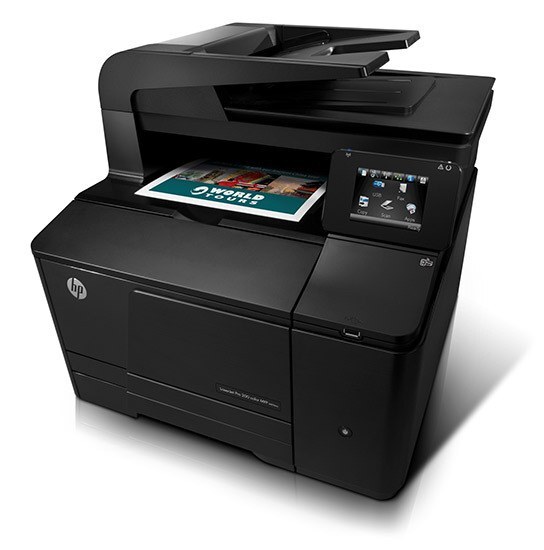
The LaserJet Pro 200 Color Printer M276 belongs to the 2012-era generation of color office printers built for small teams, and its appeal was always practical: solid output at a sensible running cost. Its black slot runs the CF210A, the standard 131A fill, or its high-yield partner, the CF210X (131X), while the color set is completed by CF211A cyan, CF212A yellow and CF213A magenta. Every listing on this page is a compatible cartridge for one of those four codes.
Machines of this generation earned their desk space by being undemanding: no service contracts, no consumable surprises, just a four-cartridge bay that a small team can feed as needed. The M276 fits that pattern — it asks for toner one cartridge at a time, reports honestly what it needs, and gets back to work. For an office that prints a mix of documents and light color, that predictability is the feature that matters most.
Toner Cartridges for LaserJet Pro 200 color Printer M276
- HP Pro 200 color Printer M276 Color Laserjet 4 Color Set — Full color set; yield: see product page
- HP 131X and HP 131A color laserjet 5 Color Set (2 x CF210X, CF211A, CF212A, CF213A) — Full color set; yield: see product page
- HP 131A 4 Color Set (CF210A, CF211A, CF212A, CF213A) — Full color set; yield: see product page
- HP CF213A Magenta, HP 131A Toner — Magenta; yield: see product page
- HP CF212A Yellow, HP 131A Toner — Yellow; yield: see product page
- HP CF211A Cyan, HP 131A Toner — Cyan; yield: see product page
- HP CF210X High Yield Black, HP 131X Toner — Black; yield: see product page
- HP CF210A Black, HP 131A Toner — Black; yield: see product page
Beyond the core range above, this page also stocks the same codes under M276 and shared 131A listings — every one of them a cartridge built for this printer: HP 131A (CF210A) 2 Black, HP 131A (CF211A CF212A CF213A) 3 Color Set, HP 131A (CF210A) 5 Black, HP M276 (CF210A) 3 Black, HP M276 (CF210 CF211A CF212A CF213A) 4 Color Set, HP M276 (CF210 CF211A CF212A CF213A) 5 Color Set, HP M276 (CF210A) Black, HP M276 (CF211A) Cyan, HP M276 (CF213A) Magenta, HP M276 (CF212A) Yellow, HP PRO 200 COLOR M276 (CF210A) Black, HP PRO 200 COLOR M276 (CF213A) Magenta, HP PRO 200 COLOR PRINTER M276 (CF210A) 2 Black, HP PRO 200 COLOR PRINTER M276 (CF210 CF211A CF212A CF213A) 4 Color Set, HP PRO 200 M276 (CF210 CF211A CF212A CF213A) 4 Color Set, HP 131A (CF210A) Black, HP 131A (CF211A) Cyan, HP 131A (CF212A) Yellow, HP M276 (CF211A CF212A CF213A) 3 Color Set, HP M276 (CF210A CF211A CF212A CF213A) 5 Color Set, HP PRO 200 CLR PRINTER M276 (CF211A CF212A CF213A) 3 Color Set, HP PRO 200 CLR PRINTER M276 (CF210 CF211A CF212A CF213A) 5 Color Set, HP PRO 200 COLOR PRINTER M276 (CF210A) 3 Black, HP PRO 200 COLOR PRINTER M276 (CF213A) Magenta, HP 131A (CF210 CF211A CF212A CF213A) 4 Color Set.
Which cartridge should you buy?
Think of the black cartridge as a volume choice rather than a fitment choice, because both black options fit. The CF210A is the standard fill; the CF210X is the same cartridge pattern with a deeper toner load, aimed at offices that burn through black quickly. The three colors — CF211A, CF212A, CF213A — exist only as standard fills, so the buying rhythm there is reactive: keep an eye on the levels, replace the one that empties, and resist the urge to change all three together. A full four-color set is the right buy for a shelf-stocking exercise or when several cartridges are clearly nearing the end together.
Chip, toner and everyday use
Toner level reporting on the M276 depends on the chip embedded in each cartridge, and the compatibles here carry chips matched to the 131A codes, so the printer gauges them like originals. When streaks or fading appear on one color only, suspect that color's cartridge first — pull it, rock it gently end to end a few times, and refit; redistributed toner often restores even output for the cartridge's remaining life. Store unopened spares flat or upright in their bags, away from heat and sunlight, and they will be ready the day the panel asks. All compatibles here are covered by a 1-year warranty with 1-year returns.
Frequently Asked Questions
Which cartridges fit the LaserJet Pro 200 Color Printer M276?
The 131A/131X set: CF210A or CF210X for black, CF211A for cyan, CF212A for yellow and CF213A for magenta. Those five codes are the whole story for this model — anything with a different code is not for this printer.
Can I install a CF210X black alongside standard color cartridges?
Yes. Each slot is metered independently, so a high-yield black can run beside standard CF211A, CF212A and CF213A colors without any conflict. Mixing capacities is normal practice on this family.
The M276 prints but one color looks weak. What should I check?
Check the level of that color first, then try the redistribute trick: remove the cartridge, rock it gently side to side, and refit it. If the weakness survives a fresh cartridge of the same code, the issue is in the machine rather than the toner.
How do I know a replacement cartridge is the right one before I open it?
Read the code printed on the old cartridge's label and match it exactly — CF210A, CF210X, CF211A, CF212A or CF213A. The family name 131A covers the standard fills and 131X the high-yield black; the individual code is the part that decides the fit.
More printers that use the same cartridges
These sibling Pro 200 models draw on the same 131A/131X shelf: LaserJet Pro 200 color Printer M276NW, LaserJet Pro 200 color Printer M251NW, LaserJet Pro 200 color Printer M251, LaserJet Pro 200 color M276NW, LaserJet Pro 200 color M276, LaserJet Pro 200 color M251NW, LaserJet Pro 200 color M251, HP 131A, Color LaserJet Pro 200 M276NW, Color LaserJet Pro 200 M276N, Color LaserJet Pro 200 M276, Color LaserJet Pro 200 M251NW, Color LaserJet Pro 200 M251N, Color LaserJet Pro 200 M251, Color LaserJet M276NW, Color LaserJet M276, Color LaserJet M251NW, Color LaserJet M251.