




LaserJet Pro 200 color M276NW
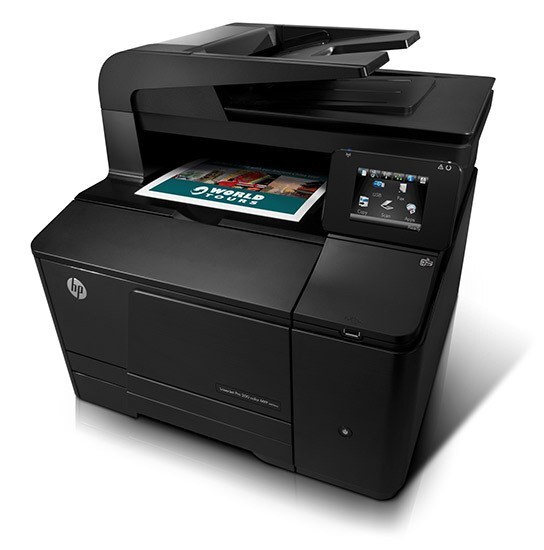
The Pro 200 Color M276NW puts the team printer anywhere the network reaches. With Ethernet and wireless built in, this 2012-era color workgroup machine serves wired desktops and roaming laptops from one spot.
It takes HP 131A/131X cartridges — CF210A/CF210X black with CF211A, CF212A, CF213A color. Compatible and genuine OEM toner are both available for the M276NW.
Toner Cartridges for LaserJet Pro 200 color M276NW
This printer works with the following toner cartridges:
- HP CF210A
- HP CF210X
- HP CF211A
- HP CF212A
- HP CF213A
More HP Printers
- Color LaserJet M251
- Color LaserJet M251NW
- Color LaserJet M276
- Color LaserJet M276NW
- Color LaserJet Pro 200 M251
- Color LaserJet Pro 200 M251N
- Color LaserJet Pro 200 M251NW
- Color LaserJet Pro 200 M276
- Color LaserJet Pro 200 M276N
- Color LaserJet Pro 200 M276NW
- LaserJet Pro 200 color M251
- LaserJet Pro 200 color M251NW
- LaserJet Pro 200 color M276
- LaserJet Pro 200 color Printer M251
- LaserJet Pro 200 color Printer M251NW
- LaserJet Pro 200 color Printer M276
- LaserJet Pro 200 color Printer M276NW
Frequently Asked Questions
How do I check the cartridge code on my LaserJet Pro 200 color M276NW?
CF210A, CF210X, CF211A, CF212A and CF213A are the cartridge codes for the LaserJet Pro 200 color M276NW. Checking the label on the old cartridge is the fastest way to confirm.
Will the LaserJet Pro 200 color M276NW still print in black when a color cartridge is empty?
The LaserJet Pro 200 color M276NW generally pauses printing when any cartridge runs out, so black-only printing with an empty color cartridge is not dependable. Replacing the depleted color cartridge gets it going again.
Why is my LaserJet Pro 200 color M276NW printing blank pages?
Blank pages from the LaserJet Pro 200 color M276NW usually mean a cartridge seal was left on, a cartridge is empty, or a setting is off. Reseat the CF210A cartridge, confirm the seal was pulled, and check that paper is loaded properly.