




Color LaserJet Pro 200 M276
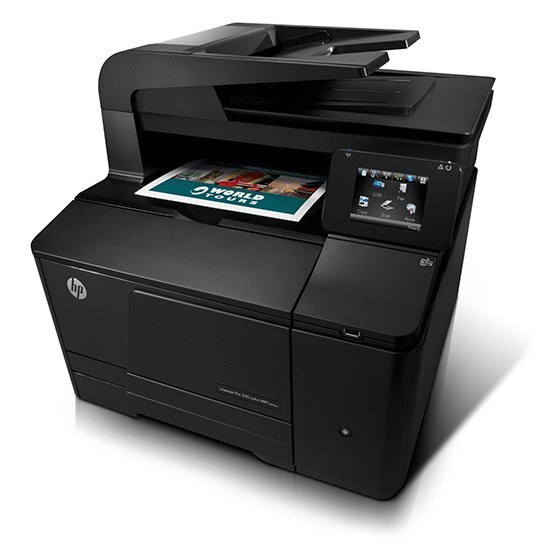
Designed for small teams, the Color LaserJet Pro 200 M276 is a 2012-era color departmental laser with a reputation for simply working. Second-hand units still circulate because the consumable market never dried up. The HP 131A/131X family (CF210A, CF210X) is what keeps this printer fed.
Running low on CF210A, CF210X? We stock genuine OEM and compatible toner for the Color LaserJet Pro 200 M276, ready to ship. A backup cartridge on the shelf is simple insurance against a stalled workday. Alongside the black, the Color LaserJet Pro 200 M276 prints in color with CF211A cyan, CF212A yellow and CF213A magenta cartridges.
Toner Cartridges for Color LaserJet Pro 200 M276
This printer works with the following toner cartridges:
- HP CF210A
- HP CF210X
- HP CF211A
- HP CF212A
- HP CF213A
More HP Printers
- Color LaserJet M251
- Color LaserJet M251NW
- Color LaserJet M276
- Color LaserJet M276NW
- Color LaserJet Pro 200 M251
- Color LaserJet Pro 200 M251N
- Color LaserJet Pro 200 M251NW
- Color LaserJet Pro 200 M276N
- Color LaserJet Pro 200 M276NW
- LaserJet Pro 200 color M251
- LaserJet Pro 200 color M251NW
- LaserJet Pro 200 color M276
- LaserJet Pro 200 color M276NW
- LaserJet Pro 200 color Printer M251
- LaserJet Pro 200 color Printer M251NW
- LaserJet Pro 200 color Printer M276
- LaserJet Pro 200 color Printer M276NW
Frequently Asked Questions
Which toner cartridges work with the Color LaserJet Pro 200 M276?
Use CF210A, CF210X, CF211A, CF212A and CF213A in the Color LaserJet Pro 200 M276. These are the codes listed for this printer, so any cartridge carrying one of them is the right type.
How do I fix wrong or washed-out colors on the Color LaserJet Pro 200 M276?
Run the color calibration or cleaning routine from the Color LaserJet Pro 200 M276's menu and make sure all four cartridges (CF210A, CF210X, CF211A, CF212A and CF213A) are seated. If a single color is missing from prints, replace that cartridge.
Why does my Color LaserJet Pro 200 M276 not recognize the new CF210A cartridge?
Reseat the CF210A cartridge firmly in the Color LaserJet Pro 200 M276, make sure every strip of packing material and the protective seal were removed, then restart the printer. A damaged chip or a code that does not match this model is the usual cause when reseating fails.