




Color LaserJet Pro 200 M276N
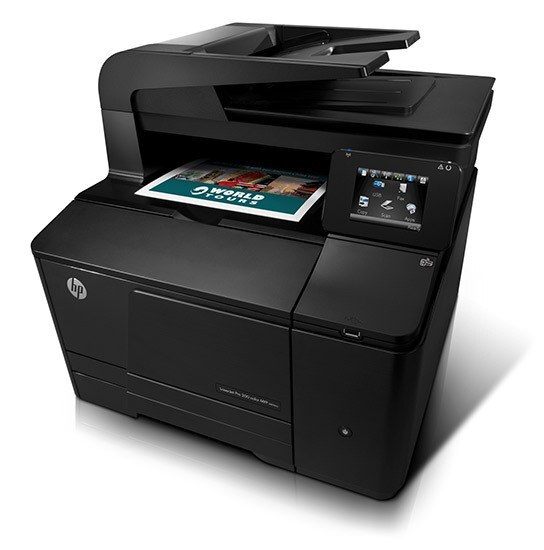
The M276N is the networked color laser for the small workgroup — Ethernet-connected, 2012-era, and built to be shared. Instead of three desk printers, the team prints to one dependable machine.
It feeds on the HP 131A/131X family: CF210A/CF210X black plus the CF211A, CF212A, CF213A color set. We carry both genuine OEM and compatible toner for the M276N.
Toner Cartridges for Color LaserJet Pro 200 M276N
This printer works with the following toner cartridges:
- HP CF210A
- HP CF210X
- HP CF211A
- HP CF212A
- HP CF213A
More HP Printers
- Color LaserJet M251
- Color LaserJet M251NW
- Color LaserJet M276
- Color LaserJet M276NW
- Color LaserJet Pro 200 M251
- Color LaserJet Pro 200 M251N
- Color LaserJet Pro 200 M251NW
- Color LaserJet Pro 200 M276
- Color LaserJet Pro 200 M276NW
- LaserJet Pro 200 color M251
- LaserJet Pro 200 color M251NW
- LaserJet Pro 200 color M276
- LaserJet Pro 200 color M276NW
- LaserJet Pro 200 color Printer M251
- LaserJet Pro 200 color Printer M251NW
- LaserJet Pro 200 color Printer M276
- LaserJet Pro 200 color Printer M276NW
Frequently Asked Questions
Which toner cartridges work with the Color LaserJet Pro 200 M276N?
The Color LaserJet Pro 200 M276N uses CF210A, CF210X, CF211A, CF212A and CF213A. Match the code on your current cartridge before ordering so you get the right fit.
Why is my Color LaserJet Pro 200 M276N printing blank pages?
Blank pages from the Color LaserJet Pro 200 M276N usually mean a cartridge seal was left on, a cartridge is empty, or a setting is off. Reseat the CF210A cartridge, confirm the seal was pulled, and check that paper is loaded properly.
Why does my Color LaserJet Pro 200 M276N not recognize the new CF210A cartridge?
First check that the protective seal and clips were fully removed from the CF210A cartridge and that it clicks into the Color LaserJet Pro 200 M276N. If it still is not recognized, the cartridge chip may be damaged or the code may not match this printer.