






 See Compatible Printers
 Read more about our ink!
Hewlett Packard
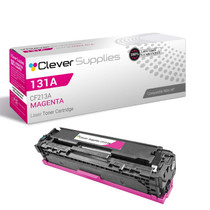
Compatible HP PRO 200 M276NW (CF213A) Toner Cartridge Magenta

Amazon Price:

- Page Yield:
- Color: 1800
- Availability:
- In Stock
- Shipping:
- Calculated at Checkout
- Compatible Printers
- LaserJet 200 Color M251n
- LaserJet 200 Color M276n
- LaserJet 200 M251nw
- LaserJet 200 M276nw
- LaserJet Pro 200 Color M251n
- LaserJet Pro 200 Color M276n
- LaserJet Pro 200 M251nw
- LaserJet Pro 200 M276nwi>
- Specifications
- SKU:
- CLS-HP-PRO 200 M276NW-M
- Printer Brand:
- Hewlett Packard
- OEM Number:
- CF213A
- Ink Color:
- Magenta
- Page Yield:
- Color: 1800
- Printer Type:
- Laser Cartridge
- Condition:
- New Compatible
- Description
- Reviews



The HP 131A Color Series offers a comprehensive lineup of printers, including the PRO 200 M251, PRO 200 M251N, PRO 200 M251NW, PRO 200 M276, PRO 200 M276N, PRO 200 M276NW, M251, M251NW, M276, and M276NW models. These printers are designed to meet various printing needs, from personal to professional, providing efficient and reliable performance. Among the compatible cartridges are the CF210A Black, CF211A Cyan, CF213A Magenta, and CF212A Yellow, known as the HP 131A toner cartridge and toner cartridge. These cartridges ensure consistent and high-quality prints, whether it's documents, photos, or marketing materials. The PRO 200 COLOR M251 and PRO 200 COLOR M276 series printers offer advanced features such as wireless connectivity and mobile printing capabilities, making them suitable for modern printing environments. Whether it's printing from a smartphone, tablet, or computer, these printers provide convenient and seamless printing solutions. With the HP 131A cartridges, users can expect vibrant and true-to-life colors, along with crisp and sharp text output. The CF210A Black cartridge delivers deep blacks for professional-looking documents, while the CF211A Cyan, CF213A Magenta, and CF212A Yellow cartridges ensure accurate color reproduction for graphics and images. Investing in the HP 131A Color Series printers and cartridges ensures efficient and reliable printing solutions that meet the demands of today's fast-paced work environments. Whether it's for home, small office, or corporate use, these printers deliver exceptional performance and quality prints every time.
Cross-reference: HP CF213A, the 131A magenta toner cartridge (1,800 pages), is the same cartridge Canon sells as Canon Cartridge 131 (black 6272B001AA, high-capacity black 6273B001AA, cyan 6271B001AA, yellow 6269B001AA, magenta 6270B001AA) for the Canon Color imageCLASS MF624Cw, MF628Cw and MF8280Cw and the Color imageCLASS LBP7110Cw printers. Canon rates Cartridge 131 black at 1,800 pages, the high-capacity black at 2,400 pages and each color at 1,800 pages (ISO/IEC standard); HP sells the same cartridge across two generations as the 131A and 312A families.
Frequently Asked Questions
What am I buying on this page?
A single CF213A magenta cartridge from the HP 131A family, priced at $32.03. It is the cartridge responsible for reds and purples in everything your LaserJet Pro 200 M276nw prints and copies. The code on the cartridge you remove should read CF213A — that is the whole compatibility check.
Why does magenta disappear fastest in our presentation decks?
Because slides are toner-hungry and red-leaning: title bars, logos, charts and callout boxes lay magenta down in solid blocks, nothing like the thin frosting of color on a letter. The 1,800-page rating assumes light coverage; a deck-heavy month spends the CF213A far more quickly, and the supplies gauge will show it.
Jobs arrive from phones and laptops all day. Does that matter?
Only in volume. Wireless printing makes the M276nw everyone's printer, so color jobs — including photo prints with heavy magenta content — accumulate faster than on a single-desk machine. Faxes still print in black only, and scanning uses no toner, so neither adds to the drain.
Our reds have gone orange. Is that this cartridge?
Almost certainly. Red is magenta plus its warm partner; take magenta away and the same file prints orange, then brown. If the shift arrived gradually across many pages rather than overnight, it is toner level, not settings — check the gauge and replace the CF213A.
Walk me through fitting it.
Open the cartridge access, lift the old magenta unit out, and rock the new one gently side to side. Pull the sealing strip, slide it into the magenta slot until it seats, and close up. Print a normal color page; if one edge looks light, rock the cartridge once more and refit it.
What are the delivery and cover details?
Every cartridge includes a 1-year warranty and a 1-year free returns period. We ship from IL, PA, GA and CA, and support is on hand Monday through Friday, 9 AM to 5 PM CST. Full details are on our shipping and returns page.
About This CF213A Magenta Cartridge
The LaserJet Pro 200 M276nw is the machine small teams gather around, and magenta is what keeps its output looking like the screen promised — true reds, living purples, believable faces. This single CF213A at $32.03, rated at 1,800 pages, restores exactly that slot and nothing else.
One suggestion for wireless households and offices alike: because anyone can send a color job at any hour, check the supplies levels when you are near the machine rather than when a deadline is. Magenta gives fair warning — in the gauge and in the oranges — if someone is watching.
One more machine belongs on the list: the LaserJet Pro 200 M251nw runs on this cartridge, handy in offices that keep one of each. The rest of the family lines up as the CF210A black cartridge, the CF211A cyan cartridge and the CF212A yellow cartridge; the complete four-cartridge set brings all four together for a single planned change.
Related Items

Hewlett Packard
Compatible HP PRO 200 M251 (CF213A) Toner Cartridge Magenta



Hewlett Packard
Compatible HP PRO 200 COLOR M251 (CF213A) Toner Cartridge Magenta


Hewlett Packard
Compatible HP PRO 200 M276NW (CF211A CF212A CF213A) Toner Cartridge 3 Color Set

Hewlett Packard
Compatible HP PRO 200 COLOR M276 (CF213A) Toner Cartridge Magenta