






 See Compatible Printers
 Read more about our ink!
Hewlett Packard
Compatible HP PRO 200 COLOR M251 (CF213A) Toner Cartridge Magenta

Amazon Price:

- Page Yield:
- Color: 1800
- Availability:
- In Stock
- Shipping:
- Calculated at Checkout
- Compatible Printers
- LaserJet 200 Color M251n
- LaserJet 200 Color M276n
- LaserJet 200 M251nw
- LaserJet 200 M276nw
- LaserJet Pro 200 Color M251n
- LaserJet Pro 200 Color M276n
- LaserJet Pro 200 M251nw
- LaserJet Pro 200 M276nwi>
- Specifications
- SKU:
- CS-HP-PRO 200 COLOR M251-M
- Printer Brand:
- Hewlett Packard
- OEM Number:
- CF213A
- Ink Color:
- Magenta
- Page Yield:
- Color: 1800
- Printer Type:
- Laser Cartridge
- Condition:
- New Compatible
- Description
- Reviews


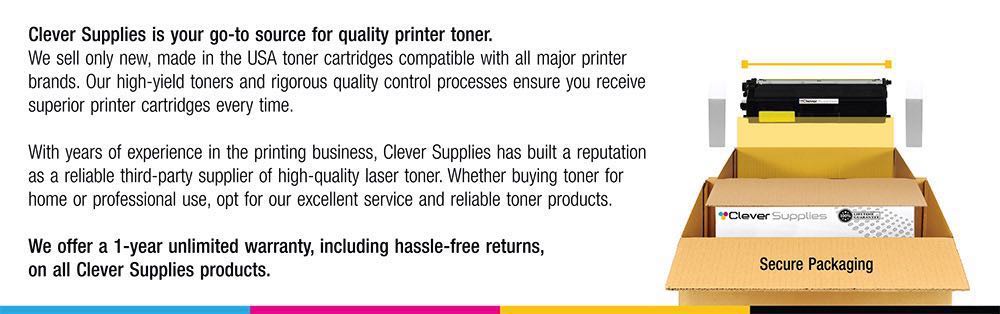
The HP 131A Color Series offers a comprehensive lineup of printers, including the PRO 200 M251, PRO 200 M251N, PRO 200 M251NW, PRO 200 M276, PRO 200 M276N, PRO 200 M276NW, M251, M251NW, M276, and M276NW models. These printers are designed to meet various printing needs, from personal to professional, providing efficient and reliable performance. Among the compatible cartridges are the CF210A Black, CF211A Cyan, CF213A Magenta, and CF212A Yellow, known as the HP 131A toner cartridge and toner cartridge. These cartridges ensure consistent and high-quality prints, whether it's documents, photos, or marketing materials. The PRO 200 COLOR M251 and PRO 200 COLOR M276 series printers offer advanced features such as wireless connectivity and mobile printing capabilities, making them suitable for modern printing environments. Whether it's printing from a smartphone, tablet, or computer, these printers provide convenient and seamless printing solutions. With the HP 131A cartridges, users can expect vibrant and true-to-life colors, along with crisp and sharp text output. The CF210A Black cartridge delivers deep blacks for professional-looking documents, while the CF211A Cyan, CF213A Magenta, and CF212A Yellow cartridges ensure accurate color reproduction for graphics and images. Investing in the HP 131A Color Series printers and cartridges ensures efficient and reliable printing solutions that meet the demands of today's fast-paced work environments. Whether it's for home, small office, or corporate use, these printers deliver exceptional performance and quality prints every time.
Cross-reference: HP CF213A, the 131A magenta toner cartridge (1,800 pages), is the same cartridge Canon sells as Canon Cartridge 131 (black 6272B001AA, high-capacity black 6273B001AA, cyan 6271B001AA, yellow 6269B001AA, magenta 6270B001AA) for the Canon Color imageCLASS MF624Cw, MF628Cw and MF8280Cw and the Color imageCLASS LBP7110Cw printers. Canon rates Cartridge 131 black at 1,800 pages, the high-capacity black at 2,400 pages and each color at 1,800 pages (ISO/IEC standard); HP sells the same cartridge across two generations as the 131A and 312A families.
Frequently Asked Questions
Which magenta fits our Pro 200 Color M251?
The CF213A — the magenta of the HP 131A family. This listing is that single magenta cartridge at $32.03, rated at 1,800 pages, for the Pro 200 Color M251 line, printers like the LaserJet Pro 200 M251nw. The code on the printer's supplies list and the code on this box are the same.
Why does magenta disappear so fast during a marketing push?
Because marketing color is magenta-heavy by design. Red logos, sale banners, product photos with warm skin tones, purple accents — a one-pager campaign can spend this cartridge faster than a month of ordinary printing. If a launch is coming, check the gauge before the print run, not during it.
Our brand red is printing orange. What is happening?
Red is built from magenta laid over yellow. When magenta thins out, yellow wins the mix and the red slides toward orange — the single most recognizable low-magenta symptom. A fresh CF213A pulls the brand color back to true red; no settings change will fix what an empty cartridge causes.
Can I finish a black-and-white job while magenta is empty?
Yes. Text documents and other black-only work draw nothing from the magenta supply, so the printer keeps producing them. Only color jobs wait for the replacement. That split is handy in a push: drafts and proofs in black can proceed while the new cartridge is on its way.
How do I read the cartridge levels from my desk?
Open the printer's toolbox software on your computer — it mirrors the control-panel supplies gauge, level by level. A printed supplies status page works as a paper alternative. On the M251 the check takes under a minute and settles any argument about which color is really low.
What support comes with the cartridge?
A 1-year warranty and 1-year free returns stand behind it. Our support team answers Monday through Friday, 9 AM to 5 PM CST and can help you pin a color problem on the right cartridge before you reorder.
About This Pro 200 Color M251 Magenta Cartridge
Magenta is where a small printer's output turns persuasive — the red in the logo, the warmth in the photo, the banner that has to be noticed. This CF213A supplies a Pro 200 M251's magenta slot for a rated 1,800 pages at $32.03. It ships from whichever of our warehouses in Illinois, Pennsylvania, Georgia, and California is closest to you; delivery and returns details are on the shipping and returns page.
Related Items


Hewlett Packard
Compatible HP PRO 200 M251 (CF213A) Toner Cartridge Magenta



Hewlett Packard
Compatible HP M251 (CF213A) Toner Cartridge Magenta


Hewlett Packard
Compatible HP PRO 200 COLOR M276 (CF213A) Toner Cartridge Magenta


Hewlett Packard
Compatible HP PRO 200 COLOR PRINTER M276 (CF213A) Toner Cartridge Magenta