




LaserJet Pro 200 color M251NW
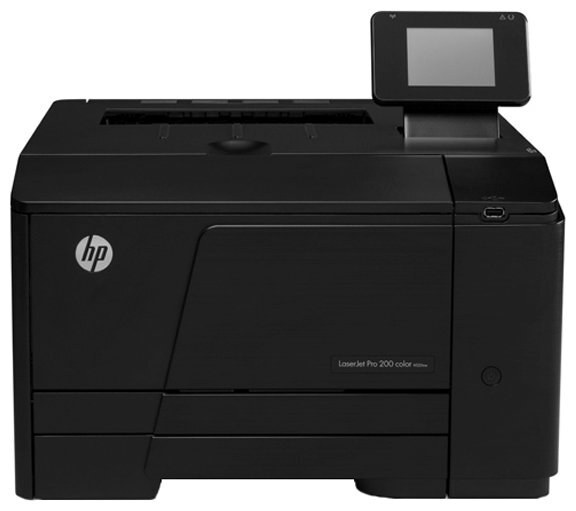
Designed for small teams, the LaserJet Pro 200 Color M251NW is a 2012-era color workgroup printer with a reputation for simply working. Reliability, not flash, is what keeps this machine on desks years later. It takes the HP 131A/131X toner family (CF210A, CF210X).
Stock both kinds and decide per job: genuine OEM CF210A, CF210X for presentations, compatible for internal prints. The LaserJet Pro 200 Color M251NW handles either without complaint. Beyond black, the LaserJet Pro 200 Color M251NW carries one cartridge per color: CF211A cyan, CF212A yellow and CF213A magenta.
Toner Cartridges for LaserJet Pro 200 color M251NW
This printer works with the following toner cartridges:
- HP CF210A
- HP CF210X
- HP CF211A
- HP CF212A
- HP CF213A
More HP Printers
- Color LaserJet M251
- Color LaserJet M251NW
- Color LaserJet M276
- Color LaserJet M276NW
- Color LaserJet Pro 200 M251
- Color LaserJet Pro 200 M251N
- Color LaserJet Pro 200 M251NW
- Color LaserJet Pro 200 M276
- Color LaserJet Pro 200 M276N
- Color LaserJet Pro 200 M276NW
- LaserJet Pro 200 color M251
- LaserJet Pro 200 color M276
- LaserJet Pro 200 color M276NW
- LaserJet Pro 200 color Printer M251
- LaserJet Pro 200 color Printer M251NW
- LaserJet Pro 200 color Printer M276
- LaserJet Pro 200 color Printer M276NW
Frequently Asked Questions
How do I confirm the cartridge code for the LaserJet Pro 200 color M251NW before ordering?
Use CF210A, CF210X, CF211A, CF212A and CF213A in the LaserJet Pro 200 color M251NW. These are the codes listed for this printer, so any cartridge carrying one of them is the right type.
My LaserJet Pro 200 color M251NW says toner is low — should I replace the cartridge immediately?
The low-toner warning on the LaserJet Pro 200 color M251NW is an early heads-up rather than a hard stop. Order a replacement CF210A now, but keep printing until pages start to fade.
Why is my LaserJet Pro 200 color M251NW still showing a toner alert after I installed a new CF210A?
The LaserJet Pro 200 color M251NW normally clears the alert on its own once the new CF210A cartridge is detected. If the message persists, open and close the toner door or restart the printer to refresh the sensor.