




Color LaserJet Pro 200 M251
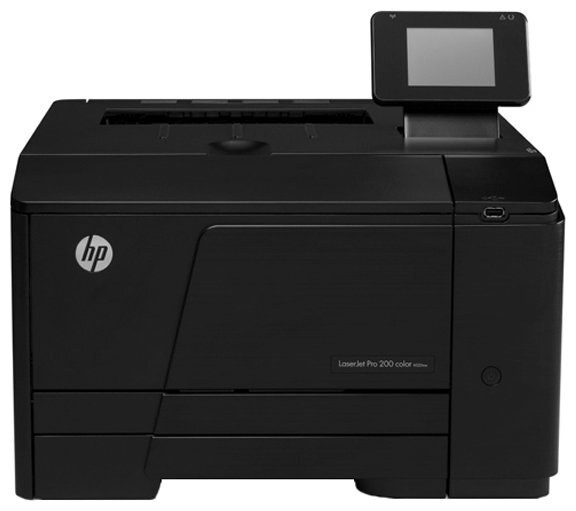
The base model of the Pro 200 color line, the M251 is a 2012-era color workgroup printer for the small team where one desk does most of the printing. Compact, practical, and easy to keep fed.
It feeds on HP 131A/131X toner: black CF210A (high-yield CF210X) with CF211A, CF212A and CF213A color. Keep a spare black cartridge on the shelf — compatible for value, genuine OEM for HP's exact formulation — and the M251 never leaves you waiting.
Toner Cartridges for Color LaserJet Pro 200 M251
This printer works with the following toner cartridges:
- HP CF210A
- HP CF210X
- HP CF211A
- HP CF212A
- HP CF213A
More HP Printers
- Color LaserJet M251
- Color LaserJet M251NW
- Color LaserJet M276
- Color LaserJet M276NW
- Color LaserJet Pro 200 M251N
- Color LaserJet Pro 200 M251NW
- Color LaserJet Pro 200 M276
- Color LaserJet Pro 200 M276N
- Color LaserJet Pro 200 M276NW
- LaserJet Pro 200 color M251
- LaserJet Pro 200 color M251NW
- LaserJet Pro 200 color M276
- LaserJet Pro 200 color M276NW
- LaserJet Pro 200 color Printer M251
- LaserJet Pro 200 color Printer M251NW
- LaserJet Pro 200 color Printer M276
- LaserJet Pro 200 color Printer M276NW
Frequently Asked Questions
Which toner cartridges work with the Color LaserJet Pro 200 M251?
CF210A, CF210X, CF211A, CF212A and CF213A are the cartridge codes for the Color LaserJet Pro 200 M251. Checking the label on the old cartridge is the fastest way to confirm.
How do I clear a paper jam in the Color LaserJet Pro 200 M251?
Turn the Color LaserJet Pro 200 M251 off and remove the jammed sheet slowly through the rear or toner access door, pulling in the direction of the paper path. Check for torn scraps, then reload the tray with fanned paper.
How can I check how much toner is left in my Color LaserJet Pro 200 M251?
Print a supplies-status page from the Color LaserJet Pro 200 M251's control panel or view levels in the printer software on your computer. Plan a replacement when the CF210A cartridge runs low or prints start fading.