




LaserJet Pro 200 color Printer M251NW
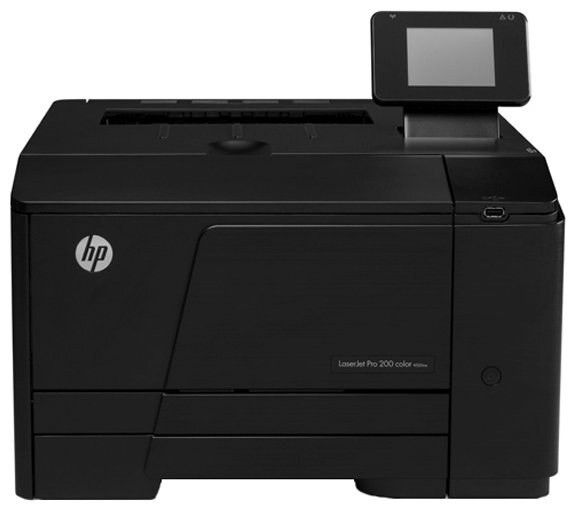
HP aimed the LaserJet Pro 200 Color Printer M251NW squarely at small teams when it launched this 2012-era color workgroup printer. Its straightforward design keeps toner changes quick and interruptions rare. Powering it is the HP 131A/131X cartridge line (CF210A, CF210X).
Both genuine OEM CF210A, CF210X and compatible cartridges are stocked for this printer, so you can match HP's original formulation or save on running costs. Your LaserJet Pro 200 Color Printer M251NW does not care which box the toner came from — only that it fits. Each color in the LaserJet Pro 200 Color Printer M251NW has its own cartridge — yellow CF212A, magenta CF213A and cyan CF211A.
Toner Cartridges for LaserJet Pro 200 color Printer M251NW
This printer works with the following toner cartridges:
- HP CF210A
- HP CF210X
- HP CF211A
- HP CF212A
- HP CF213A
More HP Printers
- Color LaserJet M251
- Color LaserJet M251NW
- Color LaserJet M276
- Color LaserJet M276NW
- Color LaserJet Pro 200 M251
- Color LaserJet Pro 200 M251N
- Color LaserJet Pro 200 M251NW
- Color LaserJet Pro 200 M276
- Color LaserJet Pro 200 M276N
- Color LaserJet Pro 200 M276NW
- LaserJet Pro 200 color M251
- LaserJet Pro 200 color M251NW
- LaserJet Pro 200 color M276
- LaserJet Pro 200 color M276NW
- LaserJet Pro 200 color Printer M251
- LaserJet Pro 200 color Printer M276
- LaserJet Pro 200 color Printer M276NW
Frequently Asked Questions
Which toner cartridges work with the LaserJet Pro 200 color Printer M251NW?
The LaserJet Pro 200 color Printer M251NW uses CF210A, CF210X, CF211A, CF212A and CF213A. Match the code on your current cartridge before ordering so you get the right fit.
Why is my LaserJet Pro 200 color Printer M251NW still showing a toner alert after I installed a new CF210A?
The LaserJet Pro 200 color Printer M251NW normally clears the alert on its own once the new CF210A cartridge is detected. If the message persists, open and close the toner door or restart the printer to refresh the sensor.
Why is my LaserJet Pro 200 color Printer M251NW printing blank pages?
Blank pages from the LaserJet Pro 200 color Printer M251NW usually mean a cartridge seal was left on, a cartridge is empty, or a setting is off. Reseat the CF210A cartridge, confirm the seal was pulled, and check that paper is loaded properly.