






 See Compatible Printers
 Read more about our ink!
Hewlett Packard
Compatible HP M276 (CF211A CF212A CF213A) Toner Cartridge 3 Color Set

Amazon Price:

- Page Yield:
- Color: 1800
- Availability:
- In Stock
- Shipping:
- Free Shipping
- Compatible Printers
- LaserJet 200 Color M251n
- LaserJet 200 Color M276n
- LaserJet 200 M251nw
- LaserJet 200 M276nw
- LaserJet Pro 200 Color M251n
- LaserJet Pro 200 Color M276n
- LaserJet Pro 200 M251nw
- LaserJet Pro 200 M276nwi>
- Specifications
- SKU:
- CS-HP-M276-3Set-1
- Printer Brand:
- Hewlett Packard
- OEM Number:
- CF211A CF212A CF213A
- Ink Color:
- Cyan, Magenta, Yellow
- Page Yield:
- Color: 1800
- Printer Type:
- Laser Cartridge
- Condition:
- New Compatible
- Description
- Reviews


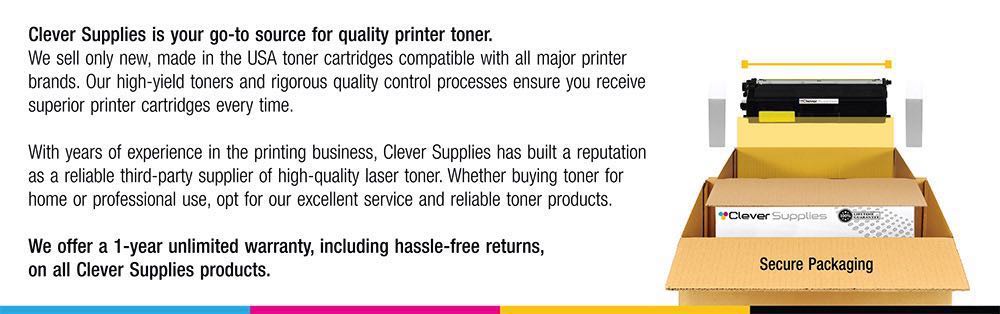
The HP 131A Color Series offers a comprehensive lineup of printers, including the PRO 200 M251, PRO 200 M251N, PRO 200 M251NW, PRO 200 M276, PRO 200 M276N, PRO 200 M276NW, M251, M251NW, M276, and M276NW models. These printers are designed to meet various printing needs, from personal to professional, providing efficient and reliable performance. Among the compatible cartridges are the CF210A Black, CF211A Cyan, CF213A Magenta, and CF212A Yellow, known as the HP 131A toner cartridge and toner cartridge. These cartridges ensure consistent and high-quality prints, whether it's documents, photos, or marketing materials. The PRO 200 COLOR M251 and PRO 200 COLOR M276 series printers offer advanced features such as wireless connectivity and mobile printing capabilities, making them suitable for modern printing environments. Whether it's printing from a smartphone, tablet, or computer, these printers provide convenient and seamless printing solutions. With the HP 131A cartridges, users can expect vibrant and true-to-life colors, along with crisp and sharp text output. The CF210A Black cartridge delivers deep blacks for professional-looking documents, while the CF211A Cyan, CF213A Magenta, and CF212A Yellow cartridges ensure accurate color reproduction for graphics and images. Investing in the HP 131A Color Series printers and cartridges ensures efficient and reliable printing solutions that meet the demands of today's fast-paced work environments. Whether it's for home, small office, or corporate use, these printers deliver exceptional performance and quality prints every time.
Cross-reference: HP CF211A, the 131A cyan toner cartridge (1,800 pages), is the same cartridge Canon sells as Canon Cartridge 131 (black 6272B001AA, high-capacity black 6273B001AA, cyan 6271B001AA, yellow 6269B001AA, magenta 6270B001AA) for the Canon Color imageCLASS MF624Cw, MF628Cw and MF8280Cw and the Color imageCLASS LBP7110Cw printers. Canon rates Cartridge 131 black at 1,800 pages, the high-capacity black at 2,400 pages and each color at 1,800 pages (ISO/IEC standard); HP sells the same cartridge across two generations as the 131A and 312A families.
Frequently Asked Questions
What comes in this box for the M276?
Three cartridges, all color: CF211A cyan, CF212A yellow and CF213A magenta from the HP 131A family, made for the Color LaserJet Pro 200 M276 series — the model category linked here is the Color LaserJet Pro 200 M276nw. Black is not included; your existing black cartridge stays right where it is.
My color prints have drifted — greens look wrong, reds look brown. Is this the cure?
That drift is the classic signature of colors aging at different speeds: one cartridge fades, and every mixed color built from it shifts. Replacing all three together rebalances the trio in one step, which is why a matched color set often fixes output that single-cartridge swaps only halfway correct.
What yield does each cartridge deliver?
CF211A, CF212A and CF213A are each rated at about 1,800 pages. On the M276 multifunction, color copies draw from these same cartridges — a morning of copying color handouts spends this set just as printing does. Scanning uses no toner, and faxes print in black only.
Can I buy this set even if only one color shows low?
Yes, and many owners do: install the low color now and keep the other two sealed as the next spares in line. Because the three were manufactured to work as a family, the sealed pair will match the installed cartridge’s output when their turn comes weeks or months later.
Does the M276 need any reset after a color change?
No procedure beyond the swap itself: open the drawer, match each cartridge to its color-labeled slot, close, and let the machine calibrate. A quick color test page afterward confirms all three are seated and printing evenly before you run real work.
How much is it, and what if something is wrong with a cartridge?
The set is $59.10 and carries a 1-year warranty plus a 1-year free returns window on every cartridge. We ship from warehouses in Illinois, Pennsylvania, Georgia and California, and support answers Monday through Friday, 9 AM to 5 PM CST. Our shipping and returns page covers delivery timing and how a return works.
About This 131A Three-Color Set for the M276
A matched color renewal for the Color LaserJet Pro 200 M276 multifunction: CF211A cyan, CF212A yellow and CF213A magenta, roughly 1,800 pages apiece, refreshing the color side as a unit while the black cartridge continues on its own timeline.
Color balance is a team statistic — no single cartridge produces the reds, greens and skin tones your documents depend on. Replacing the trio together is the simplest way to make a copied flyer and a printed original agree with each other again.
The LaserJet Pro 200 M251nw takes this cartridge too: print-only sibling or multifunction, the supply is the same across this pair. For one-colour top-ups, the CF211A cyan cartridge, the CF212A yellow cartridge and the CF213A magenta cartridge are listed individually; the CF210A black cartridge is the black partner this colour set is designed to sit alongside.
Related Items


Hewlett Packard
Compatible HP M276 (CF210A CF211A CF212A CF213A) Toner Cartridge 5 Color Set



Hewlett Packard
Compatible HP M276 (CF210 CF211A CF212A CF213A) Toner Cartridge 5 Color Set


Hewlett Packard
Compatible HP M276 (CF210 CF211A CF212A CF213A) Toner Cartridge 4 Color Set

Hewlett Packard
Compatible HP PRO 200 M276 (CF210 CF211A CF212A CF213A) Toner Cartridge 4 Color Set