






 See Compatible Printers
 Read more about our ink!
Hewlett Packard
Compatible HP CP1020 (CE311A CE312A CE313A) Toner Cartridge 3 Color Set

Amazon Price:

- Page Yield:
- Color: 1000
- Availability:
- In Stock
- Shipping:
- Free Shipping
- Compatible Printers
- Color LaserJet 100 MFP M175a
- Color LaserJet 100 MFP M175nw
- Color LaserJet CP1025nw
- Color LaserJet TopShot Pro M275
- LaserJet 100 MFP M175a
- LaserJet 100 MFP M175nw
- LaserJet Pro 100 MFP M175a
- LaserJet Pro 100 MFP M175nw
- LaserJet Pro CP1025nw
- LaserJet Pro TopShot Pro M275i>
- Color CP1020
- Color CP1025
- Color CP1025NW
- Color LaserJet CP1020
- Color LaserJet CP1025
- Color LaserJet M175nw
- Color LaserJet M476
- Color LaserJet M476DN
- Color LaserJet M476DW
- Color LaserJet M476NW
- Color LaserJet Pro 100
- Color LaserJet Pro 100 Color MFP M175A
- Color LaserJet Pro 100 Color MFP M175NW
- Color LaserJet Pro 200 M275NW
- Color LaserJet Pro CP1025
- Color LaserJet Pro M175
- Color LaserJet Pro M175 MFP
- Color LaserJet Pro M175A
- Color LaserJet Pro M175nw
- Color LaserJet Pro M476
- Color LaserJet Pro M476DN
- Color LaserJet Pro M476DW
- Color LaserJet Pro M476NW
- Color LaserJet Pro MFP M476
- Color LaserJet Pro MFP M476dn
- Color LaserJet Pro MFP M476dw
- Color LaserJet Pro MFP M476nw
- Color LaserJet TopShot LaserJet Pro M275
- Color LaserJet TopShot LaserJet Pro M275NW
- Color MFP M175A
- HP 126A
- HP 312A & 312X
- LaserJet Pro 100 Color M175A
- LaserJet Pro 100 Color M175N
- LaserJet Pro 100 Color M175W
- LaserJet Pro 100 color MFP M175NW
- TopShot LaserJet Pro M275 MFP
- Specifications
- SKU:
- CLS-HP-CP1020-3Set
- Printer Brand:
- Hewlett Packard
- OEM Number:
- CE311A CE312A CE313A
- Ink Color:
- Cyan, Magenta, Yellow
- Page Yield:
- Color: 1000
- Printer Type:
- Laser Cartridge
- Condition:
- New Compatible
- Description
- Reviews



The HP 126A Color LaserJet Series encompasses a range of printers designed to meet various printing needs, including the PRO 100 Color MFP M175A, PRO 100 Color MFP M175NW, CP1020, CP1025, CP1025NW, PRO 100, PRO M175, PRO M175A, PRO M175NW, PRO M175 MFP, TOPSHOT LASERJET PRO M275, TOPSHOT LASERJET PRO M275NW, LASERJET PRO 100 COLOR M175A, LASERJET PRO 100 COLOR M175N, and LASERJET PRO 100 COLOR M175W. Among the compatible cartridges are the CE310A Black, CE311A Cyan, CE313A Magenta, and CE312A Yellow, known collectively as the HP 126A toner cartridge or toner cartridge. These printers offer efficient printing solutions for both personal and professional use. The PRO 100 Color MFP M175A and M175NW models provide multifunction capabilities, including printing, scanning, and copying, while the CP1020 and CP1025 series deliver high-quality color printing for small office environments. The TOPSHOT LASERJET PRO M275 and M275NW models stand out with their innovative top shot scanning feature, ideal for capturing 3D objects and documents. With the HP 126A cartridges, users can expect reliable performance and vibrant color output for their printing tasks. The CE310A Black cartridge ensures crisp and sharp text, while the CE311A Cyan, CE313A Magenta, and CE312A Yellow cartridges deliver vivid hues and accurate color reproduction for graphics and images. Whether you're printing documents, presentations, or photos, the HP 126A Color LaserJet Series printers and cartridges provide the versatility and quality needed to produce professional results. Invest in these reliable printing solutions to streamline your workflow and achieve outstanding printouts with every use.
Frequently Asked Questions
Which cartridges are in the box for my CP1020?
The three colors of the 126A line: CE311A cyan, CE312A yellow and CE313A magenta, one apiece, priced at $77.41 for the set. There is no black cartridge in this box — that station on the CP1020 is refilled on its own schedule.
The CP1020 has no scanner or copier. Does that change how the colors last?
It simplifies the accounting: every color page the Color LaserJet CP1020 consumes was deliberately printed from a computer. There is no walk-up copying quietly draining the trio, so the levels you see in the printer software are the whole story.
What yield should I expect from each color?
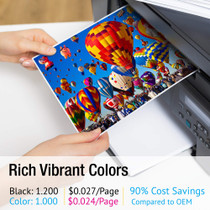
1,000 pages per cartridge is the rating for CE311A, CE312A and CE313A alike. Flyer-style pages with big color blocks use toner faster than letter pages with a color logo, so treat the figure as the standard measuring stick rather than a promise for heavy-coverage work.
My colors faded but black text still prints crisply. Is that normal?
Completely. The color stations and the black station live separate lives in this printer. A color-only refresh is the correct response — the set exists precisely for the moment the palette tires while text output still looks sharp.
How do I reach the color cartridges on this model?
The CP1020 brings each station forward on its rotating carousel through the control panel. Call the color you want to the front, lift the spent unit out, rock its replacement gently, remove the seal tape and seat it. Repeat for the other two if you are fitting the full trio.
What if one cartridge in the set misbehaves?
Each unit is backed by a 1-year warranty and 1-year free returns, whether it was fitted on arrival or kept sealed as the spare and installed months later.
Only the magenta is empty today. How do the other two colors wait?
Sealed, flat and together — a drawer near the CP1020 is the natural home. The unopened CE311A and CE312A keep their full 1,000-page ratings while they wait, provided they are kept out of heat and direct sun. Store them as a pair rather than scattering them, so that when the next color warning arrives you reach for a known box instead of starting a search.
Is it better to fit all three colors in one session, or strictly one at a time?
Both approaches are sound, and the choice is about baselines. Fitting the full trio together restarts every color clock at once and gives you one clean reference point for judging future pages. Fitting only the empty station spends nothing early and keeps the others in reserve. If the remaining two are already low, the single session saves you reopening the machine twice more within weeks.
How do I judge the color balance once the fresh trio is in?
Print something you already know well — a chart, logo sheet or photograph whose colors are familiar from this machine. Familiar material exposes imbalance instantly: greens leaning yellow suggest the cyan is lagging, muddy reds point at the magenta. A stranger's test image tells you far less, because you have no memory of how it ought to look on the CP1020.
On a flyer-printing desk, which of the three colors needs watching first?
The one your artwork leans on hardest. A flyer built on a full-bleed background spends its dominant color at many times the rate of the others, whatever the equal 1,000-page ratings suggest. Check that cartridge's bar in the printer driver before every long run, and treat its level — not the set's average — as the number that decides whether the job starts.
About This 126A 3 Color Set for the Color LaserJet CP1020
The CP1020 is the straightforward member of this family — a printer only, with a carousel of four cartridges and no appetite for complications. This color set restores three of those four stations at once: cyan, yellow and magenta in their 126A forms, $77.41 the set, 1,000 pages the rating on each cartridge.
Stock ships out of IL, PA, GA and CA; delivery windows and the returns route are spelled out on the shipping & returns page. Support hours run Monday–Friday, 9 AM–5 PM CST. Anything else the machine needs lives in the wider HP range.
Related Items


Hewlett Packard
Compatible HP CP1020 (CE310A CE311A CE312A CE313A) Toner Cartridge 5 Color Set


Hewlett Packard
Compatible HP CP1020 (CE310A CE311A CE312A CE313A) Toner Cartridge 8 Color Set

Hewlett Packard
Compatible HP CP1020 (CE310A CE311A CE312A CE313A) Toner Cartridge 8 Color Set

Hewlett Packard
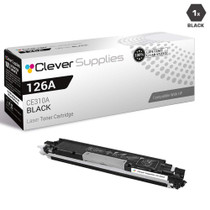
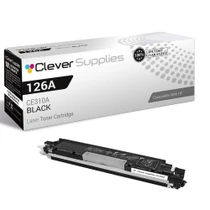
Compatible HP CP1020 (CE310A) Toner Cartridge Black