




WorkCentre 6027
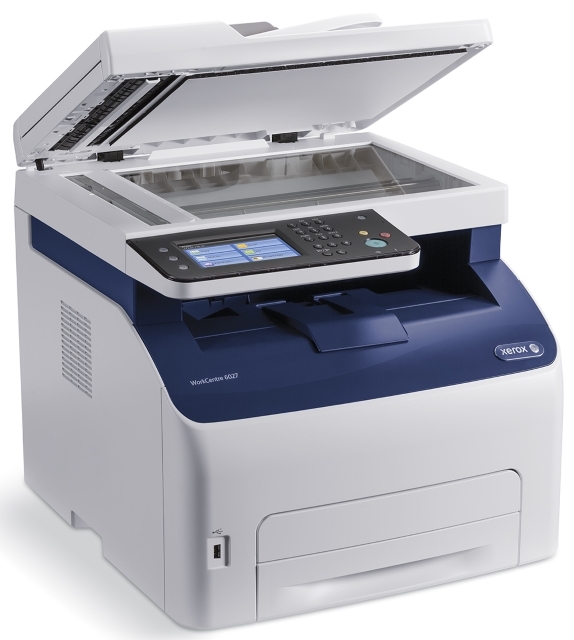
Xerox designed the WorkCentre 6027 as a step-up desktop color multifunction, and this page carries the family's fullest shelf for it. The black cartridge is the 106R02759, rated at approximately 2,000 pages, and each color is rated at about 1,000 pages: cyan 106R02756, magenta 106R02757 and yellow 106R02758. Every color is a separate unit that can be changed the moment it fades, without disturbing the rest.
A step-up machine usually means step-up expectations: the 6027 gets handed the color work other printers cannot do, from client-facing documents to internal charts. That work pattern drains the colors unevenly — one team's charts can empty the cyan months before the yellow — which is exactly why the individual-cartridge layout suits it. Nobody has to retire three healthy cartridges because the fourth ran dry.
Toner Cartridges for WorkCentre 6027
| Cartridge | Color | Page Yield |
|---|---|---|
| 106R02759 | Black | About 2,000 pages |
| 106R02756 | Cyan | About 1,000 pages |
| 106R02757 | Magenta | About 1,000 pages |
| 106R02758 | Yellow | About 1,000 pages |
| 106R02759 — WorkCentre 6027 listing | Black | About 2,000 pages |
| 106R02756 — WorkCentre 6027 listing | Cyan | About 1,000 pages |
| 106R02757 — WorkCentre 6027 listing | Magenta | About 1,000 pages |
| 106R02758 — WorkCentre 6027 listing | Yellow | About 1,000 pages |
| 4 Color Set | All four colors | See product page |
| 4 Color Set — model-specific listing | All four colors | See product page |
| 4 Color Set — alternate listing | All four colors | See product page |
| Premium Quality 4 Color Set | All four colors | See product page |
Which cartridge should you buy?
You will notice two single listings for most cartridges: one named by its code and one carrying the WorkCentre 6027 name. They are the same cartridge sold under two listings, so choose either with confidence and match the code to the slot you are filling. Black turns over fastest at roughly 2,000 pages a unit; colors last about 1,000 pages each and are best replaced individually as they fade. For a complete refresh — or to put a full spare set on the shelf — the 4 Color Set listings here bundle all four cartridges in a single order, including a premium-grade option. All of these compatible cartridges include a 1-year warranty and 1-year returns.
Chip, toner and everyday use
Before a long color run, check the cartridge levels; discovering an empty cyan halfway through a client document is the classic avoidable stop. When a color starts to band or fade, rock that cartridge gently side to side — the toner redistributes and print often evens out for a good while longer. Install replacements with the printer on, seat them until they click, and if the machine does not recognize a new unit, pull it out and seat it once more. Keep the next set sealed and stored flat; toner that sits in a warm spot can clump before it ever reaches the machine.
Frequently Asked Questions
What toner does the WorkCentre 6027 take?
Black 106R02759 and colors 106R02756 (cyan), 106R02757 (magenta) and 106R02758 (yellow) — the four cartridges listed in the table above.
Why are there two different listings for the same black cartridge?
The store lists this family's cartridges both by code and under the WorkCentre 6027 name. Both listings are the 106R02759 cartridge; the code on your old unit is the reliable way to confirm the match.
How many pages does each color cartridge print?
About 1,000 pages each at 5% coverage, against roughly 2,000 for the black. Graphics-heavy printing lowers the color figures noticeably.
Which set should I choose for a full cartridge change?
Any of the 4 Color Set listings replaces all four at once. Pick the premium-grade set if you prefer that grade of listing, or a standard set for a straightforward refresh.
More printers that use the same cartridges
The 6027's cartridges also serve the rest of the family: Phaser 6022, Phaser 6022NI, WorkCentre 6020, WorkCentre 6025, WorkCentre 6027NI.