




WorkCentre 6025
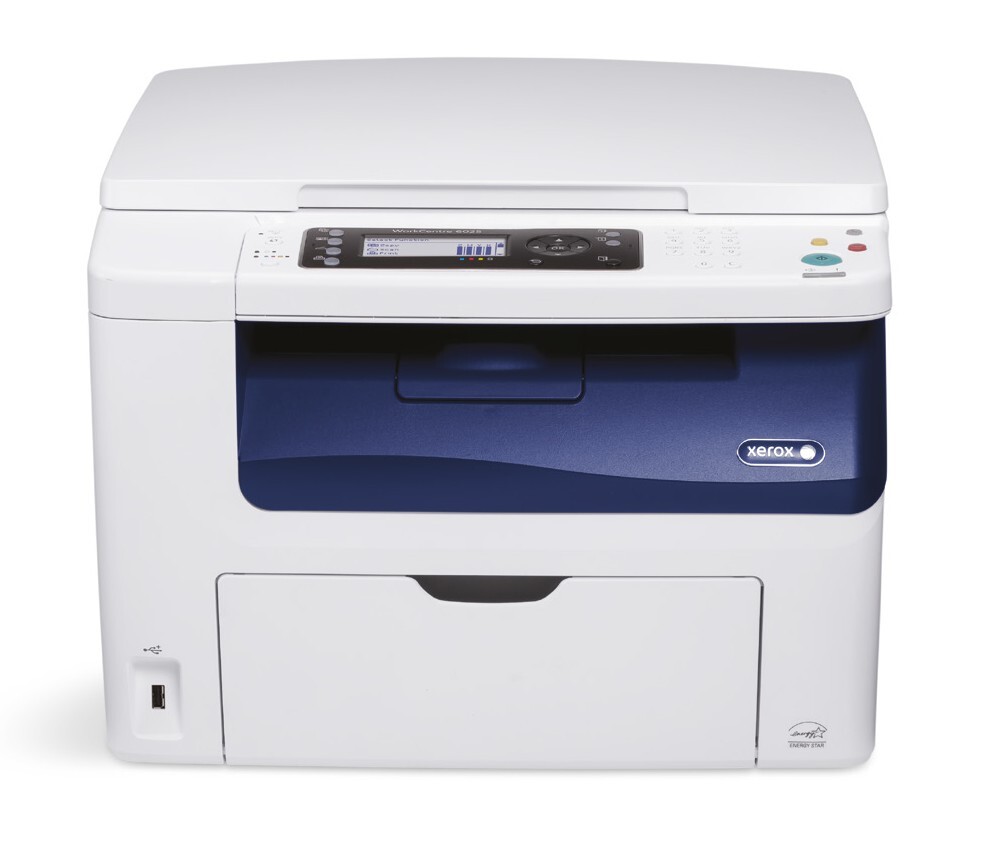
The Xerox WorkCentre 6025 pairs a color laser print engine with full multifunction capability for the modern office. The cartridge at the center of it is the 106R02759 black, rated at approximately 2,000 pages, and color pages come from a separate trio: 106R02756 for cyan, 106R02757 for magenta and 106R02758 for yellow, each stocked and swapped individually. A 2,000-page yield per black cartridge keeps this machine fed without frequent stops.
The 6025 tends to become the default machine for everything an office produces — the quick scan, the copied form, the color handout. That mix is gentle on any single cartridge but constant overall, and the black unit does most of the work. The arrangement suits a shared unit: stops are infrequent, provided someone acts on the low-toner warning before the cartridge is fully spent rather than after the pages start coming out pale.
Toner Cartridges for WorkCentre 6025
| Cartridge | Color | Page Yield |
|---|---|---|
| 106R02759 | Black | About 2,000 pages |
| 106R02756 | Cyan | See product page |
| 106R02757 | Magenta | See product page |
| 106R02758 | Yellow | See product page |
Which cartridge should you buy?
The buying decision here is mostly about rhythm. A single black cartridge covers roughly 2,000 pages, so an office printing a few hundred pages a week can run one at a time with a spare in the drawer. The listings on this page are the family's shared listings, sold under the Phaser 6022 name, and they include black multi-packs and full color sets for teams that would rather stock deep and reorder rarely. Colors are individual — buy the one that fades, and leave the other two in the machine. Every compatible cartridge here is backed by a 1-year warranty and 1-year returns.
Chip, toner and everyday use
Each color cartridge only fits its own slot, and the labels make the order hard to get wrong — still, check the color before you push a unit home. Pull a cartridge out by its handle and keep your fingers off the roller surface. If prints come out streaky on one color only, that cartridge is the suspect: rock it gently to level the toner before concluding it is empty. If a replacement is not recognized, take it out and seat it again. Spares keep best in their sealed bags, stored flat in a cool spot away from radiators and sunny windowsills.
Frequently Asked Questions
What toner does the WorkCentre 6025 use?
Black is the 106R02759, rated around 2,000 pages. The colors are 106R02756 (cyan), 106R02757 (magenta) and 106R02758 (yellow), each sold and replaced separately.
How do I know which cartridge needs changing?
The machine reports the low or empty color, and print quality usually points the same way — fading or streaks in one color mean that cartridge is going. Check the reported color against its code before ordering.
Does the 6025 share its cartridges with other models?
Yes — the same family serves several machines, including the WorkCentre 6020. The full list of models that take these cartridges is at the bottom of this page.
Are the color cartridges interchangeable with each other?
No. Cyan, magenta and yellow are three different cartridges with three different codes, and each belongs in its own slot. Order by the code of the color that has run out.
More printers that use the same cartridges
Other machines in the family run on the same cartridge set: Phaser 6022, Phaser 6022NI, WorkCentre 6020, WorkCentre 6027, WorkCentre 6027NI.