




WorkCentre 6027NI
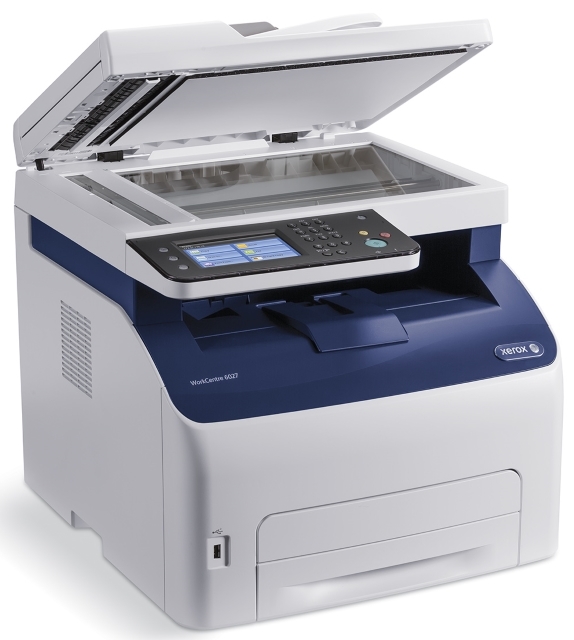
The WorkCentre 6027NI is the network-ready version of Xerox's 6027 color multifunction, and it shares the base model's cartridge set exactly. Black is the 106R02759, estimated at 2,000 pages of mixed office documents, and color work draws on three further cartridges that swap independently as each one fades: cyan 106R02756, magenta 106R02757 and yellow 106R02758. The same four cartridges cover everything this multifunction produces, for every user on the network.
Network-ready means shared, and shared machines develop their own toner habits: nobody owns the cartridge levels, so they get checked less often than on a personal printer. The 2,000-page black cycle helps, but busy weeks still arrive without warning. Most workgroups solve it socially rather than technically — one person keeps a spare black and orders colors as the machine reports them.
Toner Cartridges for WorkCentre 6027NI
| Cartridge | Color | Page Yield |
|---|---|---|
| 106R02759 | Black | About 2,000 pages |
| 106R02756 | Cyan | See product page |
| 106R02757 | Magenta | See product page |
| 106R02758 | Yellow | See product page |
| 4 Color Set | All four colors | See product page |
| 4 Color Set — model-specific listing | All four colors | See product page |
| Premium Quality 4 Color Set | All four colors | See product page |
Which cartridge should you buy?
Because the 6027NI usually serves several people, the safest stocking pattern is depth on black and patience on colors. The 106R02759 turns over roughly every 2,000 pages, so a spare black on the shelf prevents the shared-machine stall; the three colors empty at their own pace and are each sold as individual cartridges, so there is no reason to stockpile all three. If a full refresh is due, the 4 Color Set listings on this page — a general set, one listed for this model, and a premium-grade set — replace everything in a single order. Compatible cartridges here carry a 1-year warranty and 1-year returns.
Chip, toner and everyday use
On a shared machine, the low-toner message is easy for everyone to ignore, so act on the first warning rather than the last page. A cartridge that fades gradually can often be revived for a while by rocking it gently side to side to level the remaining toner. When you install a replacement, seat it until it clicks and let the printer register it before the next job is sent. Store the group's spares together, sealed and flat, in one known place — a spare nobody can find does not count as a spare.
Frequently Asked Questions
Does the 6027NI use the same toner as the WorkCentre 6027?
Yes — the network model takes the identical set: black 106R02759 and colors 106R02756, 106R02757 and 106R02758. The cartridges listed for the WorkCentre 6027 fit this machine as well.
How many pages does the black cartridge print?
An estimated 2,000 pages at standard 5% coverage, suited to mixed office documents.
What yields do the color cartridges have?
The color ratings are shown on each cartridge's product page. In practice the colors are replaced one at a time as they fade, so most offices simply reorder the color the machine reports as low.
Can I replace just one color in the 6027NI?
Yes. The three colors are independent cartridges. Swap the faded one and the others keep working until their turn comes.
More printers that use the same cartridges
The same four cartridges are used by these related models: Phaser 6022, Phaser 6022NI, WorkCentre 6020, WorkCentre 6025, WorkCentre 6027.