




Phaser 6022NI
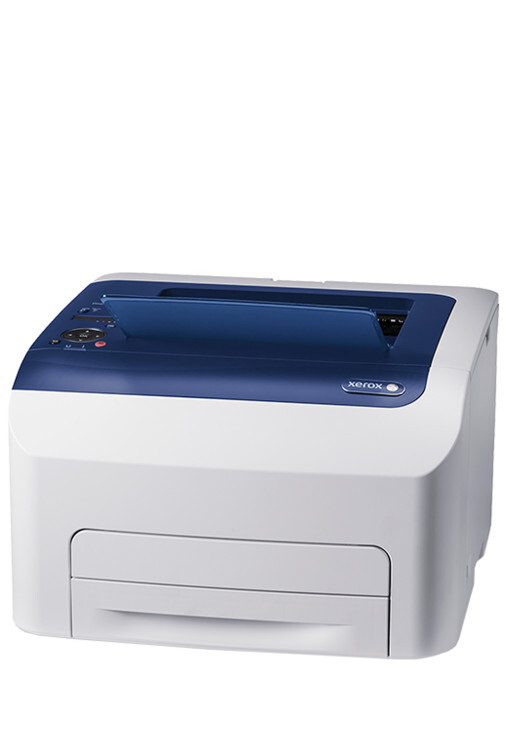
The Xerox Phaser 6022NI is a color laser printer that feeds from four individual cartridges: 106R02759 in black, 106R02756 in cyan, 106R02757 in magenta and 106R02758 in yellow. Every color is ordered and replaced on its own, so a faded yellow never forces you to throw away a black cartridge that still has life in it. The listings below are the compatible cartridges stocked for this model.
The 6022NI belongs to the same cartridge family as the Phaser 6022, and the two machines draw from the identical pool of four cartridge numbers. For an office running both models side by side, that overlap keeps the supply shelf simple: one set of numbers to learn, one group of spares that can serve whichever printer calls for toner first. What differs between the pages is the listings themselves, so order from this page to get the sets matched to the 6022NI.
Toner Cartridges for Phaser 6022NI
| Cartridge | Color | Page Yield |
|---|---|---|
| 106R02759 | Black | — |
| 106R02756 | Cyan | — |
| 106R02757 | Magenta | — |
| 106R02758 | Yellow | — |
| 106R02759 + 106R02756 + 106R02757 + 106R02758 | 4 Color Set | One of each cartridge |
| 106R02759 + 106R02756 + 106R02757 + 106R02758 | 4 Color Set, Premium | One of each cartridge |
| 106R02759 + 106R02756 + 106R02757 + 106R02758 | 4 Color Set | One of each cartridge |
Which cartridge should you buy?
If the printer is asking for one color, buy that color as a single — all four numbers are listed individually above, and there is no reason to open the other three slots. A full change is better handled with a set: the Phaser 6022NI 4 Color Set puts one of each cartridge in a single box, and the Premium Quality 4 Color Set covers the same four slots in the premium line. Choose a set when two or more levels are low at once, or when you want a complete spare waiting in the drawer; choose singles when the machine only needs a top-up. Either way, confirm the number on the cartridge you removed before ordering.
Chip, toner and everyday use
The printer tracks each cartridge through its chip, and the level it reports is an estimate based on the coverage of the pages you print — a month of bold presentations will empty a color faster than a month of plain memos. When you fit a replacement, slide it straight in until it clicks and give the machine a moment to register the new level before printing a test page. Toner settles during shipping, so a slow rock from side to side before installation helps the first prints come out even. Keep spare cartridges in their sealed bags, stored flat in a cool spot out of direct sunlight, and they will be ready whenever a slot runs dry.
Frequently Asked Questions
Does the Phaser 6022NI use the same toner as the Phaser 6022?
Yes. Both machines run on the same four numbers — 106R02759 black with 106R02756, 106R02757 and 106R02758 for the colors — which is why the same singles appear on both pages. The set listings above are the ones packaged for the 6022NI.
How do I know which color needs replacing?
The printer reports the low slot by color, and each cartridge is labeled with its number: cyan is 106R02756, magenta is 106R02757, yellow is 106R02758 and black is 106R02759. Match the reported color to its number and order that single.
Is there a set that covers all four cartridges?
Yes — the 4 Color Set for this model contains one cartridge of each color plus the black. A premium version of the same four-cartridge set is listed above as well.
Can I keep printing if one color is empty?
Black-only documents may continue for a while, but color jobs will come out wrong or stop the machine, and running a slot completely dry is hard on print quality. Replacing the single empty color is quick, so it is best done as soon as the warning appears.
More printers that use the same cartridges
The 6022NI's four cartridge numbers are shared by its closest relatives in the Xerox color range. The complete family list is: Phaser 6022, WorkCentre 6020, WorkCentre 6025, WorkCentre 6027, WorkCentre 6027NI.