




ALTALINK C8070
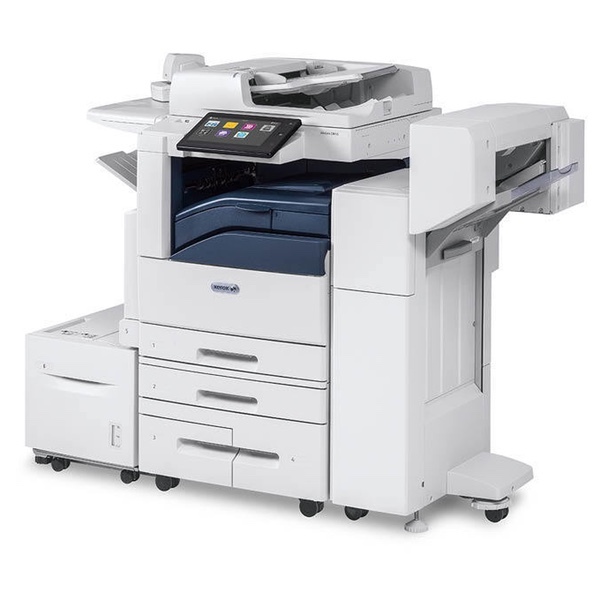
At the top of the AltaLink C80xx range sits the C8070, a powerhouse color multifunction printer built for the busiest workgroups in the building. Its appetite is fed by the family's familiar four cartridges: 006R01697 for black, 006R01698 for cyan, 006R01699 for magenta and 006R01700 for yellow. Four separate supplies, four separate levels — and on a machine this central, a plan for keeping all four ahead of demand.
When a flagship machine stops, a whole floor feels it, so supplies for the C8070 deserve more forethought than a desktop printer ever gets. The workgroups it serves print at the family's heaviest volumes, and black in particular can move from comfortable to critical inside one big reporting cycle. The offices that run this model well treat toner like any other production input: levels glanced at weekly, spares counted, reorders placed while the shelf still holds a cartridge — never after it is empty.
Toner Cartridges for ALTALINK C8070
| Cartridge | Color | Page Yield |
|---|---|---|
| 006R01697 | Black | Standard yield |
| 006R01697 (2 Pack) | Black | Standard yield |
| 006R01698 | Cyan | See product page |
| 006R01699 | Magenta | See product page |
| 006R01700 | Yellow | See product page |
| 006R01697, 006R01698, 006R01699, 006R01700 (4 Color Set) | Black, Cyan, Magenta, Yellow | See product page |
Which cartridge should you buy?
For the C8070, the core purchase is the one that prevents a stoppage. Build your standing stock around the black 2 pack, since black carries the heaviest load, and hold one 4 color set in reserve so a failure in any color can be answered from the shelf in minutes. After that foundation is in place, singles handle the fine-tuning: the C8070's colors drain at their own rates under mixed workgroup printing, and replacing only the empty one is still the economical habit. What changes at this end of the range is not the cartridges — they are the family's standard four — but the cost of being caught without one, which is why depth on the shelf matters more here than squeezing the last page out of a cartridge in the machine.
Chip, toner and everyday use
Rotate your spare stock so the oldest cartridge is always the next one installed; toner keeps well sealed, but there is no reason to let a box age in a cupboard for years. Keep spares at ordinary room temperature, away from radiators and sunny windowsills, in the packaging they arrived in. Where the workload allows it, time cartridge changes between large runs rather than in the middle of one — the swap itself takes minutes, and a planned pause beats an interruption. And keep the coverage rule in mind when levels fall faster than expected: yield ratings assume 5% coverage, so a season of dense color documents will legitimately shorten a cartridge's life.
Frequently Asked Questions
Which toner does the ALTALINK C8070 use?
The same four cartridges as the rest of its family: 006R01697 in black, 006R01698 in cyan, 006R01699 in magenta and 006R01700 in yellow. Each one is an individual supply, changed separately when it runs out.
Are the C8070's cartridges shared with other AltaLink models?
Yes. The four codes above run across this AltaLink family, which is why the models listed below all appear on the same supply shelf. A building running several of them can pool its spare cartridges instead of stocking per machine.
We run this machine hard. Singles or packs?
Both, in layers. Packs — the black 2 pack and the 4 color set — form your reserve, guaranteeing a same-day answer to any empty cartridge. Singles then replace individual colors as they drain, which keeps routine spending matched to real consumption.
A color emptied in the middle of a long run. What happens to the other cartridges?
Nothing happens to them at all. Swap in a fresh cartridge of the empty color and the job can continue; the other three cartridges stay in the machine with whatever toner they still hold.
More printers that use the same cartridges
The flagship shares its supply shelf with the rest of the range — the identical four cartridges also serve the ALTALINK C8030, ALTALINK C8035, ALTALINK C8045 and ALTALINK C8055.