




SL-M4070 FR
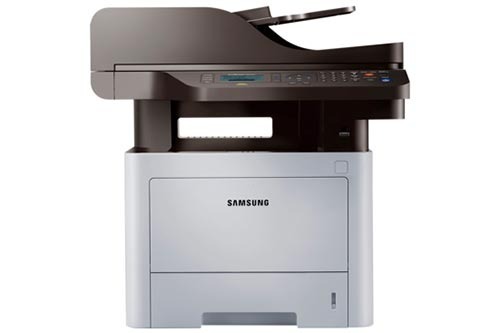
Samsung's SL-M4070 FR is the fax-equipped ProXpress 4070 business multifunction with spaced model naming, rounding out a departmental print, scan, copy, and fax setup. Heavy-duty and fully featured.
It takes MLT-D203S, MLT-D203L, MLT-D203U, or MLT-D203E. We offer compatible cartridges for economy and genuine OEM cartridges for originality, both shipping fast from Clever Supplies.
Toner Cartridges for SL-M4070 FR
This printer works with the following toner cartridges:
- Samsung MLT-D203S
- Samsung MLT-D203L
- Samsung MLT-D203U
- Samsung MLT-D203E
More Samsung Printers
- SL-M3320
- SL-M3320DW
- SL-M3320ND
- SL-M3370
- SL-M3370FD
- SL-M3370FW
- SL-M4020
- SL-M4020ND
- SL-M4070
- SL-M4070FR
- SL-M3820DW
- SL-M3870FW
- SL-M3820ND
- SL-M3870FD
- SL-M3820
- SL-M3870
- SL-M3820 DW
- SL-M3820 ND
- SL-M3870 FD
- SL-M3870 FW
- SL-M4020 ND
Frequently Asked Questions
Should I turn the SL-M4070 FR off overnight or leave it in sleep mode?
The SL-M4070 FR uses a tiny amount of toner during warm-up and calibration cycles, so fewer wake-ups mean marginally less waste. But don't obsess: the amounts are small compared to actual printing. A sensible sleep timer — say 15 to 30 minutes — balances readiness and savings.
Will toner-save mode make my SL-M4070 FR prints look faded?
Eco mode genuinely extends cartridge life on the SL-M4070 FR, but the savings come with visibly lighter output. Fine print, barcodes, and detailed graphics suffer most, so avoid toner-save when legibility is critical. For everyday office documents, most people never notice the difference.
How can I be 100% sure a cartridge fits the SL-M4070 FR before I click buy?
The SL-M4070 FR shares its MLT-D203S, MLT-D203L cartridge with many Samsung models, which is why listings show long compatibility lists — that's normal, not suspicious. What matters is that your model is named and the code matches. A listing with the right code and your model named is a safe buy.