




SL-M3370FD
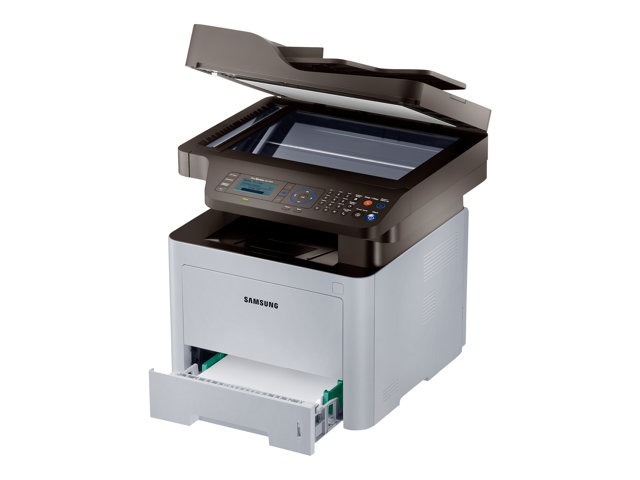
Fax and duplexing join the ProXpress multifunction in Samsung's SL-M3370FD, which prints two-sided while covering print, scan, copy, and fax. A complete business document station in one unit.
The MLT-D203 cartridge family fits: S, L, U, and E yields to match any workload. Compatible and genuine Samsung OEM versions are stocked, shipping fast from Clever Supplies. Those four yield letters translate into three larger fills worth knowing by their full codes: the high-yield MLT-D203L, the extra-high-yield MLT-D203E and the ultra-high-yield MLT-D203U, each a step up for busier fax-and-print days on the SL-M3370FD.
Toner Cartridges for SL-M3370FD
This printer works with the following toner cartridges:
- Samsung MLT-D203S
- Samsung MLT-D203L
- Samsung MLT-D203U
- Samsung MLT-D203E
More Samsung Printers
- SL-M3320
- SL-M3320DW
- SL-M3320ND
- SL-M3370
- SL-M3370FW
- SL-M4020
- SL-M4020ND
- SL-M4070
- SL-M4070FR
- SL-M3820DW
- SL-M3870FW
- SL-M3820ND
- SL-M3870FD
- SL-M3820
- SL-M3870
- SL-M3820 DW
- SL-M3820 ND
- SL-M3870 FD
- SL-M3870 FW
- SL-M4020 ND
- SL-M4070 FR
Frequently Asked Questions
When should I turn off toner-save mode on the SL-M3370FD?
A MLT-D203S running low in the SL-M3370FD can often finish the week with toner-save enabled, since lighter coverage squeezes out extra pages. Pair it with the shake-and-redistribute trick for maximum effect. Just remember to switch back to normal quality for important documents.
What is the exact cartridge code I need for the SL-M3370FD?
Suffix letters on Samsung printer names — the difference between a SL-M3370FD and its cousins — don't change the cartridge as long as the code is MLT-D203S, MLT-D203L. But don't assume: always verify the code. Writing the MLT-D203S, MLT-D203L code on a label stuck to the printer saves future guesswork.
Will a third-party cartridge perform like the original MLT-D203S in my SL-M3370FD?
Remanufactured cartridges — used OEM shells cleaned and refilled — sit between new compatibles and genuine in both price and predictability for the SL-M3370FD. A quality remanufactured MLT-D203S reuses Samsung's original hardware with fresh toner, which some owners prefer. Whichever route you take for the SL-M3370FD, keep the packaging until you have printed a test page.