




SL-M3870 FW
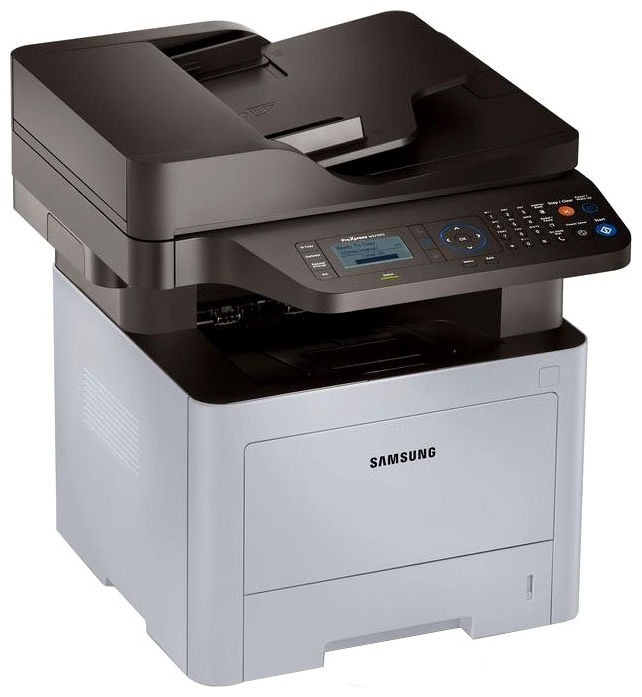
The Samsung SL-M3870 FW takes the ProXpress multifunction formula — print, scan, copy and fax — and puts it on Wi-Fi, so the machine can sit wherever the office needs it rather than wherever a cable reaches. Its toner family is the MLT-D203 line, running from the standard MLT-D203S through to the extended-yield MLT-D203E; the MLT-D203L and MLT-D203U sit between them. This page stocks the E cartridge as a single unit and in 2, 3, 5 and 10-packs.
Wireless access changes the toner math quietly. Once the SL-M3870 FW is on the network, everyone within range prints to it — laptops in meeting rooms, the colleague who never walks to the wired printer, the fax line that still receives orders. Volume creeps up without anyone deciding it should, and the machine usually lives across the room from the supply cabinet. The practical answer is boring and effective: pick the long-running cartridge and keep its replacement within arm's reach of the printer, not in a storeroom two floors away.
Toner Cartridges for SL-M3870 FW
| Cartridge | Color | Page Yield |
| MLT-D203E — single cartridge | Black | See product page |
| MLT-D203E — 2-pack | Black | See product page |
| MLT-D203E — 3-pack | Black | See product page |
| MLT-D203E — 5-pack | Black | See product page |
| MLT-D203E — 10-pack | Black | See product page |
Which cartridge should you buy?
Match the cartridge to your real monthly volume. The extended-yield MLT-D203E stocked here is the right default for a wireless hub that the whole office shares — a standard cartridge disappears surprisingly fast when printing is this convenient. The 2-pack covers the install-one, shelf-one routine; the 3, 5 and 10-packs are for offices that already know their burn rate. If your SL-M3870 FW genuinely prints only a few pages a week, the family's smaller MLT-D203S or MLT-D203L may be the better fit — a cartridge you never finish can age before it empties. Compare the rated yields on the product pages and be honest about which user you are.
Chip, toner and everyday use
When output fades evenly, the redistribute trick genuinely helps this printer: remove the cartridge and rock it gently side to side — over a trash can, so any loose toner falls somewhere harmless. It will not fix sharp streaks or repeating spots; those are a different fault, not a toner shortage. Heat is the quiet enemy of a stored spare, doing more damage in a hot room than a year on a cool shelf, so keep the next cartridge sealed in a temperate spot. If an older spare goes in, run one test page and check for faded bands or speckling before trusting it with real work.
Frequently Asked Questions
For a busy office SL-M3870 FW, is the extended-yield cartridge the obvious choice?
Usually, yes. A shared wireless multifunction accumulates pages from every direction, and the MLT-D203E's longer run means fewer swaps and fewer interruptions. The exception is the genuinely light user: a few pages a week may never finish an extended cartridge before age becomes a factor, and for them a smaller family cartridge makes more sense.
How do I shake the cartridge without making a mess near the printer?
Hold it level over a trash can and rock it gently from side to side a few times. You are evening out toner that has pooled at one end, which is what causes uniform fading. If the problem is streaks, lines or spots instead, shaking will not help — replace or investigate rather than repeat the ritual.
What degrades first in an aging spare cartridge — the toner or the drum components?
Heat does the damage more than the calendar does. A cartridge kept somewhere hot for a year can fare worse than one kept cool for three. Sealed, flat and away from sun or radiators is the whole recipe; when you finally install an old spare, judge it by the test page, not the date on the box.
The printer warns about low toner but pages still look fine — is it lying?
It is being cautious, not dishonest. Samsung sets the warning threshold early so a shared machine never dies mid-job. Keep printing while output stays clean, use the redistribute trick when fading begins, and swap when the pages themselves tell you to.
More printers that use the same cartridges
These ProXpress models draw from the same MLT-D203 family: