




SL-M3370
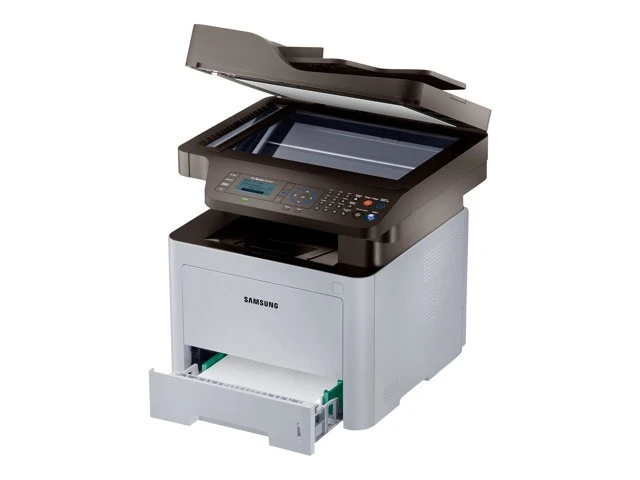
The Samsung SL-M3370 brings ProXpress build quality to a business multifunction: print, scan, and copy with the durability a shared office MFP needs. It anchors the document workflow rather than just joining it.
It runs on the MLT-D203S standard or steps up through MLT-D203L, MLT-D203U, and MLT-D203E as volume grows. Our compatible cartridges are the value route; genuine OEM cartridges are the factory route. Fast shipping from Clever Supplies.
Toner Cartridges for SL-M3370
This printer works with the following toner cartridges:
- Samsung MLT-D203S
- Samsung MLT-D203L
- Samsung MLT-D203U
- Samsung MLT-D203E
More Samsung Printers
- SL-M3320
- SL-M3320DW
- SL-M3320ND
- SL-M3370FD
- SL-M3370FW
- SL-M4020
- SL-M4020ND
- SL-M4070
- SL-M4070FR
- SL-M3820DW
- SL-M3870FW
- SL-M3820ND
- SL-M3870FD
- SL-M3820
- SL-M3870
- SL-M3820 DW
- SL-M3820 ND
- SL-M3870 FD
- SL-M3870 FW
- SL-M4020 ND
- SL-M4070 FR
Frequently Asked Questions
What should I know about warranty terms before using non-OEM toner in the SL-M3370?
A 'non-genuine cartridge' notice on the SL-M3370 is informational — you can typically acknowledge it and keep printing. The message simply means the printer detected a chip it doesn't recognize as Samsung's. Print quality itself depends on the cartridge's construction, not on whether the warning appeared.
Which cartridge codes are compatible with the SL-M3370?
To verify fit for the SL-M3370, look for the MLT-D203S, MLT-D203L code on the product listing and confirm the seller names your exact model in the compatibility list. Both should agree. If a listing shows the right code but omits your model, contact the seller before ordering.
Can I override the replace-toner warning on the SL-M3370?
If the SL-M3370 stops printing entirely at the warning rather than letting you continue, check the driver or panel settings for a 'continue' or override option. Some models enforce a hard stop. In that case, the shake trick plus a prompt cartridge swap is your fastest path back.