




SL-M3320ND
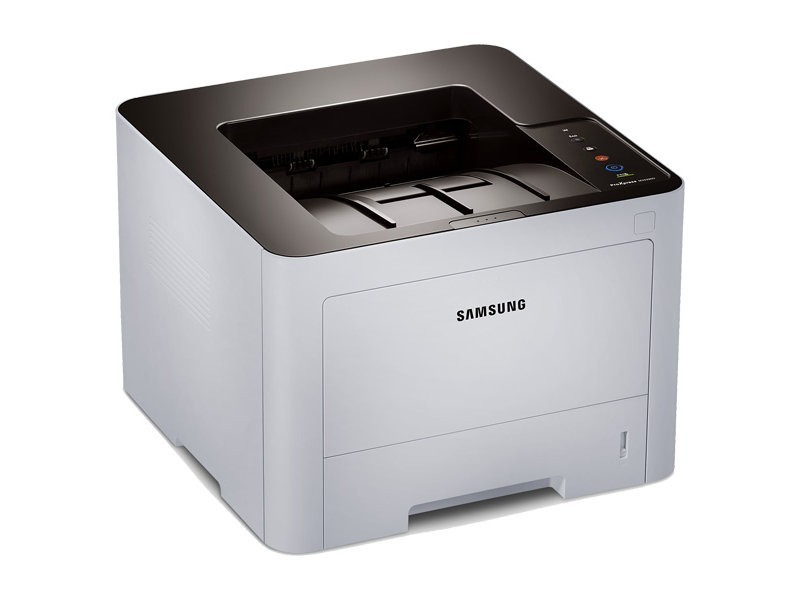
Offices that standardize on Ethernet and two-sided output land on the SL-M3320ND, the networked, duplexing configuration of Samsung’s ProXpress 3320 line. It is the shared-workhorse build: one machine, wired in, serving a whole team. Its cartridges span the MLT-D203 ladder — the standard MLT-D203S, the high-yield MLT-D203L, the extra-high-yield MLT-D203E and the ultra-high-yield MLT-D203U at the top.
A wired workhorse develops a rhythm: the same reports, the same invoice runs, the same end-of-week surge. Predictable volume is exactly what yield tiers are for. Rather than reacting to an empty cartridge, a team running the SL-M3320ND can pick a fill size that matches its queue and reorder on a schedule, with duplexing quietly halving the paper side of the budget in the background.
Toner Cartridges for SL-M3320ND
| Cartridge | Color | Page Yield |
|---|---|---|
| MLT-D203L — high yield, single | Black | See product page |
| MLT-D203E — extra high yield, single | Black | See product page |
| MLT-D203U — ultra high yield, single | Black | See product page |
| MLT-D203L — high yield, 3 pack | Black | See product page |
| MLT-D203L Premium — high yield, 5 pack | Black | See product page |
Which cartridge should you buy?
Match the fill to the queue. A small team with steady output does well on the MLT-D203L and its 3-pack; busier departments should look at the MLT-D203E or MLT-D203U, where each swap buys a much longer run, and the Premium 5-pack of the L cartridge suits offices that prefer one toner order per quarter. The standard MLT-D203S remains the honest choice only where the printer genuinely idles most days. Whichever tier you pick, keep one spare on the shelf — a shared printer has no owner to notice the fading first page.
Chip, toner and everyday use
When output fades on a cartridge that should still have life, rock it — gently. Hold the cartridge level over a trash can or a sheet of newspaper, tilt it side to side a few times, and let the toner settle evenly across the drum. Toner dust stains clothing stubbornly, so keep it away from your shirt, and wash skin with cool water if any lands on your hands. Then reseat the cartridge firmly; a loose fit causes its own error messages.
Frequently Asked Questions
What is the right way to shake an MLT-D203 cartridge for this printer?
Rock, don’t whip. Take the cartridge out, keep it level, and tilt it slowly from side to side so the toner redistributes without spilling. Do it over paper or a bin to catch stray dust, reseat the cartridge until it sits firmly, and print a test page. Violent shaking risks the seals and buys nothing extra.
Can I still use a spare cartridge that sat unopened for two years?
Usually, yes. The chip does not meaningfully limit shelf life; what ages is the cartridge itself — its seals and the photosensitive drum surface. A sealed cartridge stored for years typically either works normally or shows obvious defects on the first pages, with little middle ground, so install it and judge by the test output rather than the date on the box.
Should an empty cartridge go in the regular trash?
It doesn’t have to. The box your new cartridge arrived in doubles as the return package: put the empty in, and use the prepaid label if one was included. That one habit keeps nearly every cartridge out of the landfill and costs you thirty seconds at swap time.
More printers that use the same cartridges
Every model below runs on this same cartridge family, listed from the heavier departmental machines back down to this one’s closest relatives: Samsung-MLTD203, SL-M4070FR, SL-M4070, SL-M4020ND, SL-M4020, SL-M3870FW, SL-M3870FD, SL-M3870, SL-M3820ND, SL-M3820DW, SL-M3820, SL-M3370FW, SL-M3370FD, SL-M3370, SL-M3320DW, SL-M3320.