




SL-M3370FW
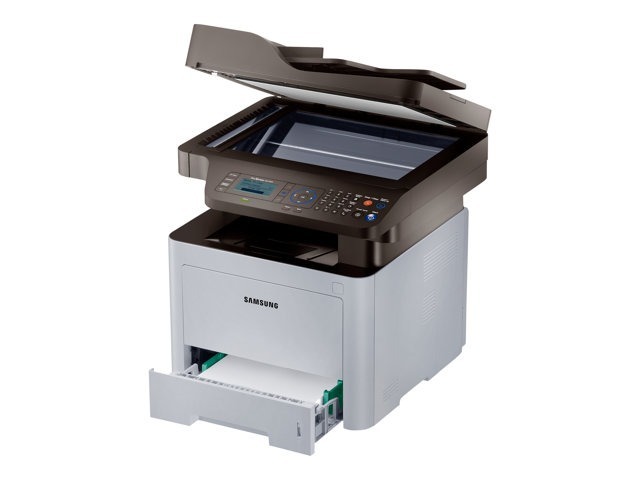
Samsung's SL-M3370FW is the fully connected ProXpress multifunction: wireless plus print, scan, copy, and fax in one business-grade mono unit. Every function within reach of every desk.
It takes MLT-D203S standard, MLT-D203L high-yield, or the extended MLT-D203U/MLT-D203E cartridges. We offer compatible cartridges for savings and genuine OEM cartridges for originality, both shipping fast from Clever Supplies.
Toner Cartridges for SL-M3370FW
This printer works with the following toner cartridges:
- Samsung MLT-D203S
- Samsung MLT-D203L
- Samsung MLT-D203U
- Samsung MLT-D203E
More Samsung Printers
- SL-M3320
- SL-M3320DW
- SL-M3320ND
- SL-M3370
- SL-M3370FD
- SL-M4020
- SL-M4020ND
- SL-M4070
- SL-M4070FR
- SL-M3820DW
- SL-M3870FW
- SL-M3820ND
- SL-M3870FD
- SL-M3820
- SL-M3870
- SL-M3820 DW
- SL-M3820 ND
- SL-M3870 FD
- SL-M3870 FW
- SL-M4020 ND
- SL-M4070 FR
Frequently Asked Questions
What print volume makes high-yield cartridges the better buy for the SL-M3370FW?
Offices running a SL-M3370FW hard should default to high-yield MLT-D203L cartridges to cut both cost per page and the frequency of cartridge swaps. For a home printer that sits idle for weeks, the standard MLT-D203S avoids tying up money in toner that ages on the shelf. There's no quality penalty for choosing either.
Should I rock the cartridge side to side or front to back for the SL-M3370FW?
Power the SL-M3370FW off before pulling the cartridge if you want to be cautious, though it's not strictly required. Let the printer sit a moment so internal parts cool. Reseat the MLT-D203S firmly until it clicks — a loose cartridge causes its own error messages.
How can I tell if an old spare cartridge is still fine for the SL-M3370FW?
If a spare MLT-D203S is clearly past its prime — leaking, clumped, or producing defective pages in the SL-M3370FW — don't force it; recycle it responsibly instead. Installing a degraded cartridge risks a toner spill inside the printer. When in doubt, a fresh cartridge costs less than cleaning up a mess.