




SL-M3320DW
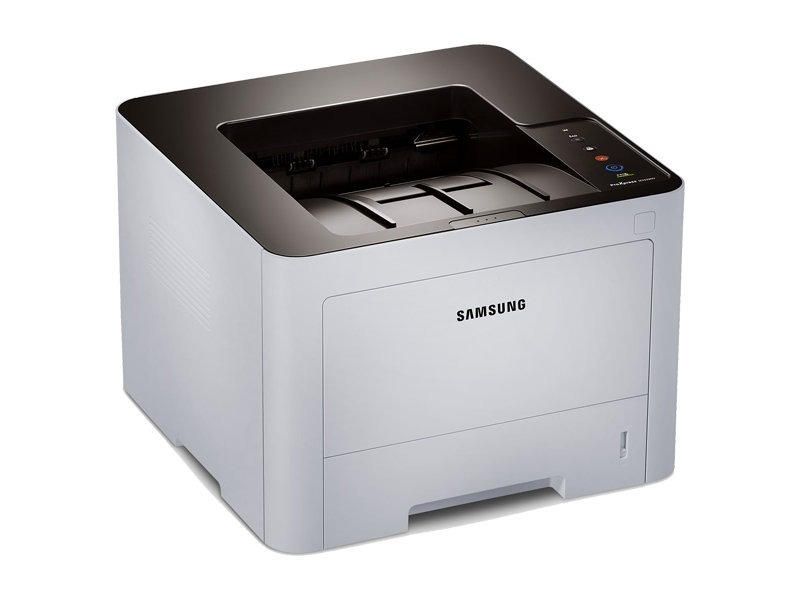
The SL-M3320DW is the wireless member of Samsung’s ProXpress mono laser line: a business printer the whole office reaches over Wi-Fi, printing two-sided without a cable in sight. Its toner is the MLT-D203 family — a standard MLT-D203S fill for light duty, then three larger cartridges: the high-yield MLT-D203L, the extra-high-yield MLT-D203E and the ultra-high-yield MLT-D203U. Every one of them drops into the same slot, so the only decision is how much toner you want between swaps.
A shared printer that lives wherever the Wi-Fi is strongest changes how an office consumes toner. Nobody walks a cable over when output fades; the SL-M3320DW simply serves the next job in the queue. That makes cartridge size a planning question rather than a personal one — usage arrives from every desk, in bursts, and a bigger fill smooths out the peaks far better than a standard one.
Toner Cartridges for SL-M3320DW
| Cartridge | Color | Page Yield |
|---|---|---|
| Compatible Samsung MLT-D203E Extra High Yield Laser Toner Cartridge Black | Black | See product page |
| Compatible Samsung MLT-D203L High Yield Laser Toner Cartridge Black | Black | See product page |
| Compatible Samsung MLT-D203L High Yield Laser Toner Cartridge Black 3 Pack | Black | See product page |
| Compatible Samsung MLT-D203U Ultra High Yield Laser Toner Cartridge Black | Black | See product page |
| Compatible Samsung MLT-D203L Premium Quality High Yield Laser Toner Cartridge Black 5 Pack | Black | See product page |
Which cartridge should you buy?
For a printer shared over the network, start with the MLT-D203L: its high-yield fill matches the steady drip of jobs from several desks, and the 3-pack and Premium 5-pack versions below keep a spare in the closet for the day the queue stops. Step up to the MLT-D203E or MLT-D203U when month-end reporting regularly empties a cartridge mid-run. The standard MLT-D203S still makes sense for a lightly used satellite office, but on a busy shared machine it mostly buys you more frequent swaps. All four yields print identically; you are choosing interval, not quality.
Chip, toner and everyday use
Wireless printers get moved — a desk reshuffle, a new access point, a better corner. After any move, open the cover and press the cartridge firmly back into its seat before blaming the network; a jostled cartridge can trigger recognition complaints that have nothing to do with Wi-Fi. The chip on each MLT-D203 cartridge reports level data to the printer, and readings near empty are estimates. When pages start to fade, lift the cartridge out and rock it gently side to side to redistribute the toner, then print on while the replacement ships.
Frequently Asked Questions
How do I avoid ordering the wrong toner for the SL-M3320DW?
Compare codes, not pictures. Listing photos get reused across dozens of Samsung models, but the code molded on your empty cartridge — one of the MLT-D203 family — is exact. Match that code on the listing, confirm the listing names the SL-M3320DW, and the cartridge that arrives will fit. Ordering by series name alone is how the wrong box ends up in the supply closet.
Will duplex printing actually cut my paper costs?
Two-sided output is where this model quietly saves money: internal drafts, meeting packs and reference copies on both sides of the sheet use roughly half the paper of single-sided runs. Set duplex as the driver default for everyday work and reserve single-sided printing for final documents that leave the building. The toner side of the ledger is unaffected — duplexing saves paper, not toner.
Can different people on the Wi-Fi network use different cartridge yields?
Yes — yield is a property of the cartridge, not of the user or the network. Whoever replaces the toner chooses the size; everyone printing to the SL-M3320DW simply benefits from the longer interval a bigger fill provides. There is no setting to change when you move between the standard, high-yield and extended MLT-D203 cartridges.
More printers that use the same cartridges
The same MLT-D203 cartridges also feed the rest of the ProXpress SL family — if your office runs more than one of these machines, a single toner shelf covers them all: SL-M3320, SL-M3320ND, SL-M3370, SL-M3370FD, SL-M3370FW, SL-M3820, SL-M3820DW, SL-M3820ND, SL-M3870, SL-M3870FD, SL-M3870FW, SL-M4020, SL-M4020ND, SL-M4070, SL-M4070FR, Samsung-MLTD203.