




SL-M4070FR
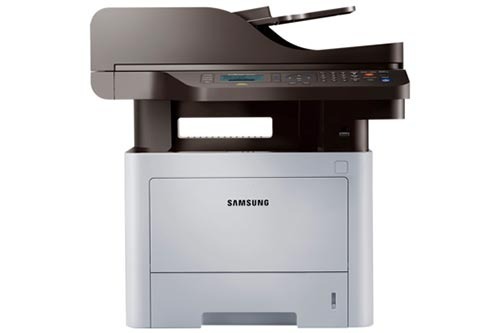
The SL-M4070FR adds fax to Samsung’s ProXpress 4070 business multifunction, rounding out print, scan, copy and fax for offices that still transmit documents the old-fashioned way — heavy-duty everything. It takes the standard MLT-D203S, the high-yield MLT-D203L, or the extended fills, the ultra-high-yield MLT-D203U and extra-high-yield MLT-D203E.
Four functions drawing on one cartridge makes the FR the most honest machine in the building about toner: every fax received at midnight, every contract copied at noon, every report printed at five comes out of the same fill. Offices that still fax tend to be offices with compliance habits — healthcare, legal, logistics — where a printer standing empty is not an inconvenience but a broken process.
Toner Cartridges for SL-M4070FR
| Cartridge | Color | Page Yield |
|---|---|---|
| MLT-D203L Premium (5 Pack) | Black | See product page |
| MLT-D203U | Black | See product page |
| MLT-D203L (3 Pack) | Black | See product page |
| MLT-D203L | Black | See product page |
| MLT-D203E | Black | See product page |
Which cartridge should you buy?
Plan around rhythm, not emergencies. Note the install date on each box and you will quickly learn this machine’s replacement interval; set a reminder a week before the expected empty date and one spare is genuinely enough. For the fill itself, the MLT-D203L in 3-pack form is the working default, the MLT-D203E and MLT-D203U stretch the interval for fax-heavy months, and the Premium 5-pack suits a shelf that serves several machines. The standard MLT-D203S is the light-duty option. Combined with a duplex default, sensible toner settings meaningfully lower the total cost of running all four functions.
Chip, toner and everyday use
The chip on each cartridge is what lets this printer identify what was installed and estimate what remains, which is why chip-equipped compatibles slot straight into the FR’s routine. One legal comfort worth knowing: warranty law generally prevents a manufacturer from voiding the printer’s warranty merely for using third-party consumables. The practical exception is damage directly caused by a cartridge itself. Document which brand is installed and keep a faulty unit, and any dispute starts from evidence rather than memory.
Frequently Asked Questions
Should I make duplex the default on the SL-M4070FR?
Yes — it is the greenest easy win available. Two-sided output means less paper purchased, less to store and less to recycle across all four functions, faxes included. It won’t extend the life of the cartridge itself, but alongside sensible toner settings it lowers total printing cost enough that most offices wonder why they didn’t default it years earlier.
Is keeping one spare cartridge enough for this machine?
If you track your rhythm, yes. The install-date habit turns replacement from a surprise into a date on the calendar: learn the interval, set the reminder a week early, and a single spare bridges the gap comfortably. Offices that skip the tracking are the ones that need two spares and still run out.
Why does the cartridge chip matter on the SL-M4070FR?
It is the printer’s only way of knowing what was installed and roughly how much toner remains. A cartridge whose chip communicates correctly is recognized immediately and reports its level like any other; that recognition, not the brand on the box, is what keeps the machine’s warnings and gauges behaving normally.
More printers that use the same cartridges
Every machine below runs on the same MLT-D203 shelf as this one, from the compact 3320 line up to the departmental 4070s: SL-M4020, SL-M4020ND, SL-M4070, Samsung-MLTD203, SL-M3320, SL-M3320DW, SL-M3320ND, SL-M3370, SL-M3370FD, SL-M3370FW, SL-M3820, SL-M3820DW, SL-M3820ND, SL-M3870, SL-M3870FD, SL-M3870FW.