




C5900DN
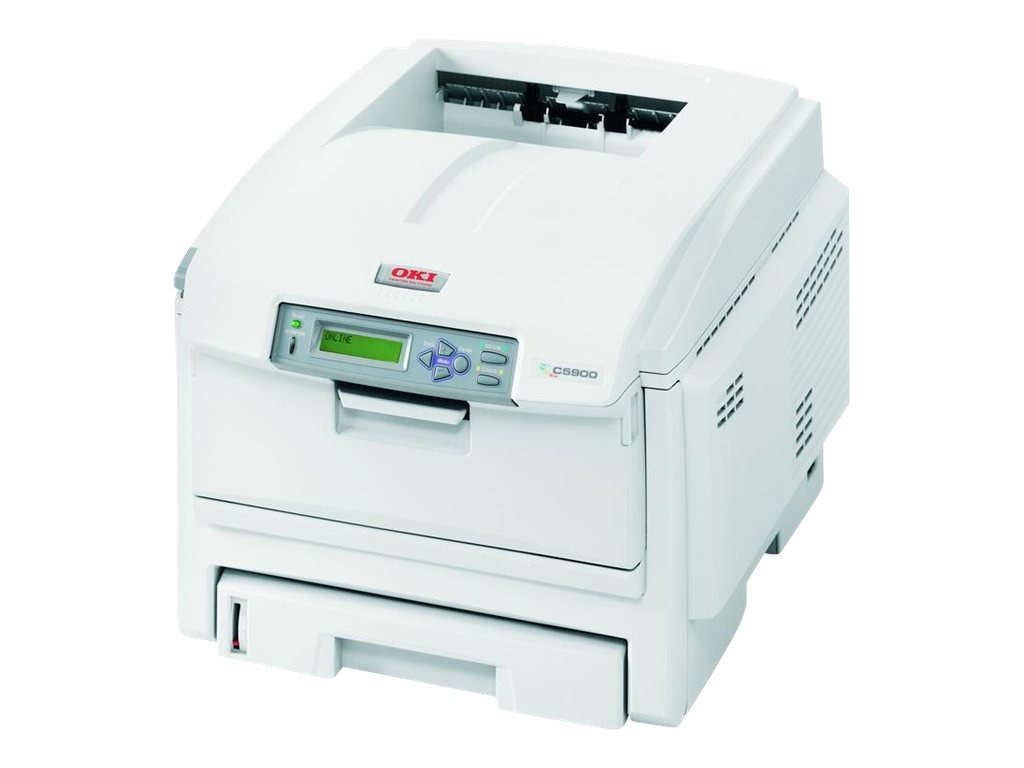
The Okidata C5900DN is the duplex, networked member of the Type C8 color family, suited to workgroups printing a mix of plain documents and color pages. Its standard cartridge set is numbered 43381901–43381904; this page stocks the high-yield Type C8 line instead — 43324404 black, 43324403 cyan, 43324402 magenta and 43324401 yellow — which drops into the same slots and runs longer between changes.
The DN letters tell you how this printer earns its keep: duplexing as standard and a network port, so a workgroup shares one machine and prints two-sided without thinking about it. Shared machines empty their cartridges in a different rhythm from personal ones — whoever prints the monthly report pack decides when black runs out — which is exactly why the longer-running cartridges below suit the DN better than the standard set it shipped with.
Toner Cartridges for C5900DN
| Cartridge | Color | Page Yield |
|---|---|---|
| 43324404 | Black (high yield) | See product page |
| 43324403 | Cyan (high yield) | See product page |
| 43324402 | Magenta (high yield) | See product page |
| 43324401 | Yellow (high yield) | See product page |
| Type C8 High Yield 4 Color Set (43324404 / 43324403 / 43324402 / 43324401) | All four colors | See product page |
| C5900DN High Yield 4 Color Set | All four colors | See product page |
| C5900DN Premium Quality High Yield 4 Color Set | All four colors | See product page |
Which cartridge should you buy?
Workgroup volume is the argument for the high-yield line: every cartridge change on a shared printer interrupts several people, so fewer, longer-running cartridges beat cheaper short ones. Order singles against the panel's warnings — black first, almost always — and switch to a four-color set when the machine reports two or more colors low at once. If your C5900DN still runs the standard set, nothing needs changing to move up: the high-yield cartridge for each color fits the slot and drum unit you already have.
Chip, toner and everyday use
The compatible cartridges here are chipped for the C5900DN, so levels show on the panel and in the printer's web page after a straightforward swap. Yield ratings assume roughly five percent coverage per page; two-sided printing saves paper, not toner, so a duplex-heavy office should still expect cartridge life to track pages printed, not sheets. Store spare cartridges sealed and flat in a cool spot, and before fitting one that has been shelved for a while, rock it gently end to end so the toner distributes instead of clumping at one side.
Frequently Asked Questions
What toner fits the Oki C5900DN?
The standard set for this machine is 43381901–43381904. Stocked on this page are the high-yield Type C8 cartridges — black 43324404, cyan 43324403, magenta 43324402 and yellow 43324401 — which fit the same slots and are the practical choice for a networked workgroup printer.
Is the C5900DN the same printer as the C5900DTN?
Nearly. Both are configurations of the same C5900 platform and take identical toner. The extra letter marks an additional paper tray on the DTN, so the difference is paper capacity — not print quality, and not consumables.
The printer shows a toner error right after I installed a new cartridge. What now?
Reseat it first. Lift the cartridge out and slide it back in firmly until it locks — most new-cartridge errors are seating problems, not faulty cartridges. Check that every seal and strip of tape came off the new cartridge, too. If the error survives a correct installation, try a different cartridge to learn whether the fault sits with the cartridge or the printer's sensor.
Does duplex printing make cartridges last longer?
It halves paper use, but toner consumption follows the number of printed pages, not sheets, so cartridge life is unchanged. Where duplexing does help toner is indirectly: fewer misprints and reprints wasted on one-sided drafts.
More printers that use the same cartridges
The models below share the C5900DN's Type C8 toner family, so the same cartridges serve any of them.