




C5900N
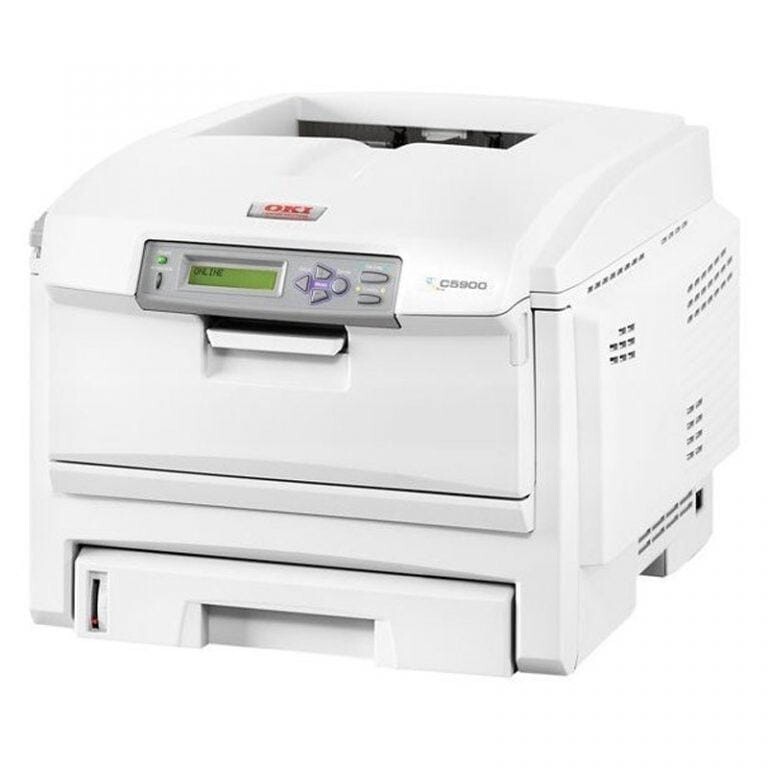
The networked C5900N shares the C5900's color engine and its Type C8 toner family. The standard CMYK set is numbered 43381901 through 43381904; stocked on this page are the higher-capacity variants — 43324404 black, 43324403 cyan, 43324402 magenta and 43324401 yellow — each of which drops into the same slot as the standard cartridge it replaces.
The N configuration exists to be shared: one printer on the network, a whole team sending work to it. That shapes its toner story twice over. First, volume is collective, so cartridges drain faster than any single user expects. Second, most of what a team prints is text — which is why this page leads with the higher-capacity line and why the grayscale habit described below saves real money on a shared machine.
Toner Cartridges for C5900N
| Cartridge | Color | Page Yield |
|---|---|---|
| 43324404 | Black (high yield) | See product page |
| 43324403 | Cyan (high yield) | See product page |
| 43324402 | Magenta (high yield) | See product page |
| 43324401 | Yellow (high yield) | See product page |
| Type C8 High Yield 4 Color Set (43324404 / 43324403 / 43324402 / 43324401) | All four colors | See product page |
| C5900N High Yield 4 Color Set | All four colors | See product page |
| C5900N Premium Quality High Yield 4 Color Set | All four colors | See product page |
Which cartridge should you buy?
For a team printer, plan around the black cartridge: it empties first, and a spare on the shelf is the difference between a two-minute swap and a stalled office. The higher-capacity cartridges suit the C5900N's shared workload better than the standard set, lengthening the gap between orders for every color. Replace colors individually as they run out — there is no benefit in retiring a half-full cyan because the magenta died — and choose a four-color set when the panel shows several colors low together or when you stock one shelf spare for the whole machine.
Chip, toner and everyday use
The C5900N prints with OKI's digital LED technology rather than a laser and rotating mirror, so the imaging path has fewer moving parts; a soft, dry cloth across the LED lens strips cures most light streaking. The compatible cartridges here are chipped and recognized on installation. Their rated yields assume about five percent coverage — realistic for letters and reports, optimistic for full-color flyers — so a team that prints graphics heavily should keep the next set closer at hand. Store cartridges sealed, flat and out of direct sunlight.
Frequently Asked Questions
What toner cartridges does the C5900N use?
Four individual cartridges: the standard set is 43381901–43381904, and the higher-capacity versions stocked here are black 43324404, cyan 43324403, magenta 43324402 and yellow 43324401. Each color is replaced on its own when it runs out.
Do I need color toner installed to print in black and white?
The color cartridges stay in the machine, but they are not consumed by text work if you choose grayscale in your print settings — the printer then draws only on the black cartridge. That is the cheapest way to run the C5900N for everyday documents.
What print technology does the C5900N use?
It uses OKI digital LED printheads instead of a laser beam and mirror. In daily terms that means a compact imaging path and consistently sharp text and color, with the LED lens strips worth an occasional gentle wipe if streaks appear.
Can standard and higher-capacity cartridges be mixed?
Yes. Each slot takes either version independently, so a higher-capacity black can run beside standard colors, or the other way around, without any setting change.
More printers that use the same cartridges
The printers below use the identical Type C8 toner family, so cartridges stocked for the C5900N fit them as well.