




C5700
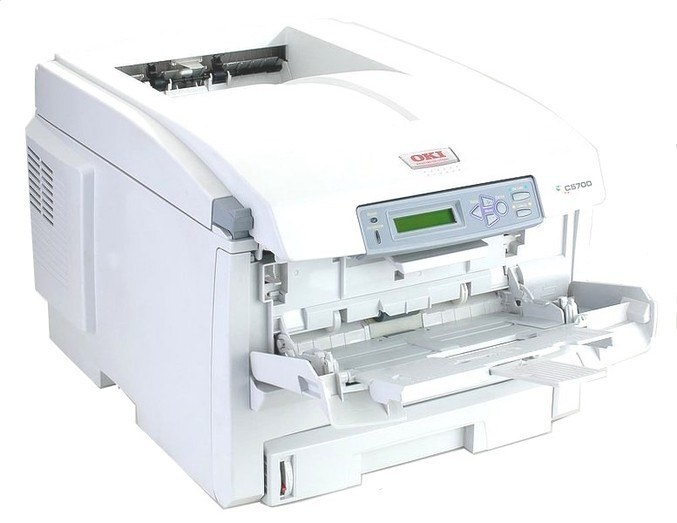
The Okidata C5700 is a color printer that shares its toner platform with the C5600 series, and it takes the same Type C8 high-yield family: 43324404 in black, 43324403 in cyan, 43324402 in magenta and 43324401 in yellow. Four separate cartridges, one for each color position, are the whole toner story for this machine.
Platform sharing is the C5700's quiet advantage. An office that runs a C5700 next to a C5600 — or any of the related models listed at the bottom of this page — keeps a single cartridge shelf for all of them instead of a different stock for every printer. That is also why the listings below carry C5500 and C5600 names: the cartridges are the shared family, listed under the sibling models they also serve. What identifies the right cartridge is never the name on the listing; it is the eight-digit part number.
Toner Cartridges for C5700
- 43324404 — Black — See product page
- 43324403 — Cyan — See product page
- 43324402 — Magenta — See product page
- 43324401 — Yellow — See product page
- 43324404 Black (C5500 listing) — Black — See product page
- 43324402 Magenta (C5500 listing) — Magenta — See product page
- 43324401 Yellow (C5500 listing) — Yellow — See product page
- 43324404 — 2 Black — Black, 2 pack — See product page
- 43324404 — 3 Black — Black, 3 pack — See product page
- 43324404 — 5 Black — Black, 5 pack — See product page
- 43324403, 43324402, 43324401 — 3 Color Set — Cyan, magenta, yellow — See product page
- 43324404, 43324403, 43324402, 43324401 — 4 Color Set — All four colors — See product page
- 43324404, 43324403, 43324402, 43324401 — 5 Color Set — All four colors — See product page
- 43324403, 43324402, 43324401 — 6 Color Set — Cyan, magenta, yellow — See product page
- 43324404, 43324403, 43324402, 43324401 — 8 Color Set — All four colors — See product page
Which cartridge should you buy?
Buy the single cartridge for the color that is empty — that is the right order almost every time, since the four positions drain independently and a color you barely use can sit for months. When the printer reports two or three colors low in the same stretch, a color set replaces them in one delivery, and the 4 Color Set covers all four positions for a machine that has run everything down together. If your C5700 shares an office with its platform siblings, the black multi-packs deserve a look: black is stocked in 2, 3 and 5 packs under the same 43324404 number, and one shared stock of them feeds every compatible machine in the room. All of the compatible cartridges on this page carry a 1-year warranty and 1-year returns.
Chip, toner and everyday use
Leave a new cartridge in its sealed bag until the moment you install it; toner keeps best away from air and strong light. After installation, print a test page and check the level reading on the printer — if a cartridge shows as unrecognized, switch the machine off, pull the cartridge out and push it back in until it seats with a click. Near the end of a cartridge's life a gentle side-to-side rock levels the remaining toner and can clean up fading output. Store spares flat, cool and dry, and write the color on the box end so the right spare is easy to grab in a hurry.
Frequently Asked Questions
Which toner cartridges does the OKI C5700 use?
The C5700 uses the Type C8 family: black 43324404, cyan 43324403, magenta 43324402 and yellow 43324401. Each color is its own cartridge with its own number, so order the number that matches the empty position.
Does the C5700 really use the same toner as the C5600?
Yes — the C5700 shares its toner platform with the C5600 series, which is why this page stocks the same 43324401 to 43324404 numbers for both machines. A cartridge bought for one of them is the cartridge the other one takes.
Why are there no cartridges with the C5700 name on this page?
Because the range is listed under the names of the sibling models it also fits — C5500 and C5600. The part numbers are what the C5700 runs on, and they are printed in every listing title, so match the number and ignore which model's name happens to headline the listing.
Should I buy singles or a set for the C5700?
Singles, whenever only one color is out — that is the normal pattern for this printer. Sets earn their place when several colors run low together or when you are stocking a new machine from empty; the rest of the time they tie up toner you will not need for months.
More printers that use the same cartridges
These models draw on the same black toner family as the C5700, so one shelf of 43324404 black cartridges can serve any of them: C5500, C5500DN, C5500Ldn, C5500MFP, C5500N, C5600, C5650, C5650DN, C5650N, C5800, C5800DN, C5800LDN, C5800N, C5900 MFP, C5900, C5900CDTN, C5900DN, C5900DTN, C5900N, C5950, C8, MFP.