




C5900DTN
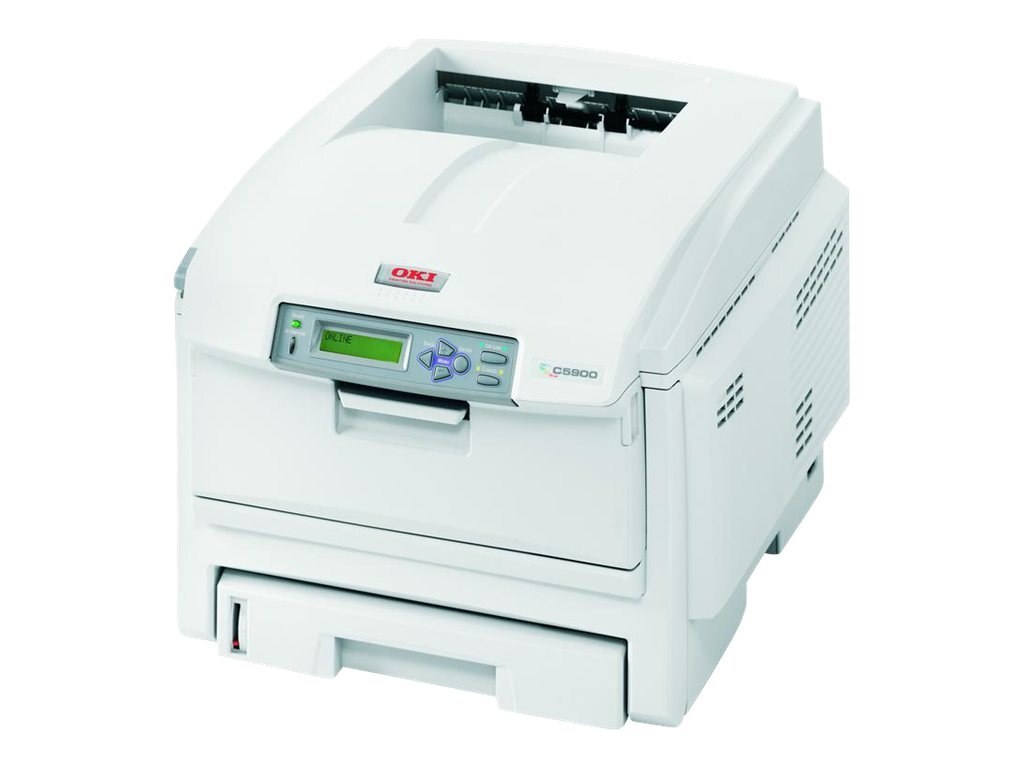
The OKI C5900DTN pairs the C5900 color engine with duplexing, extra paper trays and network connectivity — the configuration departments choose when a printer runs steadily all day. Its standard Type C8 set is numbered 43381901–43381904. This page stocks the 5,000-page high-capacity line: 43324404 black, 43324403 cyan, 43324402 magenta and 43324401 yellow, four separate cartridges that each answer for one color slot.
Extra trays change how a department prints: letterhead lives in one tray, plain stock in another, and nobody refills paper mid-run. Toner planning follows the same logic. A machine fed and loaded for long uninterrupted runs should not be the one that stops for a cartridge twice as often as it needs to — which is why the 5,000-page cartridges below, rather than the standard set, are the DTN's natural supply.
Toner Cartridges for C5900DTN
| Cartridge | Color | Page Yield |
|---|---|---|
| 43324404 | Black (high yield) | 5,000 pages |
| 43324403 | Cyan (high yield) | 5,000 pages |
| 43324402 | Magenta (high yield) | 5,000 pages |
| 43324401 | Yellow (high yield) | 5,000 pages |
| Type C8 High Yield 4 Color Set (43324404 / 43324403 / 43324402 / 43324401) | All four colors | 5,000 pages each |
| C5900DTN High Yield 4 Color Set | All four colors | 5,000 pages each |
| C5900DTN Premium Quality High Yield 4 Color Set | All four colors | 5,000 pages each |
Which cartridge should you buy?
Start from volume. A department printer that works all day will burn through standard cartridges quickly, so the 5,000-page high-capacity line is the default recommendation here: fewer swaps, lower cost per page, and less chance of a color dying in the middle of a long run. Buy the single color the panel flags when only one slot is low; move to a four-color set when several cartridges are aging together and you want one delivery to reset the whole machine. Keep the black single on the shelf regardless — it is always the first to go.
Chip, toner and everyday use
These compatible cartridges carry the chip the C5900DTN reads, so installation is a mechanical swap and the printer reports the new level on its own — no manual reset is required. Rated yields are measured at about five percent page coverage, the usual office document; presentation pages with heavy color blocks will finish a cartridge sooner, which is normal rather than a fault. When output from one color turns patchy near the end of a cartridge, removing it and rocking it gently side to side redistributes the remaining toner and often buys a few dozen extra pages while the replacement travels.
Frequently Asked Questions
Which toner does the Oki C5900DTN use?
Its standard set is 43381901–43381904, and each color has a 5,000-page high-capacity counterpart: black 43324404, cyan 43324403, magenta 43324402 and yellow 43324401. The high-capacity cartridges stocked here fit the same slots as the standard ones.
What is the difference between the C5900DTN and the C5900CDTN?
Very little. Both are duplex, tray and network configurations of the same C5900 platform, and both use the same toner. The naming varies by region and bundle; consumables and print quality do not.
How do I replace a toner cartridge on the C5900DTN?
Open the front cover and pull the empty cartridge straight out. Unpack the replacement, rock it gently to distribute the toner, remove all seals, and slide it in until it locks. The printer detects the new cartridge automatically — there is no reset step to perform.
Can I mix standard and high-capacity cartridges in one machine?
Yes. Each slot accepts either its standard or its high-capacity cartridge independently of the others, so you can upgrade one color at a time as the standard cartridges run out.
More printers that use the same cartridges
Every printer below drinks from the same Type C8 toner family as the C5900DTN, standard and high-capacity alike.